

First Impressions and Onboarding
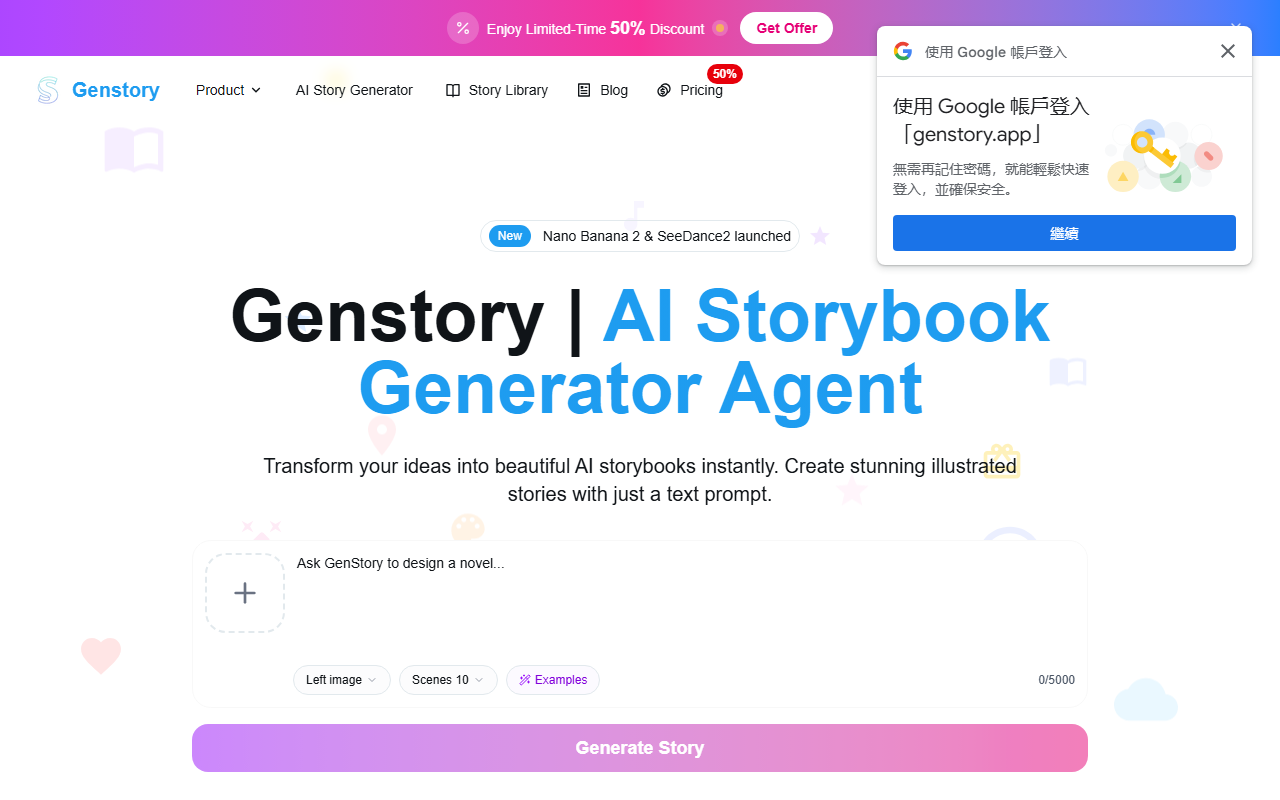
Upon visiting GenStory, the homepage immediately presents a clean, modern interface centered around a prompt input field. You see a grid of featured storybooks — titles like "Alana's Final Stroke" and "Nova's Journey Home" — alongside a quick-start area where you can enter a story idea, set the number of scenes (defaults to 10), toggle Fast Mode, and choose public visibility. The whole experience screams simplicity: no account required to browse the library, but creating your own story demands signing in and spending credits. The onboarding is essentially non-existent beyond a brief step-by-step guide on the landing page, but the tool itself is intuitive enough for most users to jump right in.
Core Features and Gemini Storybook Technology
GenStory positions itself as an AI storybook generator powered by what it calls “Gemini Storybook technology” — likely leveraging Google’s Gemini models for text and image generation. The core workflow is straightforward: enter a prompt describing your story, choose the number of scenes (more scenes cost more credits), and hit generate. Within seconds, the AI outputs a complete story with illustrations on each page. During my test of the free tier, I entered “A brave penguin learns to fly” and received a 10-page story with coherent narrative and colorful, albeit slightly generic, images. The library already hosts over 10,000 user-generated stories, which you can browse for inspiration. Additional features include the ability to share your storybooks publicly and collaborate with others — though the exact collaboration mechanism isn’t detailed. The tool also claims to support video and image generation, but the website’s heavy focus on storybooks suggests that’s the primary use case.
Performance, Quality, and Limitations
The text quality from GenStory is decent for short children’s stories: simple vocabulary, clear plot progression, and moral lessons. Illustrations are generated per page and match the narrative reasonably well, though artistic consistency between pages can vary — characters’ appearances sometimes shift slightly. Fast Mode reduces generation time significantly but may compromise detail. A notable limitation is the credit system: you start with a small number of free credits (I counted 10 on the dashboard), and once exhausted, you must purchase more. Pricing is not publicly listed anywhere on the website, which is a red flag for transparency. Additionally, the tool seems tailored almost exclusively for short, child-friendly tales; if you're looking for adult fiction, complex plots, or non-story content, you’ll be disappointed. The lack of fine-grained customization (character editor, style selection) also limits creative control compared to platforms like StoryJumper or Book Creator, though those require manual work. GenStory’s strength is speed and automation — it’s less about crafting and more about instant output.
Pricing and Who Should Use GenStory
Since GenStory does not publicly list its pricing tiers on the website, you have to sign up and navigate the credit system to learn costs. This opacity is frustrating and may deter budget-conscious users. Based on the free credit allocation, heavy usage will require a paid plan, but without clear numbers, I can’t recommend it for anyone planning volume creation. The tool is best suited for parents and elementary educators who need quick, illustrated bedtime stories or classroom reading materials. For experienced writers or those wanting professional-grade illustrations, alternatives like Midjourney combined with a manual writing tool offer more control. GenStory excels at what it promises: turning a simple idea into a shareable storybook in minutes. If you value speed over depth and don’t mind an opaque credit model, give it a try. Just be prepared to pay once your free credits run out.
Visit GenStory at https://genstory.app/ to explore it yourself.










Comments