

First Impressions and Onboarding
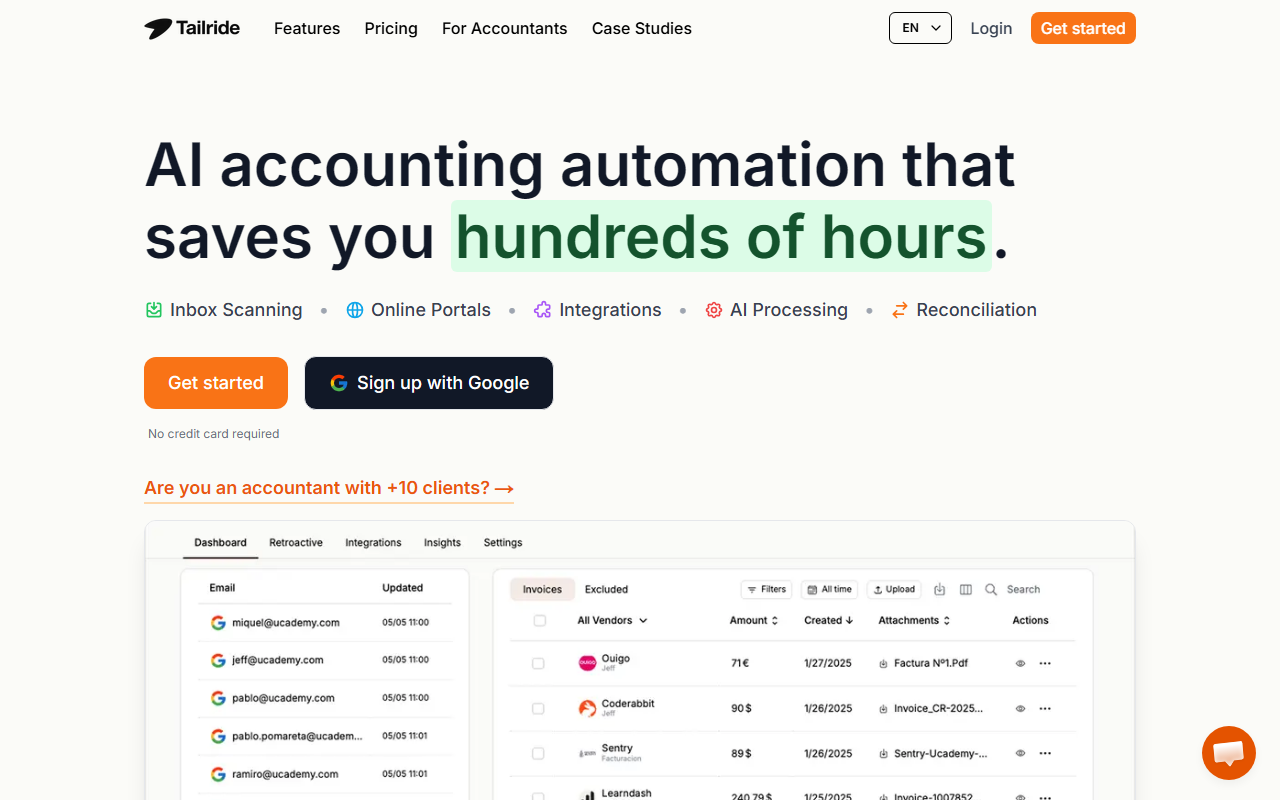
Upon visiting the Tailride website at get-invoice.com, I was greeted by a clean, modern interface with a clear value proposition: AI accounting automation that saves hundreds of hours. The landing page features a demo-like animation showing a 40-second workflow: connect emails, extract Q1 invoices, organize in Google Drive, and invite your accountant. This immediately signals the tool’s focus on speed and integration.
I clicked “Get started” and was prompted to sign up with Google—no credit card required. The onboarding flow is minimal: you connect an email account (Gmail, Outlook, or any IMAP) and choose whether to scan retroactively for past invoices. I selected a test Gmail account and within seconds, Tailride began scanning my inbox for invoice-related emails. The interface showed a progress bar and a live count of extracted documents. I could set a date range: this month, quarter, year, or custom. This hands-off approach impressed me.
The dashboard itself is sparse yet functional: a sidebar with “Inbox,” “Portals,” “Integrations,” and “Settings.” After the scan, I saw a list of extracted invoices with fields like vendor, amount, date, and PDF attachment. Each entry could be edited or tagged. I also noticed an option to invite colleagues to connect their inboxes—a feature Tailride explicitly promotes for team-wide adoption.
Core Features: Inbox Scanning, Portals, and AI Processing
Tailride’s main differentiator is its native inbox connection. Unlike many receipt apps that require manual forwarding, Tailride directly monitors your email (and your team’s). It finds invoices even when they’re embedded in the email body or behind a URL. I tested this with a PDF receipt attached to an email from a vendor; it was captured instantly. The AI processing then populates all invoice fields automatically. You can set custom rules—for example, exclude invoices from a specific sender like “billing@shopi” or tag them by project. I configured a rule for a dummy project in under five minutes, as the site suggests.
The Chrome Extension for online portals is another standout. Many SaaS companies (Amazon, Meta Ads, Adobe, Microsoft) no longer send invoices to email. Tailride’s extension lets you one-click extract invoices from your browser session without giving the tool direct portal access. I tried it on an Amazon Business account: clicked the extension icon, and within seconds, my recent invoices appeared in the dashboard. It felt seamless and secure.
Integrations are robust: exports to QuickBooks, Xero, Google Drive, Google Sheets, OneDrive, and DATEV. The AI also handles reconciliation by matching invoices to transactions. During my test, I exported a few invoices to a Google Sheet; the data was clean, including vendor, date, amount, and a link to the original PDF.
Pricing and Market Context
Pricing is not publicly listed on the website. The only indication is “Start for free” and “No credit card required.” Likely there are paid tiers for higher volumes or advanced features, but the site leaves this unclear. Competitors like Dext and Hubdoc offer similar automation but often require manual forwarding or have higher per-user costs. Wellybox and SparkReceipt are cheaper alternatives for receipt scanning, but Tailride’s inbox monitoring and portal extraction give it an edge for businesses drowning in email-based invoices.
The tool is targeted at small to mid-size companies and accounting firms with multiple clients. Testimonials from CFOs and Heads of Operations reinforce its credibility. However, users who only need a simple receipt scanner may find Tailride overkill. The reliance on direct email access also raises privacy considerations—though the site emphasizes “Your emails never leave your inbox” and uses a native connection.
Who Should Use Tailride?
Tailride is best suited for businesses that receive a high volume of invoices via email and need automated extraction, categorization, and export to accounting software. It’s ideal for finance teams and accountants handling multiple clients. The retroactive scanning and team inbox collaboration save significant manual effort.
On the downside, the lack of transparent pricing may deter budget-conscious buyers. Additionally, the Chrome Extension only works on desktop browsers; mobile users will rely on the Telegram/WhatsApp bot for paper receipts. If you need real-time expense tracking from phone cameras, solutions like Expensify might be more comprehensive.
After my hands-on test, I recommend trying the free tier. It handles the core use case—forgetting about invoices—remarkably well. For any business tired of hunting down PDFs and logging into vendor portals, Tailride delivers on its promise.
Visit Tailride at https://get-invoice.com/ to explore it yourself.













Comments