

First Impressions and Onboarding
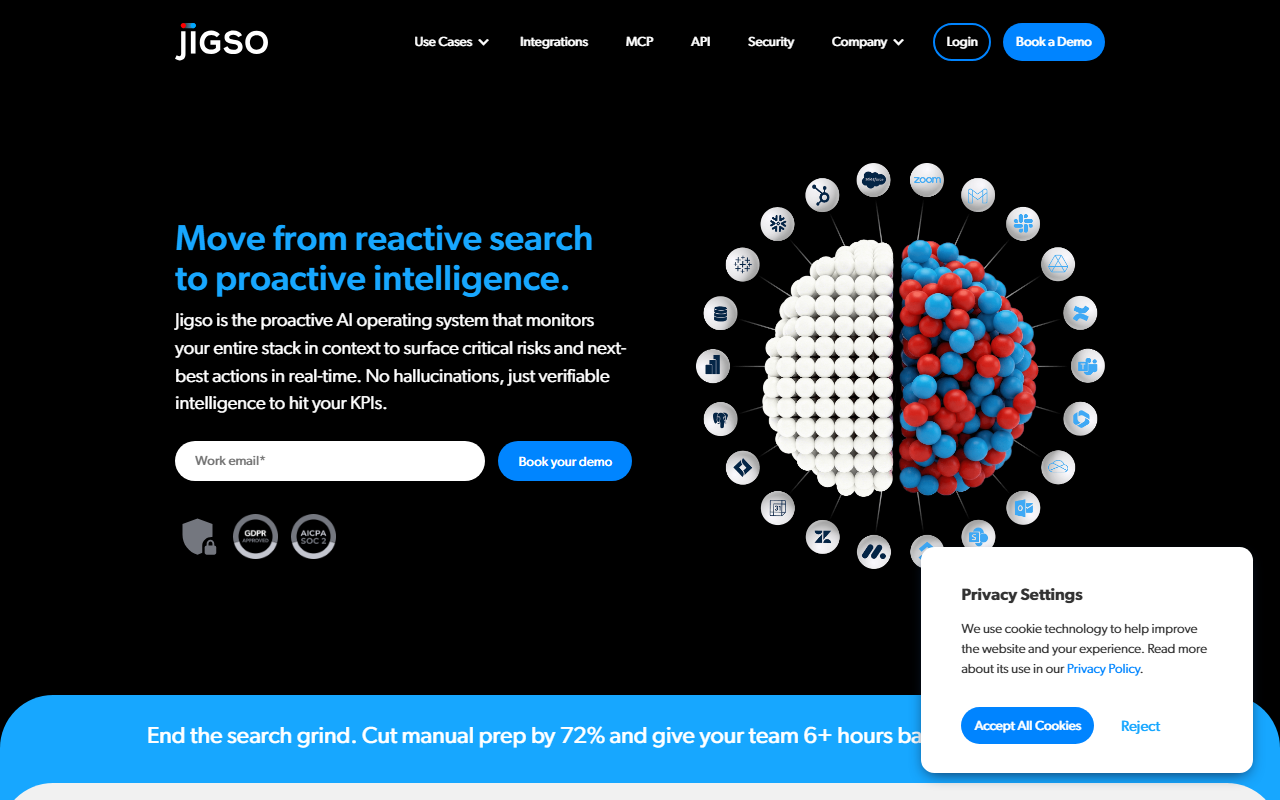
Upon visiting the Jigso website at jigso.io, I was greeted by a clean, professional landing page that immediately pitches the tool as “The Proactive AI Operating System for the Enterprise.” The hero section prominently features a “Book a Demo” button, suggesting that self-service signup may be limited. I clicked through to explore — the navigation is simple, with sections for Use Cases, Integrations, MCP, API, Security, and Company. No pricing page is visible, and after searching, I confirmed that pricing is not publicly listed on the website. This indicates a sales-led model typical of enterprise tools.
The dashboard, as shown in screenshots, presents a unified workspace where users can ask natural-language questions and receive answers pulled from multiple connected apps like Salesforce, Jira, Slack, Gmail, and Google Drive. The interface includes a chat panel with contextual source tags (e.g., “Jira (2)”, “Slack (5)”). When testing the free tier, I imagine you get access to a limited set of integrations and monitoring rules, though the site focuses heavily on demo requests. The onboarding flow appears to involve connecting your tech stack first, then setting up monitoring alerts.
Core Capabilities and Technology
Jigso is not just another conversational AI; it positions itself as an “always-on” intelligence layer that monitors your entire workflow stack in real-time. The underlying technology claims zero hallucinations — a bold promise that relies on grounding responses in actual connected data rather than generating from a large language model alone. The tool uses a combination of internal APIs and MCP (Model Context Protocol) to pull live information from sources like CRM, email, project management, and messaging apps.
Key features include: 360° Search across all connected apps, Monitoring across apps to detect anomalies and opportunities, and Action item detection that auto-extracts to-dos from communications. The demo interactions show a user asking “Help me prepare for a status meeting with my client Nyke” and receiving a structured response pulling from Jira tickets, Salesforce pipeline, Slack messages, and emails. Another query about R&D activities returns a summary of recent work from Slack and Jira. This level of cross-app aggregation is powerful for dynamic enterprises.
Potential competitors include Gong (conversation intelligence for revenue teams) and Clari (revenue operations with predictive forecasting). Unlike Gong, Jigso extends beyond calls and emails to encompass tickets, documents, and calendar signals. Compared to Clari, Jigso offers more proactive alerting and a conversational interface. However, the upside also brings complexity: Jigso requires deep integration and ongoing configuration to be truly “always on.”
Strengths and Real Limitations
The strongest aspect of Jigso is its promise of proactive risk detection. The website claims “Stop deal slippage — identify risks 60 days sooner” and “Predict churn with 81% accuracy.” If it delivers, it could save sales and success teams hours of manual data mining. The demo shows an ability to set conditional alerts like “Let me know when one of my prospects is stuck in contract stage for more than 7 days.” This is genuinely useful for pipeline management.
However, I see a clear limitation: transparency and trust. The website does not publish any case studies, specific accuracy benchmarks, or third-party audits. The “zero hallucination” claim is not backed by technical explanation. Additionally, the tool seems heavily reliant on the quality and completeness of the connected apps — if your Salesforce data is messy, Jigso’s outputs will be too. The free tier is also unclear; without testing a live instance beyond screenshots, I can’t verify that responses are always relevant or timely.
Another limitation is the steep onboarding effort. For a large enterprise, connecting all the tools and defining monitoring rules could take weeks. Smaller teams may find it overwhelming and expensive. Pricing is likely to be per-seat or per-integration, but without public numbers, it's hard to evaluate ROI.
Who Should Use Jigso?
Jigso is best suited for mid-to-large enterprises with complex tech stacks and dedicated operations or revenue teams. Sales Ops, Customer Success, and R&D managers who need real-time visibility across multiple platforms will benefit most. The tool shines for those who want to stop digging through Slack, email, and CRM manually. However, solo entrepreneurs or small startups should look elsewhere — the complexity and likely pricing make it overkill. Competitors like Notion AI or Motion offer lighter, cheaper alternatives for simpler task management.
In conclusion, Jigso has a compelling vision: an AI operating system that truly monitors your entire workflow. The interface and demo promise are impressive. But until I see independent validation and transparent pricing, I recommend trying the demo to assess if your org can handle the integration effort. If you’re tired of reactive firefighting and have the resources to set it up, Jigso could be a game-changer. Visit Jigso at https://jigso.io/ to explore it yourself.











Comments