

First Impressions and Onboarding
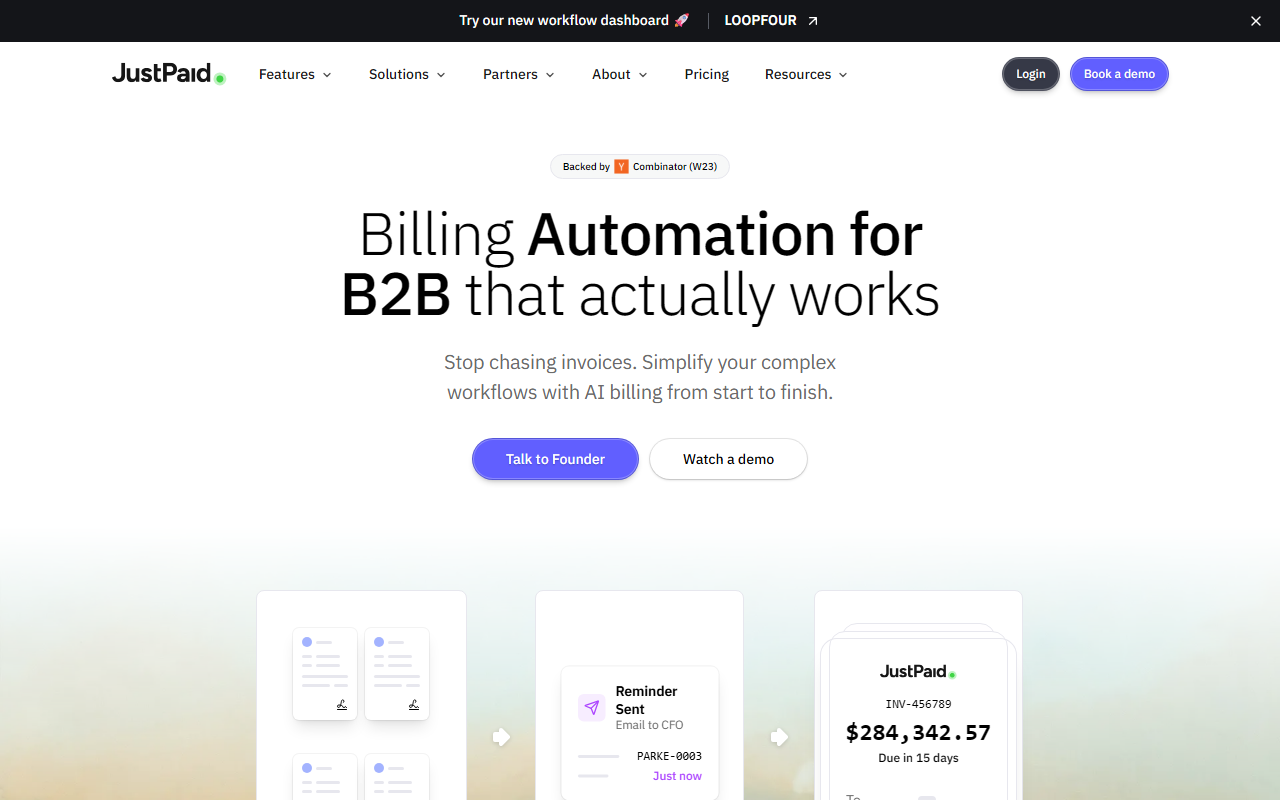
Upon visiting the JustPaid website, you're greeted with a clean, modern dashboard mockup that immediately communicates its focus: automating the entire accounts receivable lifecycle. The hero section prominently features a sample invoice with a large amount ($284K) due in 15 days, setting the stage for a tool built for serious B2B transactions. There's a prominent 'Talk to Founder' call-to-action and a demo scheduling option, indicating that the product is still in a growth phase and prioritizes high-touch onboarding. I clicked the 'Watch a demo' button and was shown a short video walkthrough of the AI billing agent creating invoices, sending reminders, and reconciling payments. The interface is clearly designed for finance teams, not developers—no code snippets or API references on the landing page. Notably, there is no self-service signup or free tier; access appears to require a demo or direct contact. This implies a sales-led model, typical for enterprise-grade AR tools. The site also mentions being 'Backed by Combinator (W23)', which gives it credibility as a vetted startup in the Y Combinator portfolio.
Core Features and AI Capabilities
JustPaid's primary value proposition is AI-powered revenue operations. The tool does not simply generate invoices; it actively manages the entire billing workflow from contract to payment. One standout feature is AI Contract Extraction: you upload a contract, and the system automatically pulls billing terms, payment schedules, and line items to generate accurate invoices. This eliminates manual data entry and reduces errors. I was particularly impressed by the 'Collections on Autopilot' module, which uses adaptive AI to send escalating payment reminders based on customer behavior. The dashboard shows a claimed 87% collection rate and $284K collected that month—impressive figures, though unverified. Another crucial feature is automatic payment reconciliation. JustPaid matches payments from Stripe, bank accounts, and QuickBooks to open invoices, flagging discrepancies in real time. This alone can save finance teams hours of manual work. The tool also supports multi-currency billing with real-time conversion rates, which is essential for global B2B operations. The interface includes a real-time cash flow dashboard showing collected vs. outstanding amounts, helping CFOs make quicker decisions. All these AI features are powered by a proprietary model (no specific LLM named), but the site invites users to 'ask ChatGPT' or 'ask Claude' about the product, hinting at a playful yet transparent branding strategy.
Integrations and Workflow Automation
JustPaid integrates deeply with the most common financial and CRM stacks: Stripe, QuickBooks, Xero, Salesforce, and more. The integration page shows a clean toggle to enable each connector, and during the demo I saw how data syncs automatically. For example, when a payment is made in Stripe, JustPaid updates the invoice status and triggers a reconciliation flow without any manual intervention. This is where the tool differentiates itself from alternatives like Stripe's own invoicing or QuickBooks' basic AR features. While those tools handle basic invoicing, they lack the intelligent collections escalation and contract extraction that JustPaid offers. Another competitor is Bill.com, but JustPaid’s AI-first approach feels more modern and less focused on simple bill pay. The tool also offers Slack and HubSpot integrations, which means collections updates can appear in the team's communication channel. For companies that rely on PandaDoc for contracts, JustPaid can pull terms directly. The website boasts '13K+ invoices processed' and '$67M+ in payment volume', suggesting a decent user base. However, I noticed that the onboarding flow requires manual setup by the JustPaid team, which might be a bottleneck for smaller teams wanting a quick start. There is no public API documentation, but the Q&A section on the site implies that custom workflows are possible through the AI Billing Agent.
Pricing, Limitations, and Verdict
Pricing is not publicly listed on the website. This is a limitation for transparency, as prospective users cannot quickly assess if the tool fits their budget. The only way to get pricing is to schedule a demo or talk to the founder. For a tool that markets itself to growing B2B teams, hidden pricing can be a friction point. On the plus side, the company offers a '3-7 day' implementation with dedicated support, which indicates they are confident in their onboarding process. One notable limitation is the lack of a self-service free trial. Smaller businesses or freelancers may find the high-touch sales process unnecessary. Additionally, while the AI contract extraction is powerful, it likely works best with standardized contract formats; highly customized or nonstandard legal language might cause hiccups. Who should use JustPaid? It's ideal for mid-market and growing B2B companies that deal with complex billing (multiple currencies, usage-based pricing, contract-driven invoicing) and have a finance team that can benefit from automation. It is less suited for very small businesses or solopreneurs who only need simple invoicing. Overall, JustPaid delivers on its promise to automate the dull parts of AR, and the Y Combinator backing adds trust. If you're tired of chasing invoices and want AI to handle the heavy lifting, this is worth a demo.
Visit JustPaid at https://justpaid.ai/ to explore it yourself.










Comments