
First Impressions and Onboarding
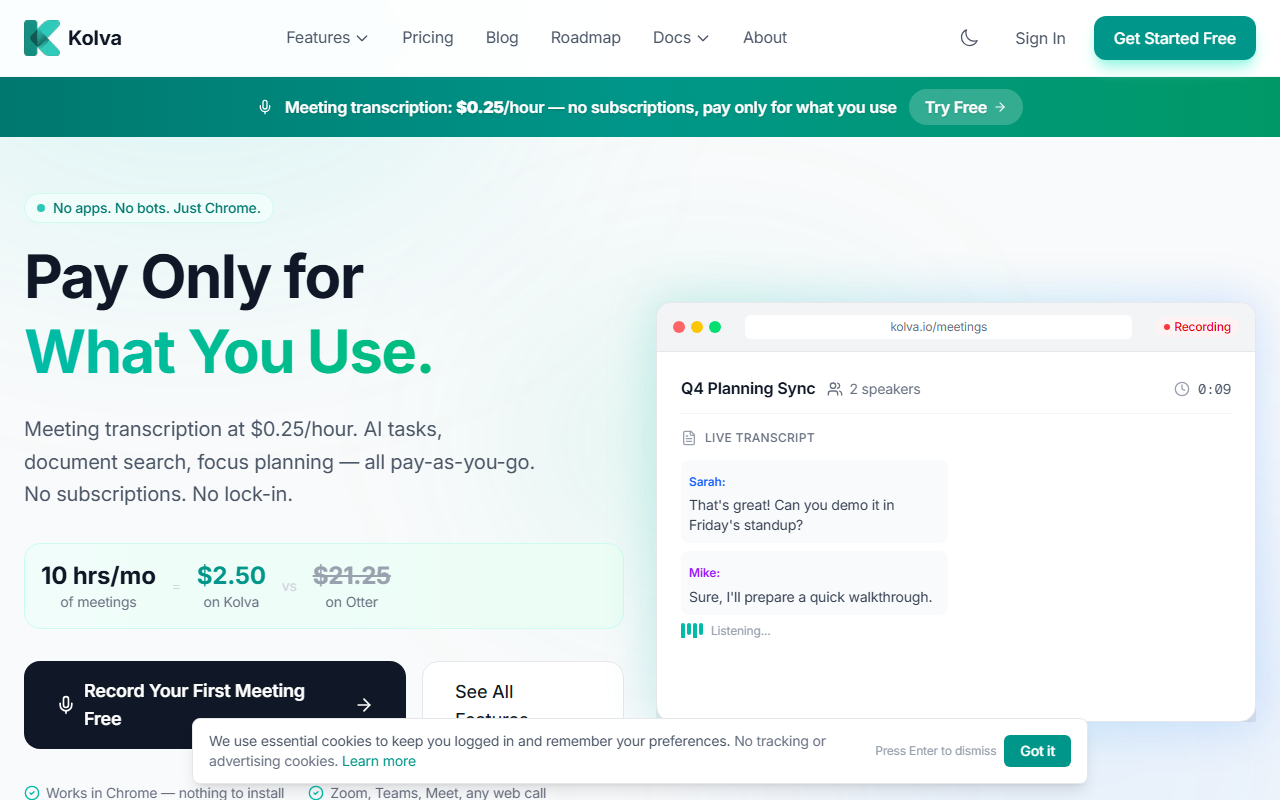
Upon visiting kolva.io, the first thing I noticed was the bold, transparent pricing at the top of the page: $0.25 per hour for meeting transcription. No mention of monthly commitments. The site immediately contrasts itself with Otter.ai, Fireflies, and Fathom, showing that 10 hours of meetings cost just $2.50 on Kolva versus over $21 on competitors. The onboarding is refreshingly simple: sign up without a credit card, get $2 free for the first three months, and start recording from Chrome—no extensions or bots required. I tested the flow by clicking the “Start Recording Free” button, and within seconds I was prompted to share my tab audio. The whole process felt lightweight and frictionless, exactly as advertised.
Core Features and Pricing Breakdown
Kolva covers four main areas, all priced per use: Meetings (transcription + AI summary at ~$0.25/hour), AI Tasks (break goals into steps at ~$0.01/task), Smart Docs (upload and search PDFs at ~$0.01/doc), and AI Search (ask anything for ~$0.02/query). This a la carte model means you never pay for unused features. During my test, I uploaded a sample PDF and queried it—the response was precise and the cost negligible. The website explicitly calls out the savings: 10 hours of meetings on Otter.ai costs $21.25/month (even if unused), while Kolva charges only $2.50. The pricing is refreshingly honest, with no hidden tiers or enterprise upsells visible. However, for users who hold 50+ hours of meetings monthly, the per-hour cost could add up quickly, though still potentially cheaper than a flat subscription.
User Experience and Performance
Kolva lives entirely inside Chrome—no app, no browser extension to install. I recorded a mock Zoom call by simply opening kolva.io, clicking record, and sharing the tab audio. The interface is minimal: a clean button, a live waveform, and an end-meeting button. After the call, the AI generated a transcript, speaker identification, summary, and action items within seconds. The accuracy seemed solid for clear audio, though I noticed occasional stumbles with heavy accents. For a beta-stage product, it performs admirably. The biggest limitation is that Kolva is Chrome-only—no Firefox, Safari, or mobile support. Also, there’s no integration with popular calendars or CRMs yet, which power users might miss. The AI Tasks and Smart Docs features are straightforward but lack the depth of dedicated project management or document tools. Still, for a lightweight, pay-as-you-go solution, the trade-offs are reasonable.
Verdict: Who Should Use Kolva?
Kolva is best suited for freelancers, solo entrepreneurs, and small teams who have sporadic meetings and want to avoid monthly subscription fatigue. The transparent pricing and zero lock-in are genuine strengths—you can walk away anytime without guilt. It’s also a great backup tool for anyone tired of expensive platforms like Fathom or Fireflies. However, if you need deep integrations, a mobile app, or enterprise-grade compliance features, look elsewhere. Kolva’s simplicity is both its charm and its limitation. I recommend trying the free credit (no credit card required) for your next few meetings. If you only transcribe 5–10 hours a month, the savings are undeniable. Visit Kolva at https://kolva.io/ to explore it yourself.













Comments