

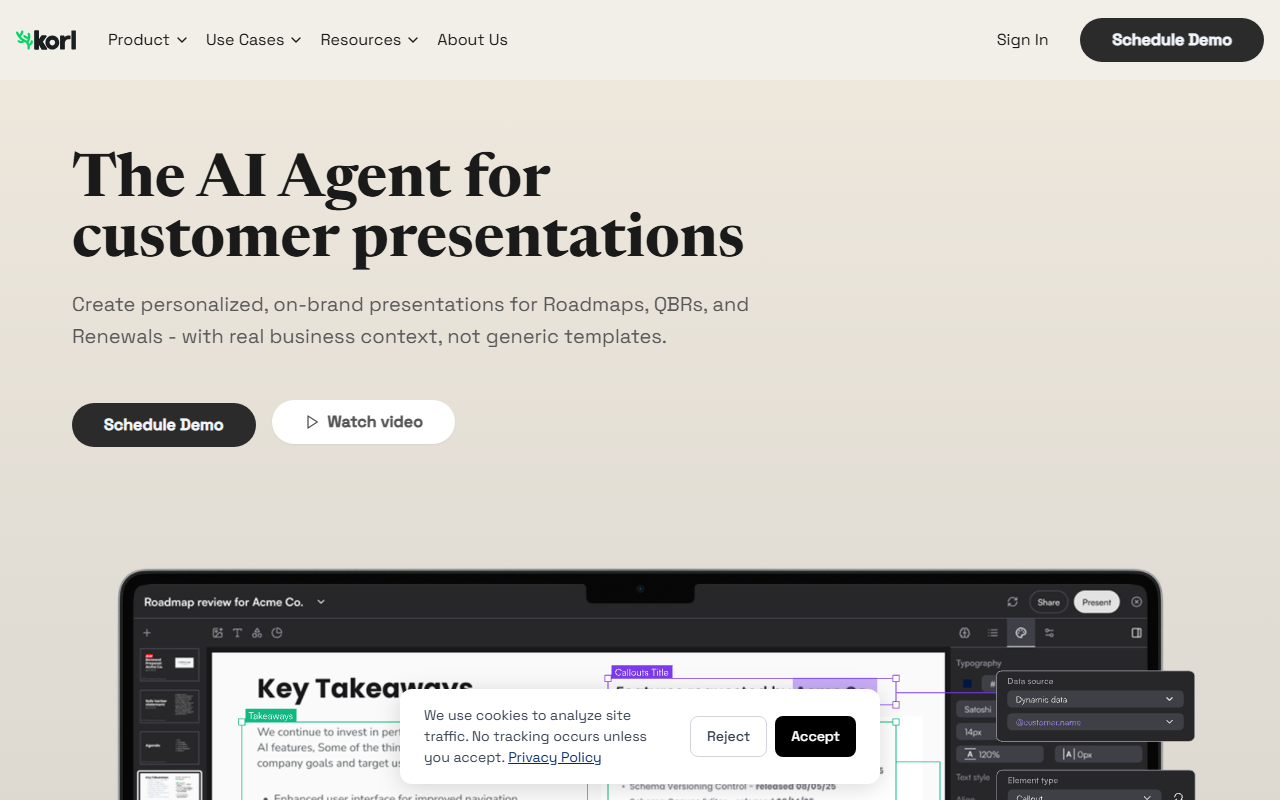
First Impressions and Interface
Upon visiting the Korl website, the landing page immediately communicates its focus: "The AI Agent for customer presentations." The design is clean and professional, with a clear emphasis on B2B use cases like Roadmaps, QBRs (quarterly business reviews), and Renewals. The call-to-action is a "Schedule Demo" rather than a self-service sign-up, signaling that this is a product aimed at teams rather than individual users. I noticed the top navigation includes sections for Product, Use Cases, Resources, and About Us, plus Sign In. There is no free tier mentioned; the only way to get started is through a demo request. This suggests Korl is a premium, enterprise-oriented tool.
How Korl Works: Deep Context Integration
The website describes a three-step workflow: connect your tools, enrich your data, and get tailored content. Korl integrates with sources like Jira, Google Docs, Figma, and Salesforce. The AI automatically maps and links multi-source data to build a holistic view of products and customers. Then it fills gaps—drafting external positioning and aligning features to customer outcomes. When a key milestone approaches (like a quarterly renewal), the presentation agent drafts a personalized deck based on that customer's unique history and priorities. The tool also claims to replicate your brand and styles by uploading a recent presentation, generating a reusable template. This is not generic slide generation; it is purpose-built for customer-facing conversations where context is critical.
Pricing and Market Position
Pricing is not publicly listed on the website. The only route is to schedule a demo, which likely gives custom quotes based on team size and data volume. This is typical for AI tools that require deep integration into a company's tech stack. Compared to general-purpose presentation AI like Tome or Beautiful.ai, Korl is far more specialized: it focuses on business context, not design templates. Another alternative is Pitch.com, but Korl differentiates by being an agent that proactively prepares content for specific customer milestones rather than just a slide builder. The tool seems best suited for customer success teams, account managers, and executive leadership who regularly deliver QBRs or renewal presentations.
Strengths, Limitations, and Verdict
Strengths: The primary strength is the depth of personalization. By pulling in data from CRM, product usage, and project management tools, Korl can generate slides that speak directly to each customer's goals, use cases, and requested features. The automatic brand replication is another strong point—it saves significant design time. The AI does not just fill templates; it builds a narrative based on real data. Limitations: First, the lack of transparent pricing may deter smaller teams. Second, setup is likely complex—you need to connect multiple data sources and possibly clean up data for the AI to work well. The tool is also heavily focused on customer presentations, so it won't help with internal or marketing decks. Finally, since it requires a demo, I could not test the actual output quality firsthand. Recommendation: Korl is an excellent choice for B2B companies that value deep customer context and need to scale personalized QBRs and renewals. If you are a small startup with limited data sources, a simpler tool like Tome may be more practical. But for established teams that live in Salesforce, Jira, and Google Docs, Korl looks like a powerful time-saver. Visit Korl at https://korl.co/ to explore it yourself.










Comments