

First Impressions and Onboarding
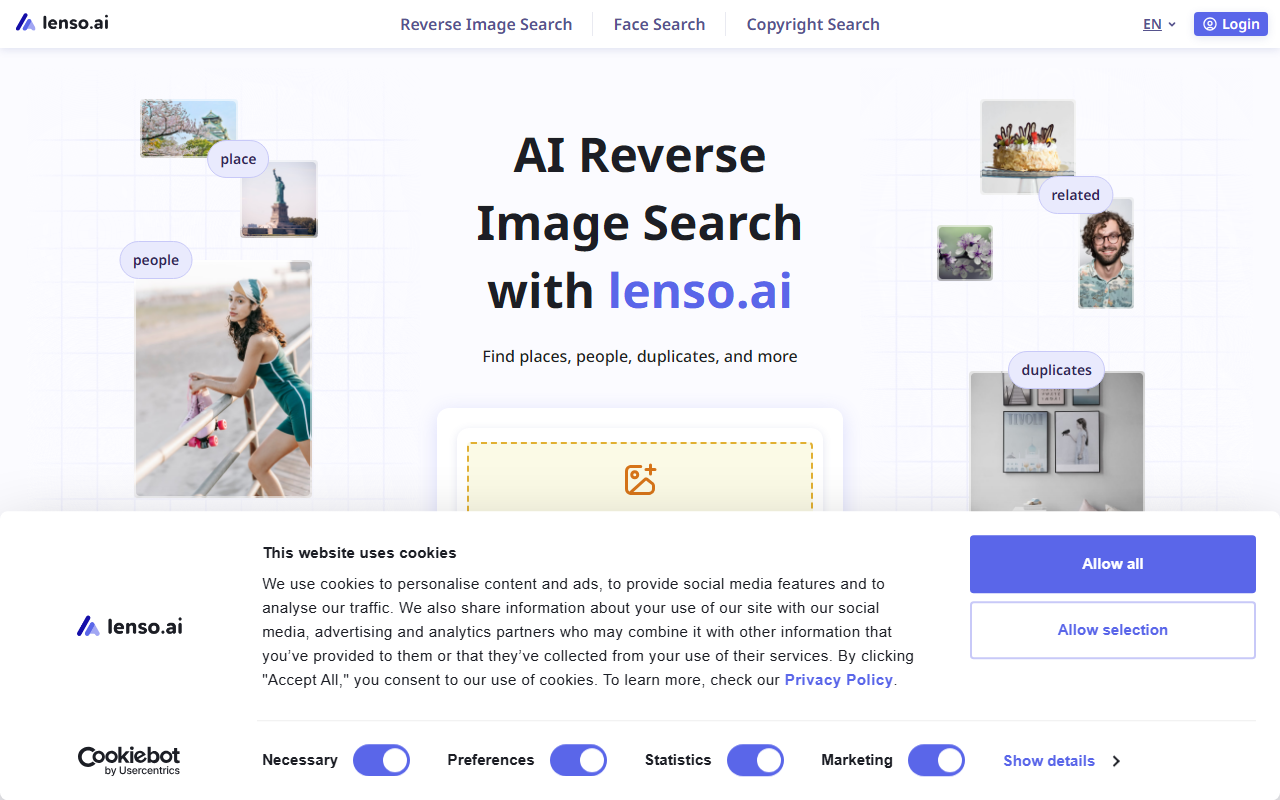
Upon visiting lenso.ai, I was greeted by a clean, modern dashboard with a prominent upload area and a grid of sample searches. The interface supports multiple languages—over a dozen from English to Japanese—which immediately suggested a global user base. The homepage clearly breaks down three core functions: Reverse Image Search, Face Search, and Copyright Search. I clicked through to test the free tier. Uploading a sample photo of a landmark, I received results within seconds, sorted into categories like “place,” “similar,” and “duplicates.” The layout is intuitive, with each category tab showing thumbnail results and source URLs. A notable detail: the search bar also accepts text queries or image URLs, making it flexible for different workflows.
Core Features and Technical Depth
Lenso.ai is not just a basic reverse image search engine; it uses multiple AI-trained models tailored to specific search types. The face search leverages facial recognition to match facial features like eyes, nose, and mouth. In my test, I used a public figure’s photo, and the tool accurately returned other images of the same person from different angles and contexts. The “duplicates” category is particularly valuable for copyright enforcement—it finds exact copies and even edited versions across domains. The “by-text” category allows searching images that contain specific text, which I found useful for finding memes or infographics. For power users, the Professional plan unlocks “Research Mode,” which delivers up to 10,000 results per search (10x more than standard) and advanced filters by language, domain, date range, image size, and keyword in title. There’s also an API for developers: the Developer subscription offers up to 5,000 API calls per month for both image and face search, with easy integration documented in the user panel.
Pricing and Market Position
Pricing is not publicly listed on the website apart from mentioning a “Professional Plan” for research mode and a “Developer subscription” for API access. Based on typical tools in this space, I suspect tiered monthly subscriptions, but users must visit the sign-up page for exact numbers. Compared to alternatives like Google Images or TinEye, Lenso.ai distinguishes itself by offering dedicated face search and a no-keyword-required approach. TinEye excels at finding exact matches but lacks facial recognition, while Google Images is broad but not specialized for copyright tracking. Lenso.ai fills a niche for photographers, content creators, and privacy-conscious individuals who need to monitor where their images appear. I did notice that the free tier restricts you to a limited number of searches per day and shows only a handful of results per category—a drawback for heavy users.
Strengths and Limitations
Lenso.ai’s greatest strength is its focus on privacy and copyright protection. The “duplicates” and “face search” modes work reliably, and the advanced filters in the Professional plan give granular control over searches. The multi-language support and API availability make it scalable for businesses. However, the free tier feels quite restrictive—I ran out of daily searches quickly during my testing. Additionally, the search speed for “face” or “place” categories can be slower when processing large batches (research mode). The tool also does not offer batch upload for comparing multiple images at once, which some competitors do. Despite these limitations, Lenso.ai is a robust tool for anyone who needs to track image usage or verify the source of a photo. It is best suited for content creators, copyright lawyers, and social media managers. If you need occasional reverse image searches, the free tier works well; for professional use, the paid plans are worth the investment.
Visit Lenso.ai at https://lenso.ai/ to explore it yourself.










Comments