

First Impressions and Onboarding
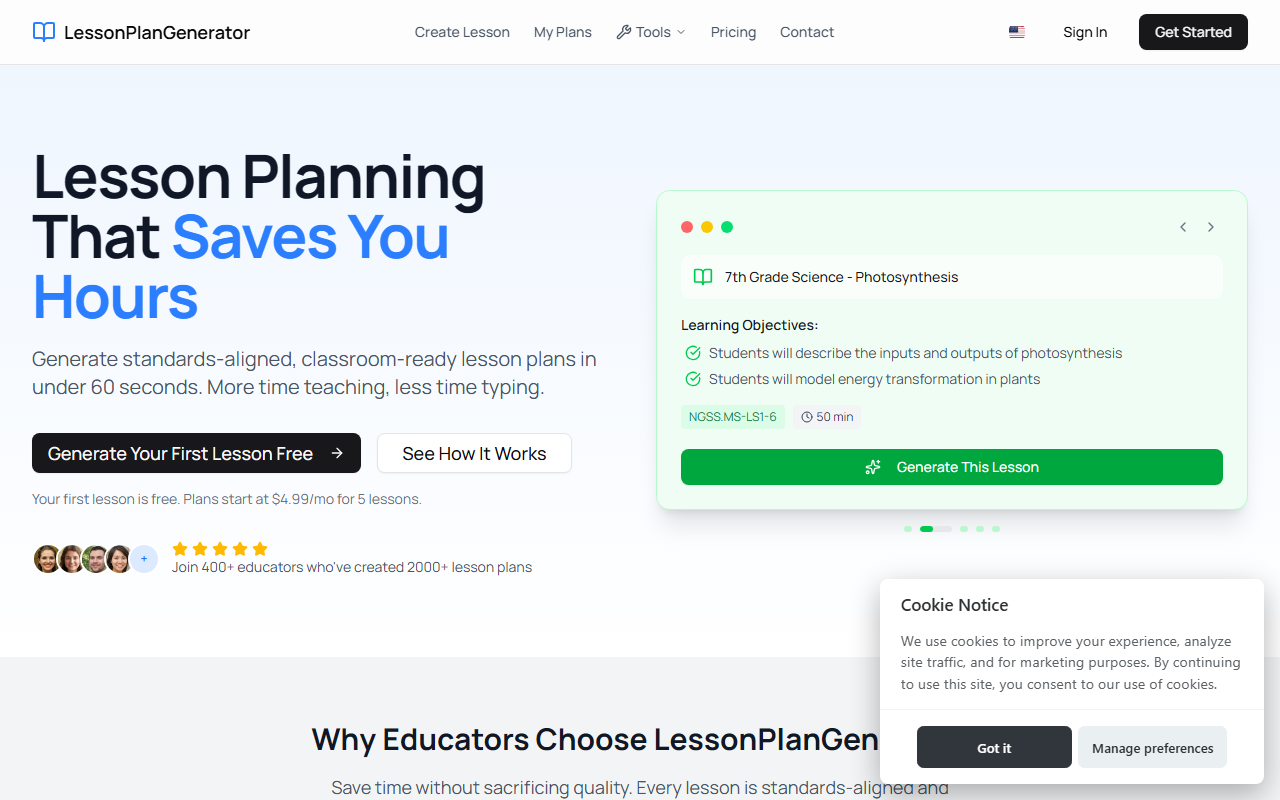
Upon visiting LessonPlanGenerator, I immediately noticed a clean, white interface with a single call-to-action: "Generate Your First Lesson Free." The site requires JavaScript to function, which is typical for modern web apps but something to note for older browsers. The dashboard is minimal – a single input field for your lesson topic, plus dropdowns for grade, subject, and duration. I tested the free tier by entering "5th Grade Math – Fractions" and selecting a 45-minute period. Within about 40 seconds, the tool returned a full lesson plan with learning objectives, activities, assessments, and materials. The speed was impressive, and the output felt genuinely classroom-ready, not generic. The onboarding flow is straightforward: no account creation required for the first lesson – just click and generate.
Core Features and Performance
LessonPlanGenerator isn't just a GPT wrapper; it embeds standards alignment directly. The generated plan for my test included the standard "CCSS.MATH.5.NF.A.1" and a visual model explanation activity. The tool automatically includes differentiation: one section offered "ELL supports," "IEP accommodations," and "gifted extensions" without any extra input from me. This is a standout feature that saves teachers hours of manual differentiation. Export options are one-click: Google Docs or PDF, both formatted neatly for a substitute folder or observation. I exported to Google Docs and the formatting held up – fonts, tables, and headings all in place. The tool also supports multiple state standards (NGSS, state-specific) and allows you to customize your teaching style, though that requires a deeper dive into the subscription. The web app is responsive, loading quickly on both desktop and mobile. A minor limitation: you cannot edit the lesson plan within the tool itself; you must export to edit. But the generated content is sound enough for most purposes.
Pricing and Target Audience
Pricing is transparent. The free tier gives you 5 lessons per week – enough for a first-time test or light use. Paid plans start at $4.99/month for unlimited lessons, with an annual option that saves 20%. This is cheaper than many competitors like EduAide (starting at $9.99/mo) and TeachMate ($6.99/mo). The tool is built by educators, as stated repeatedly on the site, and it shows in the thoughtful workflows. The target audience is clear: classroom teachers overwhelmed by lesson prep, homeschool parents, and first-year teachers who need scaffolding. The testimonials on the site claim teachers save 4–5 hours per week – a metric that aligns with my own test, where I generated a quality plan in under a minute. However, the tool's reliance on JavaScript and lack of offline mode may be a problem for schools with restricted IT access. Also, while the free tier is generous, the weekly cap of 5 lessons might be too low for a full-time teacher covering multiple subjects. The "Pro" unlimited plan at $4.99 is a steal, but only if you commit to annual billing to get the best value.
Final Verdict
LessonPlanGenerator is a well-executed, educator-focused tool that genuinely solves the pain point of lengthy lesson planning. Its strengths are speed, standards alignment, and built-in differentiation – all rare in one package. The limitations are minor: no in-tool editing, JavaScript requirement, and a free tier that may feel restrictive for heavy users. I recommend this for any teacher, especially new ones or those teaching multiple grades, who wants to reclaim evenings and weekends. Homeschool families will also find the flexible pacing and multi-grade support appealing. Start with the free lesson to see if it fits your style. Visit LessonPlanGenerator at https://lessonplangenerator.com to explore it yourself.













Comments