

First Impressions and Onboarding
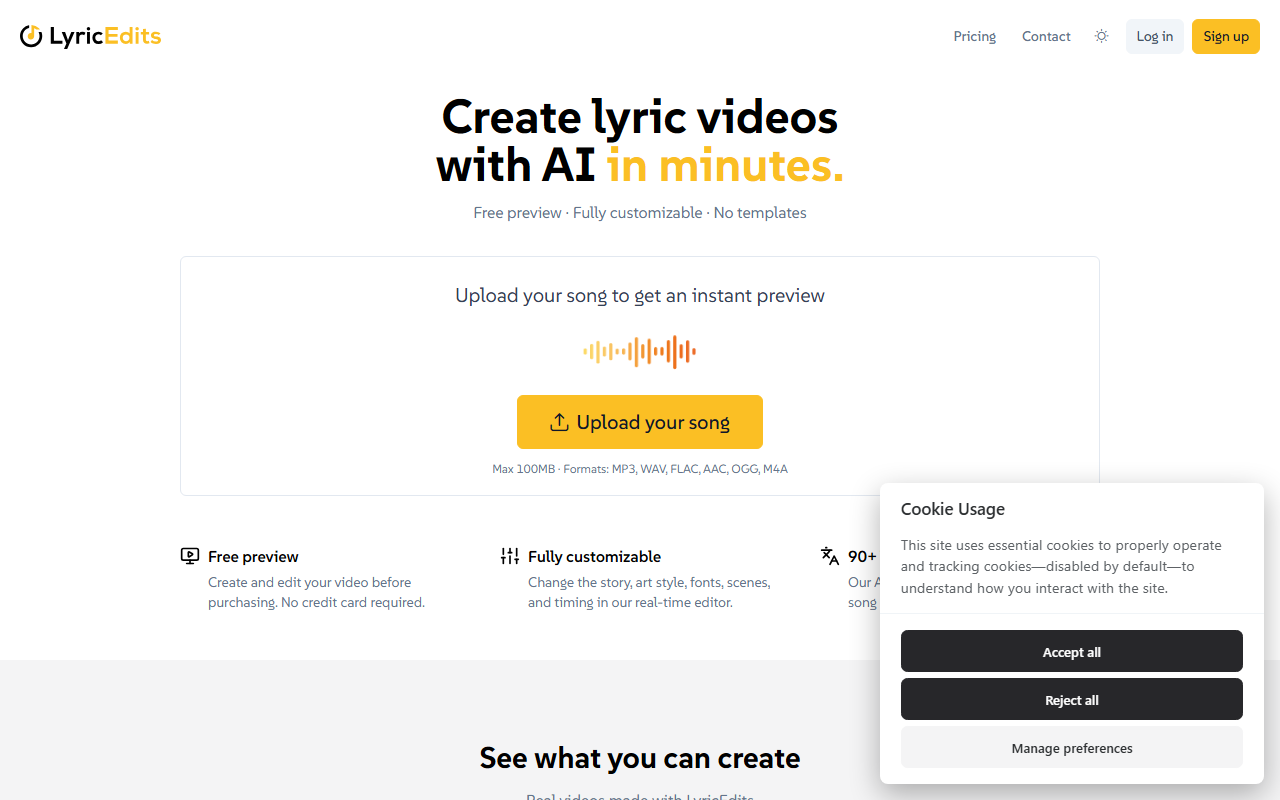
Upon visiting LyricEdits, the homepage greets you with a clean, musician-focused interface. The proposition is clear: upload your song and get an AI-generated lyric video in minutes. I decided to test the free preview by uploading a short audio file (under 100MB, as specified). The process was straightforward—no account or credit card needed. Within about 30 seconds, a preview video appeared, displaying animated lyrics synced to the music alongside generated visuals. The interface includes a real-time editor that lets you tweak story, art style, fonts, scenes, and timing. The editor feels responsive, though the free preview limits full export until purchase. The site also showcases example videos from artists like Biffy Clyro, which helped set expectations.
Key Features and Workflow
LyricEdits is built specifically for music, unlike general AI video tools designed for ads and reels. The AI transcribes lyrics automatically in 90+ languages, then generates images that visually represent the lyrics and animates them to match the song's rhythm and mood. The editor is the core differentiator: it is not a template-based system but a full workflow where you can customise every detail—story, characters, fonts, images, videos, colours, and timing. For advanced users, LyricEdits allows export to DaVinci Resolve, Premiere Pro, or Final Cut Pro. This means you can start in LyricEdits and finish in professional editing software, a feature that serious video creators will appreciate. The tool also keeps all rights with you and adds no watermarks, which is a strong selling point for independent artists.
Pricing and Target Audience
Pricing is not publicly listed on the website. The header shows a 'PricingContact' link, suggesting custom pricing per project or subscription. The free preview lets you see your video before paying, but to get the final video you likely need to pay—the site mentions 'Create and edit your video before purchasing.' This lack of transparent pricing is a limitation. For context, competitors like Runway and Pika charge monthly subscriptions, but they focus on short-form social content; LyricEdits is specifically for lyric videos. The tool is best suited for musicians, labels, and music video creators who need a fast, customisable lyric video without learning video editing. It is less suitable for general video production or for those on a strict budget without a clear price.
Strengths and Limitations
Strengths: The tool is purpose-built for musicians, with no templates and full creative control. The real-time editor and export to professional NLEs are genuine advantages. The free preview allows risk-free experimentation. Limitations: Pricing opacity may deter potential users; the AI-generated visuals can sometimes miss nuanced lyrical meanings (I noticed one scene where a sad lyric got a cheerful image). Additionally, the tool only creates lyric videos, not full narrative music videos. For those needing simple, fast lyric videos, LyricEdits is excellent. For more cinematic storytelling, you may need to combine it with other tools. Overall, try the free preview to see if the quality matches your expectations.
Visit LyricEdits at https://lyricedits.ai/ to explore it yourself.













Comments