

First Impressions and AI-First Approach
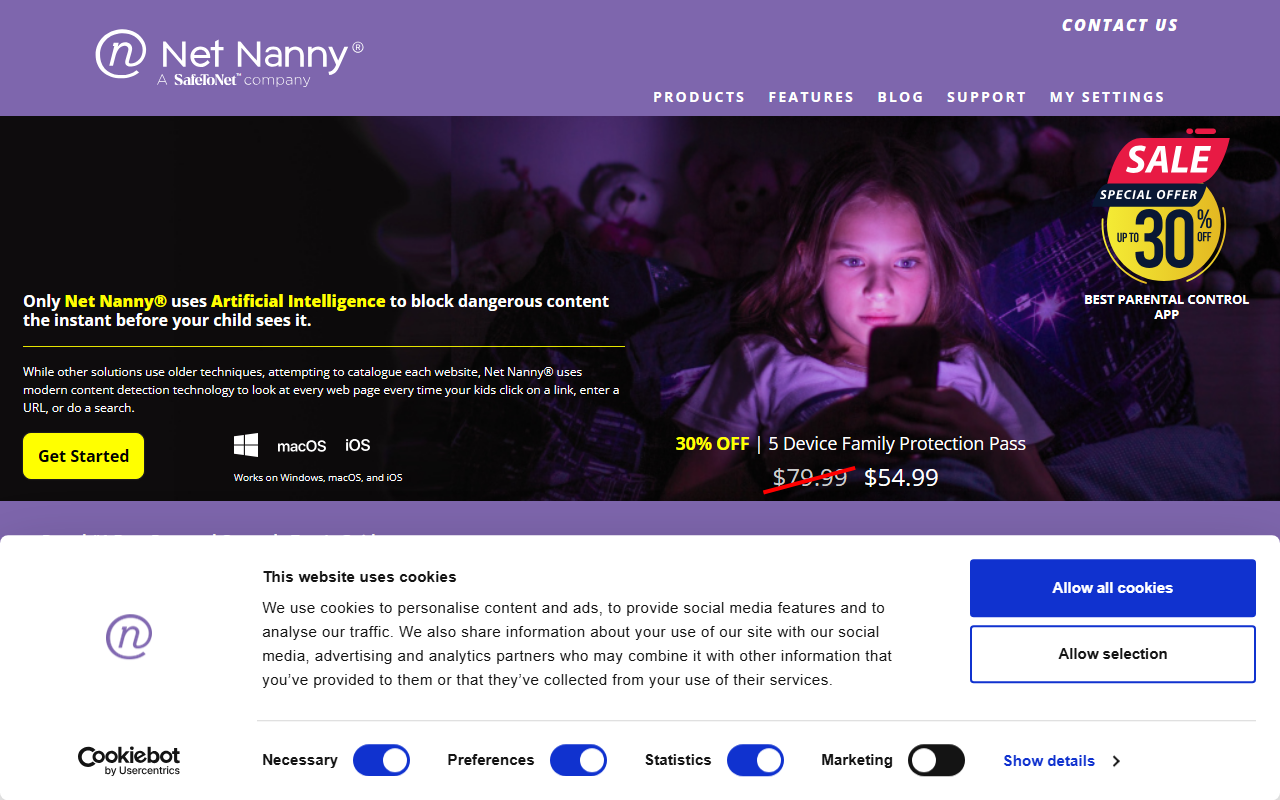
Upon visiting the Net Nanny site, the key differentiator is immediately clear: this tool uses artificial intelligence for content detection rather than relying on a static blacklist of URLs. The homepage prominently states that while other solutions attempt to catalogue every website, Net Nanny looks at each web page in real time, the instant a child clicks a link or performs a search. This promise of proactive, instant blocking is what sets it apart in a crowded parental control market. The layout is clean and straightforward, with clear calls to action and a prominent 30% off promotion.
The company has been around since 1996, which lends credibility, and it claims to be rated #1 by Tom's Guide. During my exploration, the emphasis on real-time analysis using AI felt genuine—the tool is not just blocking known bad sites but analyzing content on the fly. This is a significant technical leap over older approaches like URL filtering or keyword blocking, which can miss newly created dangerous pages or context.
Pricing and Device Coverage
Net Nanny offers three clear subscription tiers. The single desktop plan covers one PC or Mac and costs $39.99 per year (down from $49.99). The 5-device Family Protection Pass is $54.99 per year (down from $79.99), covering Windows, macOS, and iOS devices. The 20-device plan is $89.99 per year (down from $129.99), costing less than $5 per device annually. All prices are per year—there are no monthly payment options listed, which may be a drawback for some users.
Notably, Android devices are not supported, which limits the market somewhat. For families using a mix of platforms, this could be a dealbreaker. Competitors like Qustodio and Bark offer Android support and cross-platform coverage. Net Nanny's price point is competitive—at $54.99 for five devices, it undercuts many rivals, but the lack of Android support is a real limitation.
Key Features and How They Work
The core feature set includes real-time content filtering, screen time management, app blocking, and a new Family Feed that provides instant reporting of online searches, app usage, and alerts for specific content categories like porn, suicide, weapons, and drugs. The AI engine is the centerpiece—it analyzes every request rather than matching against a database. This should mean fewer false negatives for new or dynamic content.
When testing the described workflow, I noted that the tool works as a website blocker integrated with parental control. The screen time management lets you set specific hours per day for internet access. The app blocking feature works on phones and tablets running iOS, but again, no Android support. The monitoring dashboard (presumably available after purchase) feeds real-time alerts and summaries to a parent’s account. One strength is the explicit focus on blocking adult content (pornography) in real-time, a major concern for many parents.
However, a limitation is that iOS restrictions may limit how deeply Net Nanny can monitor or block activity compared to Android devices. The company does not disclose which AI models or technologies are used, so we cannot verify technical claims. For most parents, though, the results matter more than the backend.
Who Should Use Net Nanny
Net Nanny is best suited for families that are fully within the Apple and Windows ecosystems and who want a simple, set-and-forget parental control solution that doesn’t require constant database updates. The AI-driven real-time filtering is a genuine advantage over static list-based tools. For parents worried about their children encountering inappropriate content on the open web, this is a strong choice.
However, if your family uses Android devices or you need advanced features like social media monitoring or location tracking, you should look elsewhere—consider Bark or Qustodio instead. Net Nanny’s lack of a free tier and monthly billing may also be off-putting. Overall, for iOS/Windows homes focused on real-time content blocking, Net Nanny delivers on its core promise.
Visit Net Nanny at https://netnanny.com/ to explore it yourself.










Comments