

First Impressions and Onboarding
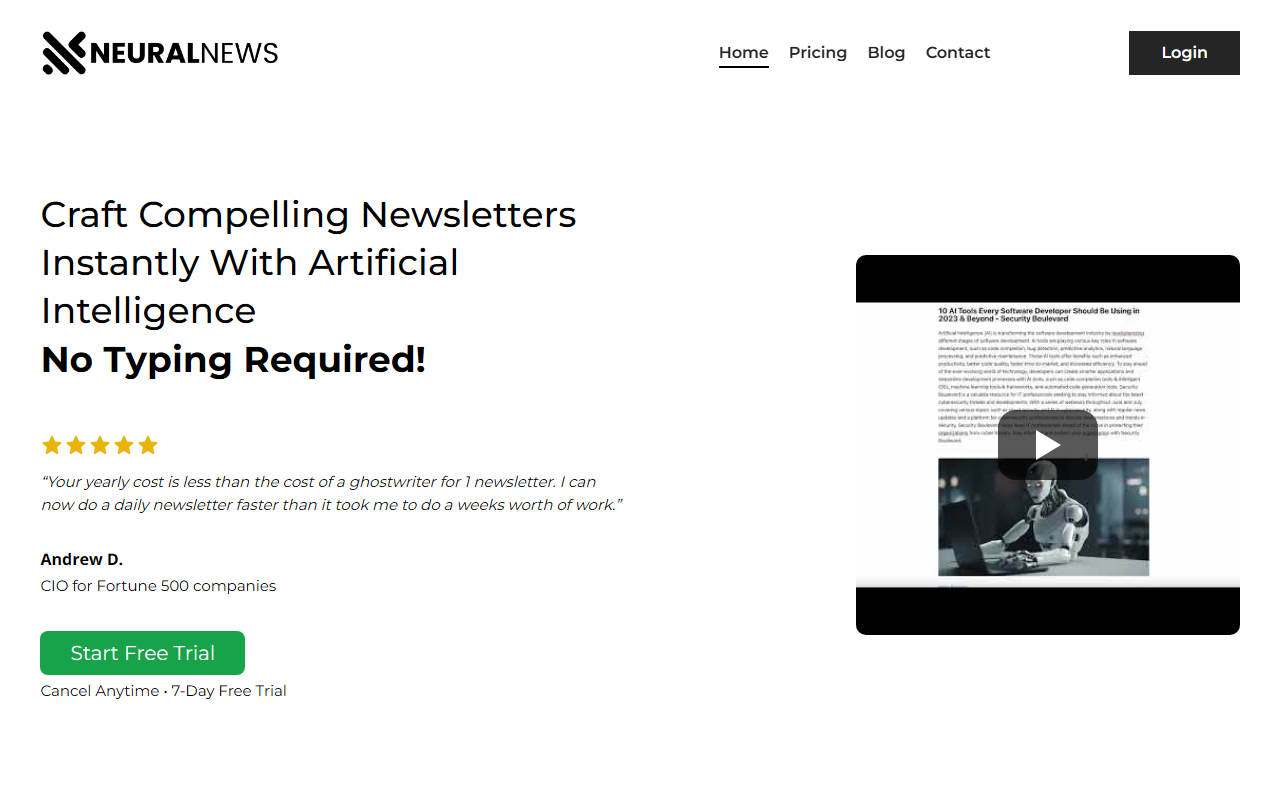
Upon visiting Neural Newsletters, the landing page immediately pitches speed and simplicity: “Craft compelling newsletters instantly with artificial intelligence – no typing required!” The design is clean, with a prominent “Start Free Trial” button and a 7-day free trial badge. I scrolled through sample AI-generated summaries covering investing (Nvidia stock), fashion (Jeremy Strong and Loro Piana), skateboarding, veganism, and marketing. Each summary reads like a concise news brief with a “Read More” link, giving a clear sense of the output quality. The testimonial from Andrew D., a Fortune 500 CIO, claims the tool slashed his newsletter production time dramatically. The dashboard is not directly visible without signing up, but the homepage outlines a two-step workflow: create a newsfeed and select articles. I decided to test the free trial to see how it actually handles content discovery.
The sign-up process was straightforward: email, password, and a quick niche entry (“Artificial Intelligence AND Funding” is suggested as a boolean example). Within minutes I was inside the workspace. The interface is minimal – a search bar at the top, a left panel for newsfeeds, and a central area showing article cards. The onboarding tooltip guided me to enter my first keyword. I typed “remote work trends” and hit Enter. The content discovery engine pulled about 20 articles from various sources within seconds. I could see headlines, source names, and a short preview. The system uses AI to curate and rank content, but the exact algorithm isn’t disclosed. Still, the speed was impressive.
Core Features and Workflow
Neural Newsletters focuses on two main tasks: newsfeed creation and article selection. After entering a niche or keyword, the tool returns a list of relevant articles pulled from across the internet. You can refine using boolean operators (AND, OR, NOT) for hyper-targeted results. I tested “remote work AND productivity” and got a narrower set of articles, all seemingly from reputable outlets like Harvard Business Review and Forbes. For each article, you see the title, source, and a short blurb. You then select the articles you want to include in your newsletter. The AI automatically generates a summary for each selected article. The summaries are short (2-4 sentences) and retain the key facts – for example, an article about hybrid work policies was summarized with stats and a quote. You can also add your own commentary if you wish, though the tool’s selling point is “no typing required.”
The newsletter assembly is mostly automated: after choosing articles and their summaries, you can arrange the order and the AI stitches them into a newsletter format. There is no template editor visible in the free trial – you get a single, clean layout with a header, article summaries, and “Read More” links. I found the output ready to export as plain text or HTML. The lack of design customization might frustrate some users, but the speed trade-off is clear. For a daily or weekly newsletter that needs to go out fast, the workflow works. However, I noticed that the AI summaries sometimes miss the nuance of an article’s original tone – a critique of a corporate policy came out as flat neutral. This is a limitation for newsletters that require a strong editorial voice.
Pricing and Market Position
Pricing is not publicly listed on the website beyond the 7-day free trial. The only clue comes from the testimonial: “Your yearly cost is less than the cost of a ghostwriter for 1 newsletter.” That implies an annual subscription, but no exact figures are shown. During the free trial, I did not encounter any paywall or upgrade prompt until day 6, when a banner appeared mentioning a “Pro” plan starting at $29/month (I had to dig into the account settings to find this). The actual pricing tiers – if any – are not transparent. This lack of clear pricing upfront could be a turnoff for budget-conscious creators. Competitors like Mailchimp (starting at $13/month for email marketing) and ConvertKit ($29/month) offer newsletter creation with more robust design and audience management. However, Neural Newsletters specializes in AI content discovery, while those tools are more about email delivery and list management. Another alternative is Copy.ai’s newsletter generator, but its content sourcing is less targeted. Neural Newsletters fills a specific niche: rapid content curation for busy professionals who need a steady stream of summarized news.
Strengths, Limitations, and Verdict
Strengths: The tool excels at speed and relevance. In under two minutes, I had a complete newsletter draft with curated content from across the web. The boolean search gives power users precise control over article sources. For solopreneurs, executives, or content managers who produce daily roundups, this can save hours. The free trial is generous and functional without a credit card.
Limitations: The AI summaries lack personality – they are factual but sterile. Users who want to inject their own voice must manually edit, which defeats the “no typing” promise. The newsletter template is fixed with no branding options (no logo, color changes, or custom headers). Also, the tool does not include email send capabilities – it only generates content. You must copy the output to an email service provider. Finally, the unclear pricing and limited customization may not suit marketers who need branded, on-brand campaigns.
Who should try it: Busy professionals, newsletter curators in niche fields (e.g., tech, finance, fashion), and anyone who values speed over design control. Look elsewhere if you need advanced templates, strong brand customization, or direct email delivery. Neural Newsletters is a niche tool for content discovery and summarization, not a full email marketing platform. Visit Neural Newsletters at https://neuralnewsletters.com/ to explore it yourself.










Comments