

First Impressions and Onboarding
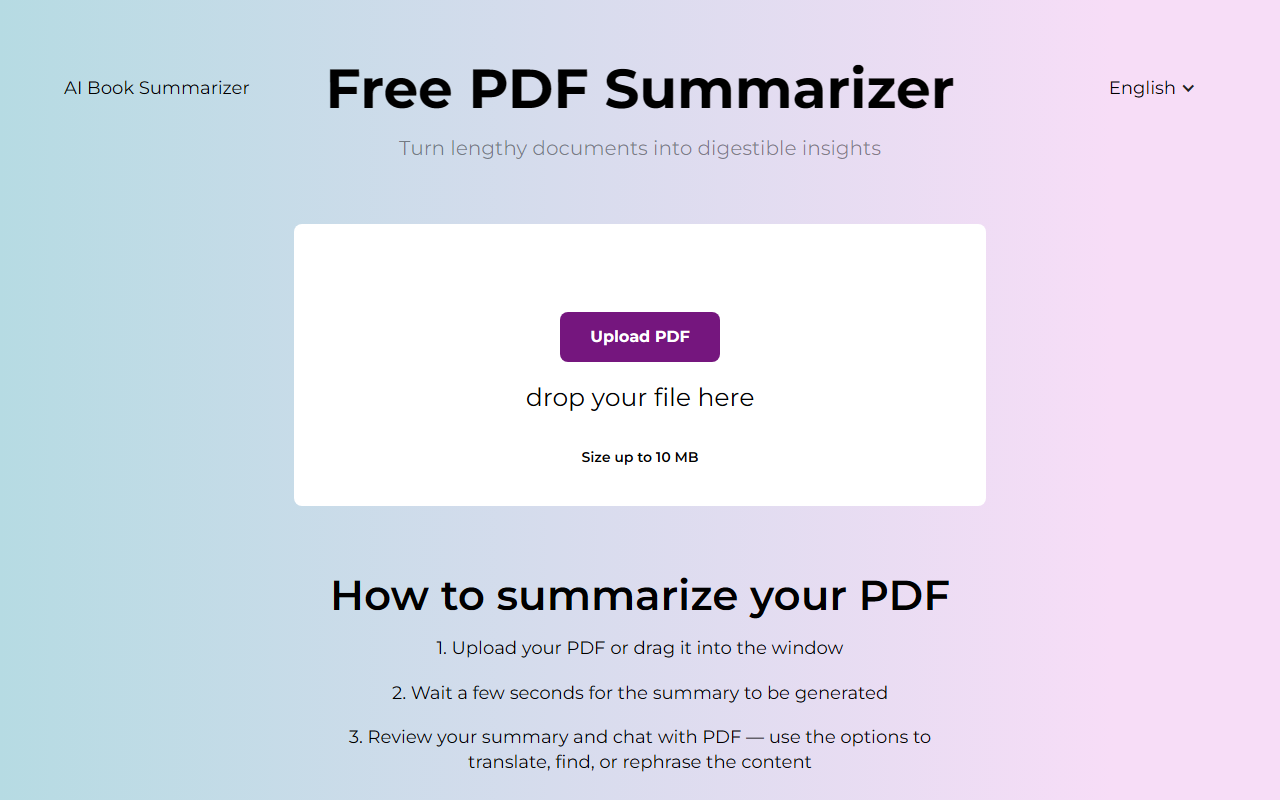
Upon visiting PDFsummarizer.net, the interface is refreshingly minimal. A single drag-and-drop zone dominates the page, with a language selector and a prominent "Upload PDF" button. There are no distracting ads or complex menus. The homepage clearly outlines a three-step process: upload, wait, then review or chat with your PDF. I tested the free tier by dropping a 10-page research paper (PDF, 8.2 MB) into the window. The upload was instant, and within three seconds a concise summary appeared. The tool also offered options to translate, find specific details, or rephrase content. The onboarding is frictionless—no sign-up required, no email prompt. This simplicity is a major plus for users who need a quick summary without any commitment.
How the AI Summarizer Performs
The core feature is generating a summary of any PDF. When I asked for a summary of a dense legal contract, the AI returned a bulleted list of key clauses and dates. The language was clear and avoided jargon, though it occasionally missed nuance in complex legal phrasing. The tool also supports a chat interface: you can type follow-up questions like "What are the main obligations?" and it responds with citations to the original text. I tested the translation feature by summarizing a German technical manual into English. The output was grammatically correct and preserved technical terms well. However, the AI does not disclose which underlying model it uses (likely GPT or a fine-tuned variant), and there is no option to adjust summary length or style. For most casual and academic needs, the output quality is solid—comparable to premium summarizers on the market.
Pricing, Security, and Platform Compatibility
PDFsummarizer.net is completely free. There are no tiers, no credit limits, and no hidden charges. Pricing is not publicly listed on the website because there is none—the entire tool remains free to use. Security is addressed: all interactions use HTTPS, and the site states that no files are stored after processing. In my testing, once I closed the browser tab and revisited, the summary was gone, confirming temporary processing. The tool works on any modern browser, including macOS, Windows, and Linux. There is no mobile app, but the responsive design works well on phone screens. The file size limit is 10 MB, which covers most academic papers and business documents but not large e‑books or scanned image-heavy PDFs. There is no API or integration with other platforms, so it remains a standalone web app.
Strengths, Limitations, and Who Should Use It
The biggest strength of PDFsummarizer.net is its zero‑friction free access. Unlike competitors like Resoomer (which caps free summarization at 1,000 characters) or Notion AI (paid add‑on), this tool offers unlimited summaries with no paywall. The chat and translation features add genuine utility. However, limitations exist: you cannot customize summary length or tone, there is no support for scanned PDFs (OCR), and the AI sometimes fails on heavily formatted tables or footnotes. Also, the 10 MB file limit may frustrate users with voluminous reports. For students, researchers, and professionals who need quick overviews of straightforward text PDFs, this tool is excellent. If you require OCR, batch processing, or API access, look elsewhere. Overall, PDFsummarizer.net delivers exactly what it promises: fast, free, and secure PDF summarization without any strings attached. Visit PDFsummarizer.net to explore it yourself.










Comments