

First Impressions: A Tailored Tool for Online Presence
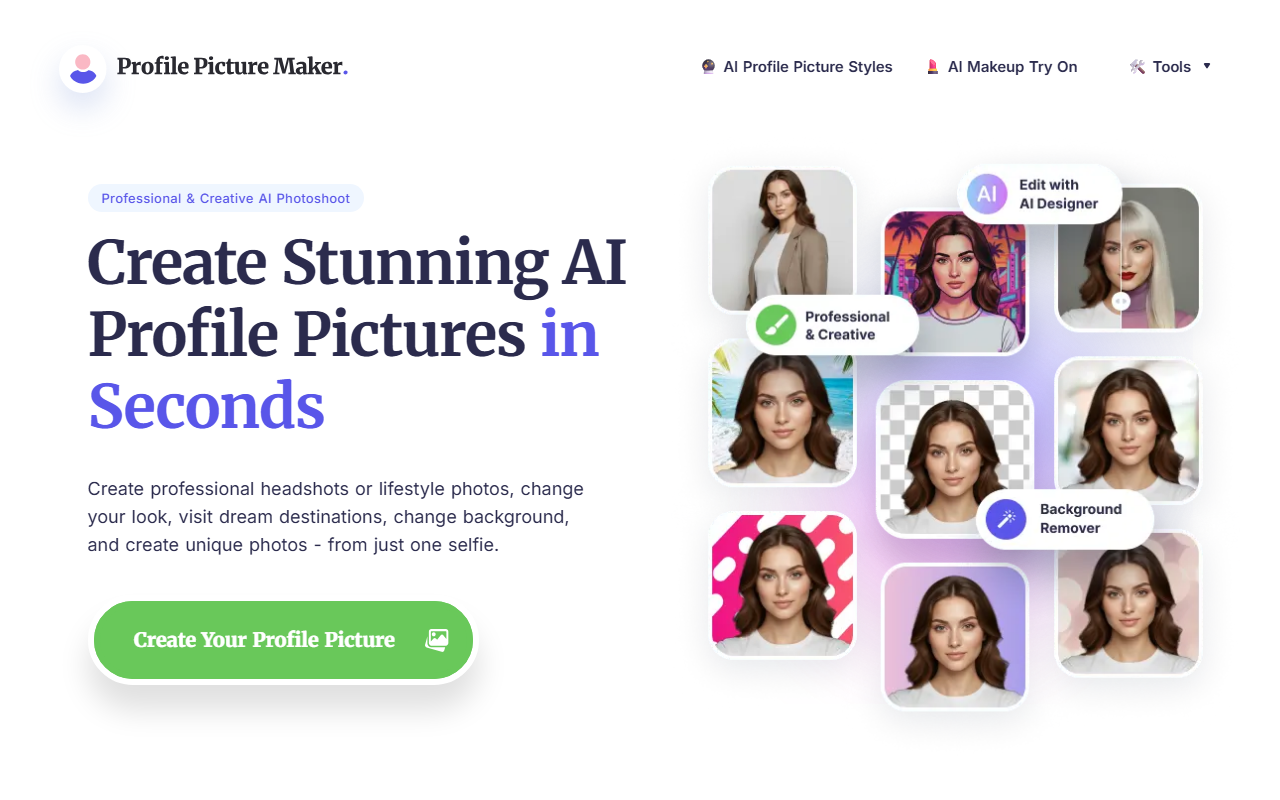
Upon visiting PFPMaker, I was greeted by a clean, no-nonsense interface that immediately presents its core value proposition: turn one selfie into dozens of professional headshots or lifestyle photos. The site proudly claims 18 million users and over 55 million profile pictures created, which immediately signals trust and scale. The landing page highlights a range of use cases—LinkedIn, Instagram, CVs, email signatures—and the workflow is clearly designed for speed: upload a photo, pick a style, and download within 15 seconds on average.
What struck me first was the breadth of tools offered. PFPMaker groups its features into free and premium tiers. Free tools include a basic profile picture generator, AI background removal, background changes, and creative overlays like borders and gradients. Premium unlocks AI headshots (enhancement for professional looks), an AI photoshoot (changing outfits, hairstyles, even visiting virtual destinations), and a chat-based AI editor that lets you describe impossible portraits in words and get photorealistic results. This is a significant value-add compared to simpler background remover tools.
Core Features and Observed Workflow
When testing the free tier, I uploaded a standard selfie. The background removal was accurate, even on a slightly messy background, and the processing speed was indeed under 20 seconds. The free “Profile Picture Generator” offers a set of templates (e.g., formal, casual, artistic) but the results were basic yet usable for social media. For LinkedIn, the “Remove Background” and “Change Background” features work seamlessly, with a few preset backgrounds like gradient colors and office environments.
Moving to premium, I observed the AI Headshots tool demo. It uses AI to enhance facial features, improve lighting, and generate multiple poses from the same upload. The AI Photoshoot tool is more ambitious: you can change hairstyles, add makeup, or even transport yourself to a beach or mountain. The results were photorealistic, though lighting consistency sometimes faltered. The AI Editor (chat-based) is unique—you describe what you want, like “business look with blue suit, standing in front of a modern office,” and it generates several variations. This is powered by a combination of in-house models and likely integration with DreamBooth or similar stable diffusion techniques, though the exact model isn’t disclosed. A notable limitation is that free tools are limited to basic edits; advanced features like clothing change or the chat editor are locked behind Premium.
Pricing is not transparent. The website lists “Free” and “Premium” tiers but no dollar amounts. A quick search suggests Premium is subscription-based, likely $9.99–$14.99 per month for unlimited access, but without an official price, budgeting is tricky. Unlike competitors like HeadshotPro (which offers flat-fee headshot packages) or Remini (focuses on photo enhancement), PFPMaker packs an all-in-one suite, but its lack of transparent pricing may deter some users.
Strengths, Limitations, and Verdict
Strengths: PFPMaker excels in speed and variety. The free tier is genuinely useful for creating a passable profile picture without cost. The chat-based AI editor is innovative—describing a scene and getting a coherent output is impressive for non-designers. Trust signals (18M users, 15-second processing) are backed by real statistics visible on the site. The tool supports JPG/PNG up to 5MB and deletes uploaded originals after 24 hours, addressing privacy concerns.
Limitations: The biggest downside is hidden premium pricing—users must sign up to see costs, which feels a bit bait-and-switch. Free output resolution may be limited (not stated, but typical for such tools). Also, the AI Photoshoot occasionally distorts facial features or adds artifacts in complex scenes. For serious corporate headshots, dedicated services like HeadshotPro offer higher quality with multiple retouching rounds. Additionally, the tool focuses only on portrait/profile pictures; it doesn't extend to full body or group shots.
Who is PFPMaker for? Best suited for individuals needing quick, decent profile pictures for social media, dating apps, or informal business use. Also great for content creators who want to experiment with different looks without a photoshoot. Look elsewhere if you require ultra-realistic headshots for a corporate website or if you need transparent, up-front pricing.
Final recommendation: Try PFPMaker's free tools first. They are genuinely useful and free forever. If you need the advanced AI edits, consider the premium, but weigh the cost against dedicated headshot services. It's a solid one-stop shop for profile pictures, especially for those who value speed over perfection.
Visit PFPMaker at https://pfpmaker.com/ to explore it yourself.










Comments