

First Impressions and Onboarding
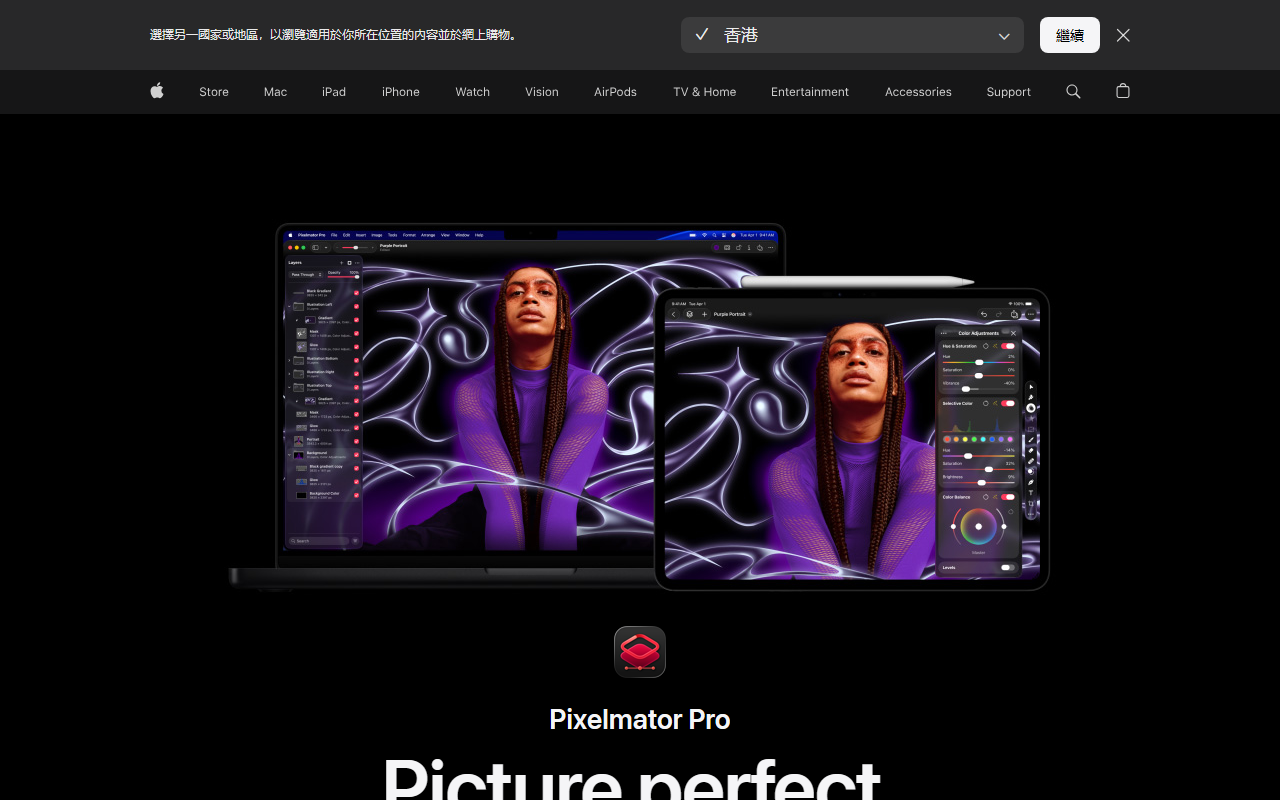
Upon visiting the Pixelmator website, I was immediately struck by how clean and Apple-centric the design feels. The page emphasizes integration with Apple Intelligence and Creator Studio, which hints at a deeply integrated experience. I downloaded the free trial for Mac. The installation was straightforward via the App Store, and the app launched with a welcoming, familiar interface that reminded me of a cross between Photos and Final Cut Pro. The dashboard presents a customizable workspace with toolbars on the left, layers panel on the right, and a central canvas. The onboarding is minimal—just a quick “New Document” prompt—but the built-in templates make it easy to start. I clicked on the “Templates” tab and found dozens of professionally designed layouts for social media, print, and more. It took me under two minutes to drag an image into a mockup template and apply an AI-powered background removal. The mask was perfect around the subject’s hair, which impressed me.
AI Features in Action
Pixelmator Pro’s intelligence features are what set it apart. I tested Super Resolution on a low-resolution photo; the tool analyzed the image and upscaled it to 4x while maintaining sharpness and even enhancing details. It felt like magic compared to the jagged results I get from standard interpolation. The background removal is as advertised—one click and the subject is isolated, ready for a new backdrop. I also tried Auto Enhance, which balanced exposure and color in a flat RAW photo, then allowed me to refine layers nondestructively. The Deband tool smoothed out gradient banding from a compressed JPEG without losing texture. For video layers, I retouched a short clip by applying a color curve adjustment—Pixelmator handled it as if it were a static image, which is a huge time-saver. The AI features build on Apple Intelligence (Core ML), so performance on my M2 MacBook Air was snappy. There’s no cloud dependency; everything runs locally, preserving privacy.
Technical Details, Pricing, and Ecosystem
Pixelmator Pro supports a broad range of file formats, including over 750 RAW formats, PSD, PDF, SVG, and HEIF. It integrates with Apple’s Photos app and can round-trip with Final Cut Pro and Logic Pro via Apple Creator Studio. The vector tools are robust: I used the Pen tool to draw custom shapes and the Path Type tool to add text along a curve. The pricing model is refreshing—no subscription. Pixelmator Pro for Mac is a one-time purchase on the App Store, currently priced at $49.99 (standard) or $99.99 with the Pro Pack (includes additional content and features). There’s also a free trial option. Unlike Adobe Photoshop, which requires a monthly subscription and works on Windows, Pixelmator is exclusive to Mac and iPad. Compared to Affinity Photo, Pixelmator focuses more on AI-assisted workflows and seamless integration with Apple’s ecosystem. The software has been a darling in the Mac community since its acquisition by Apple in late 2023, and the latest version shows deep commitment to native performance and intelligence.
Strengths, Limitations, and Verdict
Strengths: The AI tools are genuinely useful and outperform many competitors on speed and accuracy. The one-time purchase model is a breath of fresh air. Nondestructive editing, excellent RAW support, and the ability to work with video layers make it a versatile creative tool. The learning curve is gentle for anyone familiar with layer-based editors.
Limitations: The biggest drawback is platform lock-in—no Windows or web version. Advanced compositing features like 3D or perspective warp are absent. The selection of templates is less extensive than Canva, though they are higher quality. Some professional users may miss deep plugin support (e.g., no native support for Topaz or Nik filters).
Pixelmator Pro is best suited for Mac and iPad users who want a powerful, AI-enhanced image editor without a monthly bill. Designers, photographers, and content creators in the Apple ecosystem will find it a worthy replacement for many tasks. If you rely on cross-platform workflows or need advanced AI generative features (like text-to-image), look elsewhere. I recommend trying the free trial—you’ll likely be sold on its speed and polish. Visit Pixelmator at https://pixelmator.com to explore it yourself.










Comments