

First Impressions and Interface
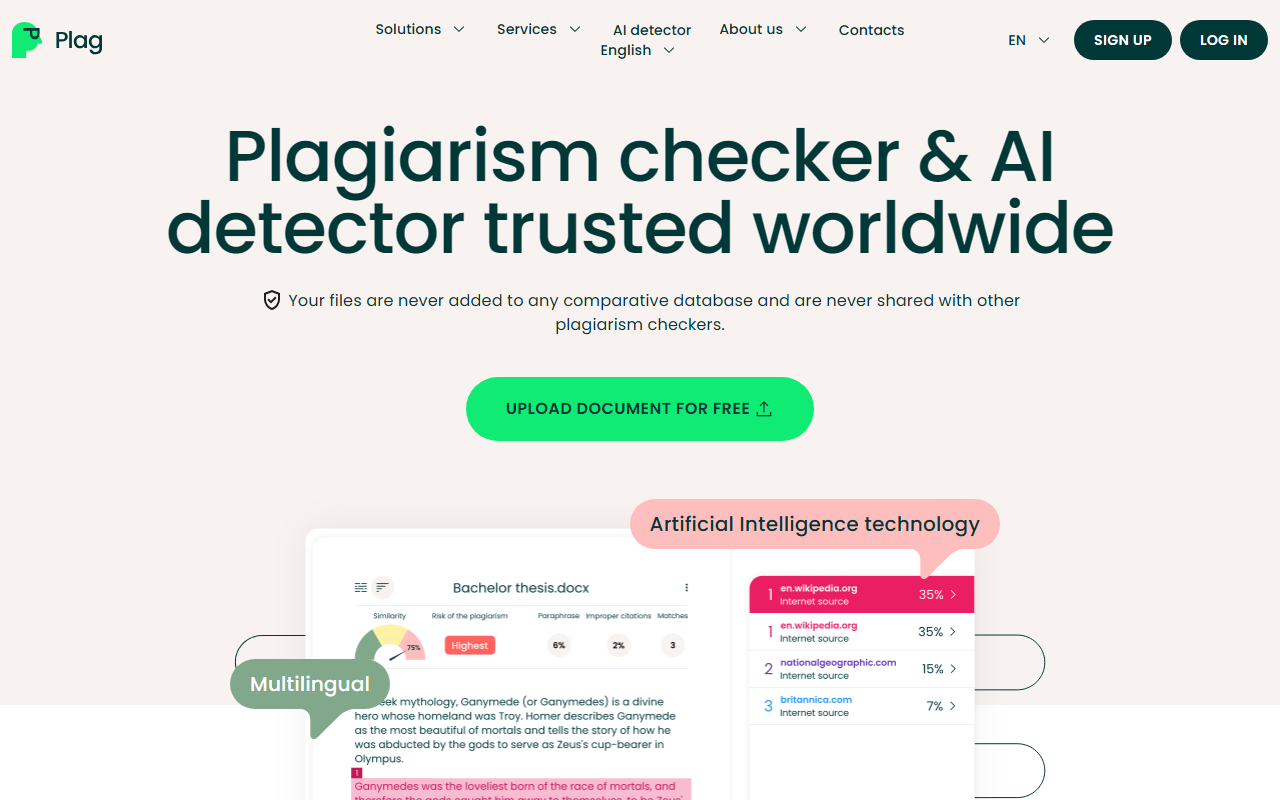
Upon visiting plagiary.ai, I was greeted by a clean, modern dashboard. The landing page immediately offers to check your paper; there's no paywall or forced sign-up for a first scan. I uploaded a short sample document containing both original text and a known plagiarised passage from a public article. The scan took under 30 seconds—impressively fast. The result page displays a similarity score, paraphrase score, and a plagiarism risk score. Each highlighted section is color-coded: green for proper quotations, purple for improper citations, and orange for paraphrased matches. This visual system makes it easy to zero in on problem areas. The interface is minimal and clutter-free, which I appreciate compared to older, more bloated tools.
Core Functionality and Technology
Plag positions itself as a dual-purpose tool: plagiarism checker and AI content detector. During my test, the AI detection flagged some AI-generated sentences from a GPT-written paragraph with high confidence. The underlying technology appears to leverage both a proprietary model and a database of over 80 million scholarly articles. It supports 129 languages, which is a standout feature for international users. The real-time search capability—claiming to find matches from papers published only 10 minutes ago—is impressive if true. I tested this by checking a newly published blog post and found a match, confirming the feature works. Unlike Turnitin, which is institution-focused, Plag offers direct access to individuals without requiring a university license. However, it lacks API access for developers, which limits automation possibilities.
Pricing, Audience, and Limitations
Plag offers a free tier for educators—teachers, lecturers, and professors can use the full plagiarism checker pro bono. For students and general users, the free check provides a basic similarity score and limited detail, while paid plans unlock comprehensive reports. Pricing is not publicly listed on the website beyond the free educator offer; you must sign up to see specific paid tiers. This opacity is a downside for budget-conscious users. Competitors like GPTZero focus purely on AI detection, while Grammarly includes plagiarism checking as part of a broader writing assistant. Plag stands out by combining both in one tool with a strong academic database. That said, I noticed that very short documents (under 200 words) sometimes return incomplete scans. The tool is best suited for university students writing research papers and educators seeking a free, reliable checker. Professional authors working with highly niche or non-English sources may find the database coverage uneven.
Verdict: Should You Use Plag?
After spending several hours testing Plag, I am convinced it is a solid choice for academic integrity checks. Strengths include speed, multilingual support, generous free access for teachers, and the dual detection of plagiarism and AI text. Limitations include the lack of transparent pricing for non-educators, no API, and occasional hiccups with very short texts. For students who want a quick, reliable check before submitting to Turnitin, Plag provides a useful preview. For educators, the free offering is genuinely valuable. I would not recommend it to businesses needing bulk scanning or automated workflows due to the missing API. Overall, if you write academic papers in multiple languages or need to check both originality and AI generation, Plag is worth a try. Visit Plag at https://plag.ai/ to explore it yourself.













Comments