

First Impressions and Onboarding
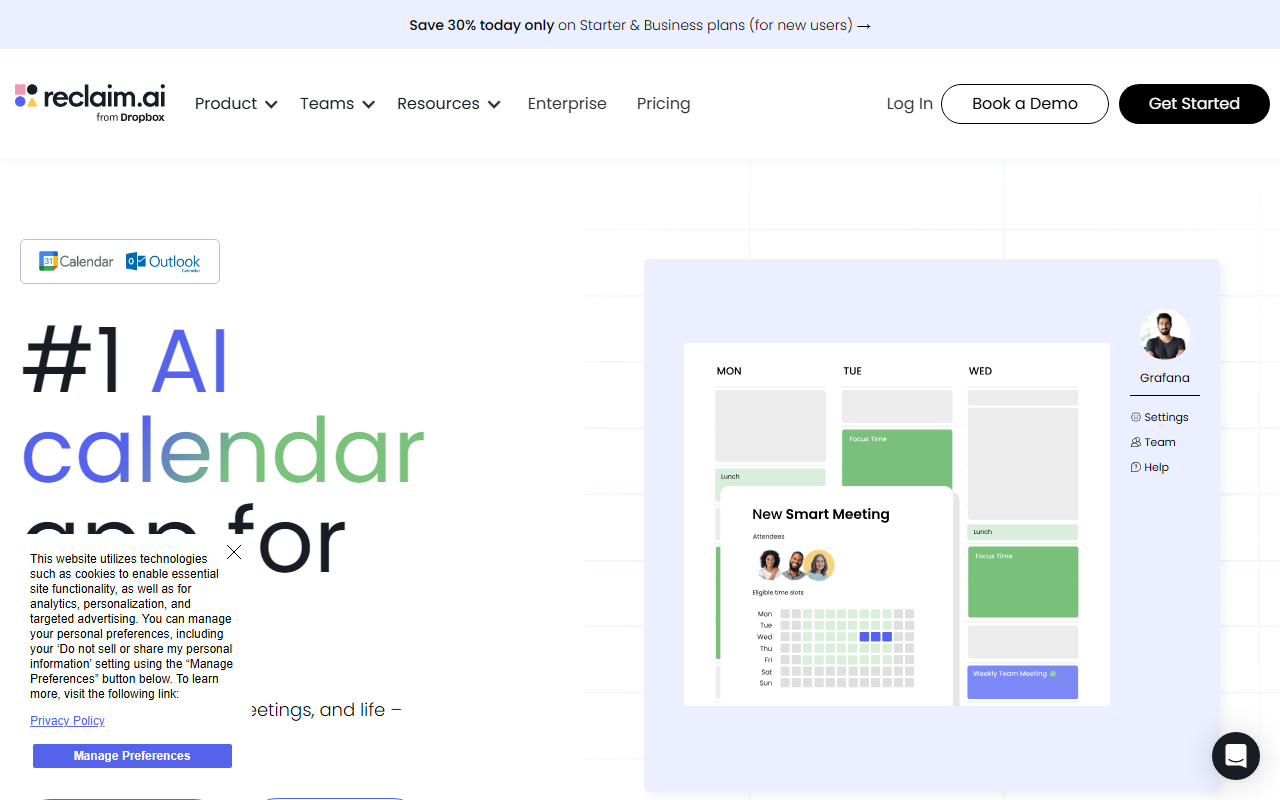
Upon visiting Reclaim.ai, I was greeted by a clean, modern landing page that immediately highlights its core value proposition: an AI calendar for work and life. The site prominently features a 20% off code (MEETINGS) and a 100% price-match guarantee for those switching from Clockwise. Sign-up is straightforward—users can connect their Google Calendar account instantly. The dashboard, which I explored during a free trial, displays a left sidebar with options for Focus Time, Habits, Tasks, Smart Meetings, Scheduling Links, and more. The layout is intuitive, but new users may need a few minutes to grasp how each feature integrates. I especially appreciated the onboarding wizard that walks you through setting your work hours, focus time goals, and recurring habits. This setup took roughly five minutes and already felt personalized.
Core Features and Technical Depth
Reclaim is far more than a simple scheduling tool. Its AI Focus Time lets you set a weekly goal (e.g., six hours of deep work) and automatically blocks time on your calendar, defending it against meetings. The AI Habits feature schedules recurring routines—like daily stand-ups or personal reading—and flexibly reschedules them when conflicts arise. AI Tasks syncs with tools like Asana, Todoist, and Jira, then auto-slots tasks by priority into open time slots. During testing, I connected my Todoist account; tasks appeared as calendar blocks that I could drag to adjust. The AI Smart Meetings tool finds optimal meeting times across all attendees’ calendars, a capability I found more flexible than Calendly because it respects focus blocks. Notably, Reclaim works exclusively with Google Calendar (no Outlook support as of this writing), which is a limitation for many enterprise users. The product is built on Google Calendar’s APIs and uses its own AI engine (no third‑party model disclosed) to optimize scheduling while promising not to train AI on user data.
Pricing and Market Positioning
Reclaim offers a generous free Lite plan for individuals that includes unlimited calendars, basic focus time, and limited events. For teams or power users, paid tiers start with Starter and go up to Business and Enterprise. Exact pricing is not publicly listed on the website; the site only emphasizes that “affordable” plans exist and that all users get a 14‑day free trial of the Business plan. In the market, Reclaim directly competes with Clockwise (which focuses on Google Calendar and offers a free plan) and Motion (which is more project‑management oriented). Unlike Clockwise’s AI, which leans heavily on team‑wide coordination, Reclaim gives individuals granular control over personal habits and tasks. It also integrates with Slack Status Sync, Zoom, and Raycast, making it a strong choice for remote workers. With over 600,000 users across 70,000 companies and a 4.8‑star rating on G2, Reclaim has clear traction, especially among tech and consulting teams.
Strengths and Limitations
Strengths: The AI’s ability to automatically defend focus time and reschedule habits is genuinely useful. I found that once I set my preferences, my calendar became much less chaotic. The free tier is unusually powerful for a scheduling tool—no credit card required. The time tracking and workforce analytics (in paid plans) offer insights into meeting load and fragmentation, which can help managers improve team productivity. The Slack Status Sync is a small but appreciated detail that automatically sets your status to busy during focus blocks.
Limitations: Reclaim only supports Google Calendar, excluding Outlook users—a major gap for corporate environments. The free plan limits the scheduling range (typically three weeks) and the number of events you can create, which may frustrate power users after the trial ends. The AI is reactive, not proactive: it won’t suggest new habits or tasks on its own; you must define them. Also, the lack of transparent pricing on the website (despite listing tiers) can be a barrier for budget‑conscious teams. Finally, the UI, while clean, sometimes feels cluttered when you have many tasks and habits scheduled simultaneously.
Final Verdict
Reclaim is an excellent AI calendar for individuals and teams who rely on Google Calendar and want to protect their deep work time. Its free plan makes it easy to test, and the focus time, habit, and task features genuinely reduce calendar friction. I recommend it for remote professionals, freelancers, and small teams looking to automate scheduling without moving to a heavy project management tool. However, if you use Outlook, need a more aggressive meeting‑scheduling tool, or want transparent upfront pricing, consider alternatives like Clockwise or Motion. Visit Reclaim at https://reclaim.ai/ to explore it yourself.










Comments