
First Impressions: What Salee (Linxa) Actually Does
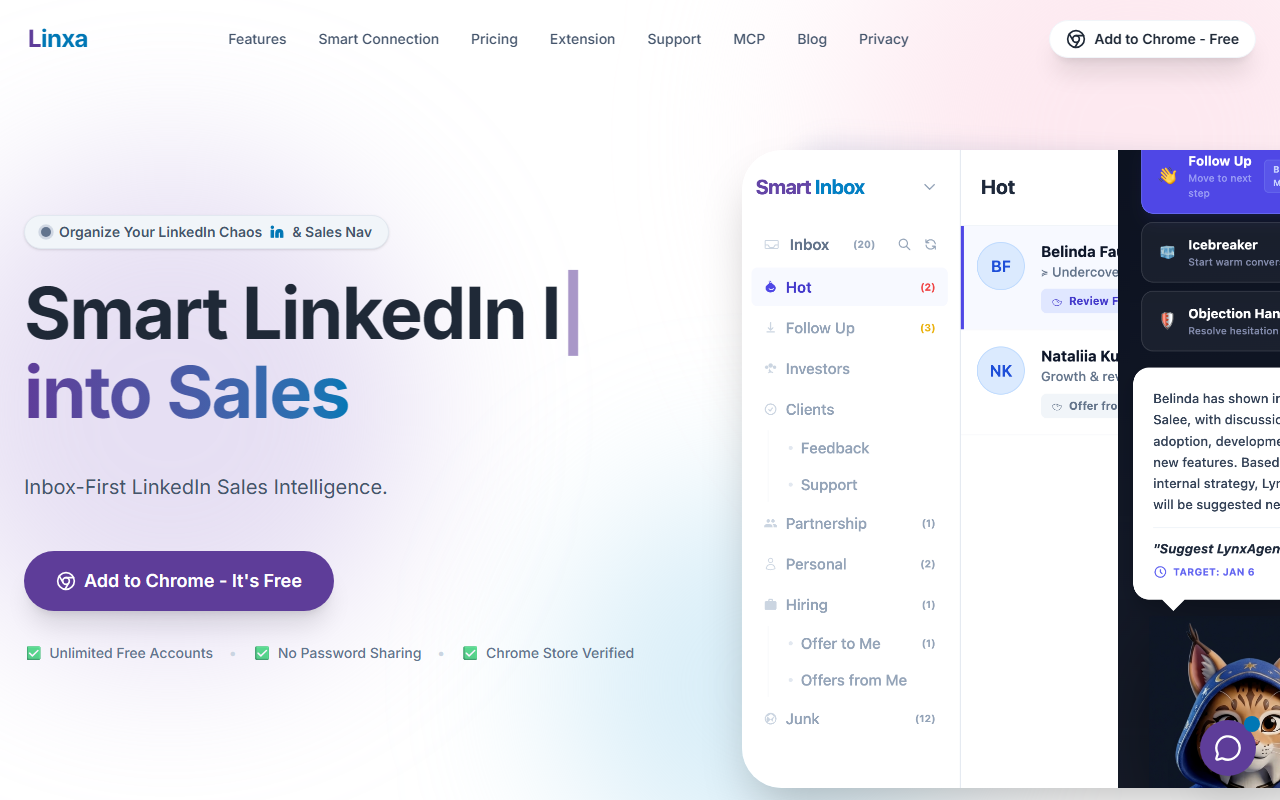
Upon visiting salee.pro, I was greeted by a clean landing page for “Linxa” – a Chrome Extension that bills itself as a Smart LinkedIn CRM, Inbox & Sales Intelligence tool. Basically, it sits on top of your LinkedIn account and automatically organizes incoming messages into categories like Hot Leads, Follow-Up, and Junk. I tested the free tier by installing the extension and connecting one of my LinkedIn accounts. The onboarding flow was minimal: after granting permissions (no password required, just an OAuth-like step), the interface appeared as a sidebar within LinkedIn’s message view. The dashboard showed a smart inbox with color-coded tags and a small AI assistant button for suggested replies.
This tool is not an automation platform; its FAQ explicitly states it works alongside existing automation tools like Waalaxy or Expandi. Instead, it focuses on intelligence and organization. For example, when I received a message from a recruiter, the extension labeled it as “Hot Lead” based on keyword analysis. The AI-generated reply suggestions were decent but not groundbreaking – they offered short, professional responses that you could edit before sending.
Key Features: Smart Sorting, AI Replies, and Privacy
Linxa’s core value proposition is its organizational layer. It scans your LinkedIn inbox and categorizes messages automatically, saving you from manual filtering. The sales intelligence aspect includes an AI that understands product context: you can define common topics (e.g., pricing, demos) and the AI will propose relevant replies based on those contexts. I tested this by adding a custom product note; the AI then used that information to craft replies that mentioned my product’s benefits – a nice touch for consistent messaging.
Another standout is the privacy-first approach: you never share your LinkedIn password (the extension uses OAuth), and it’s Chrome Store Verified. This is a strong selling point for users wary of giving credentials to third parties. The tool also integrates with both LinkedIn Basic and Sales Navigator, so regardless of your subscription level, it works. On the technical side, it’s built as a Chrome extension only – no API or native mobile app available at this time. That limits usage to desktop Chrome users.
Pricing and Market Position
The pricing is refreshingly simple: the free tier is unlimited – you can manage as many LinkedIn accounts as you want without paying a cent. There is no premium pricing listed, which suggests the company may monetize through future enterprise features or donations. For now, it’s a completely free tool. Unlike competitors such as Clearbit Connect (which focuses on email enrichment) or LinkedIn’s own Sales Navigator (which costs $99/month), Linxa is laser-focused on inbox organization and AI replies without any subscription barrier. However, it lacks advanced features like automated sequence messaging or detailed analytics that paid tools like Expandi offer.
If you already use automation tools like Waalaxy, Linxa complements them well – it sorts leads so you know which conversations need your attention. But if you need a full CRM with pipeline management and data export, you’ll quickly outgrow Linxa’s capabilities. It’s best suited for individual sales professionals, freelancers, or small teams who rely heavily on LinkedIn for outreach and want to reduce inbox clutter without spending money.
The Bottom Line: Strengths and Limitations
Salee’s Linxa has genuine strengths: it’s free, privacy-first, and works instantly. The smart inbox categorization is genuinely useful for anyone drowning in LinkedIn messages. The AI reply suggestions, while not revolutionary, provide a helpful starting point. However, the tool has real limitations: it only works on Chrome, lacks any native mobile support, and its AI is limited to reply suggestions – it cannot draft entire sequences or analyze sales intelligence beyond basic categorization. Also, because it relies entirely on LinkedIn’s current API and UI, any changes LinkedIn makes could break the extension.
Who should try this tool? Anyone who manages a high volume of LinkedIn messages and wants a simple, cost-free way to prioritize leads. If you’re already using LinkedIn Sales Navigator and feel overwhelmed by your inbox, Linxa gives you the same kind of organization you’d get from a CRM without the cost. Who should look elsewhere? Teams that need full CRM functionality, mobile access, or low-level automation will need more robust tools. For now, I recommend giving Linxa a spin – it installs in seconds and the free tier truly is unlimited.
Visit Salee (Linxa) at https://salee.pro/ to explore it yourself.













Comments