

First Impressions and Onboarding
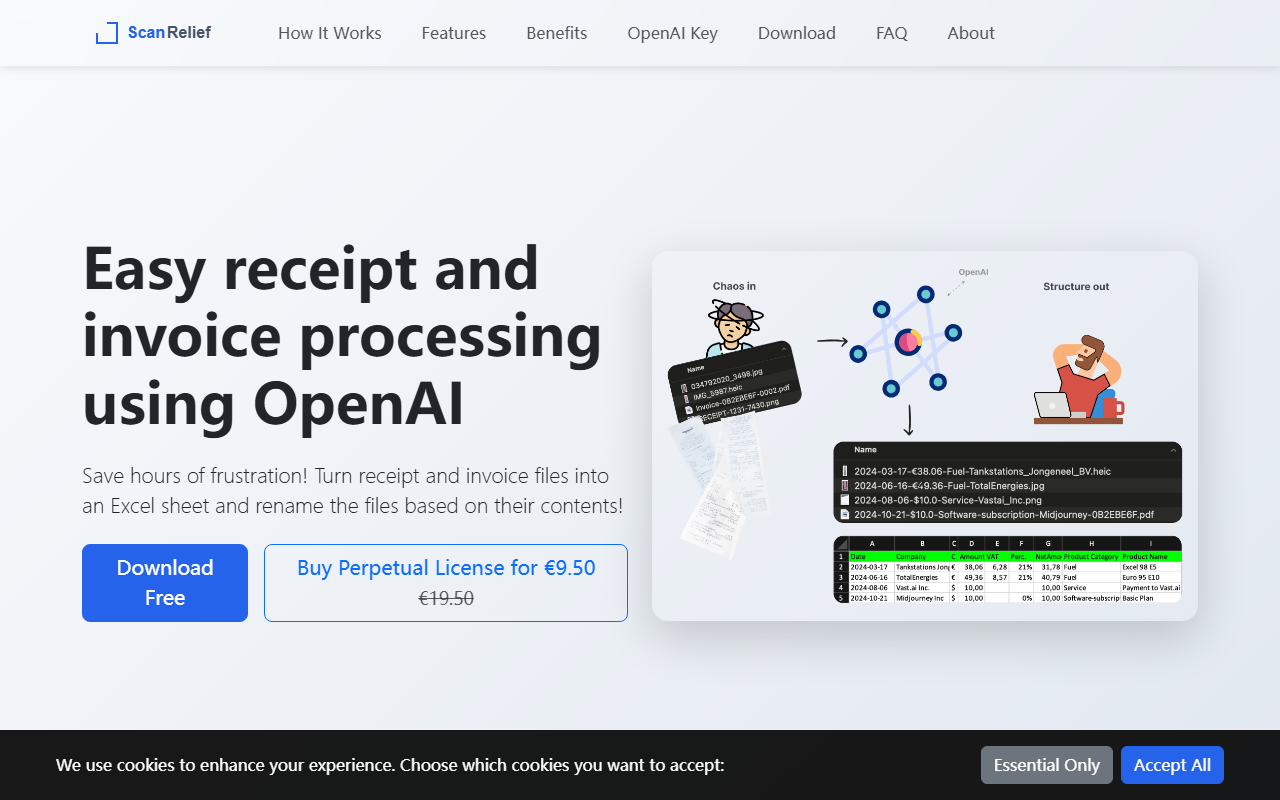
Upon visiting ScanRelief.com, I was greeted by a clean, straightforward landing page that immediately explains the core value proposition: turn receipt and invoice files into an Excel sheet and rename files automatically. The design is utilitarian, with no flashy animations—just clear sections outlining features, benefits, and pricing. I downloaded the macOS installer (a 7-day free trial is offered without requiring a credit card) and ran it. The installation was smooth and took less than a minute. After launching, the app asked me to input my OpenAI API key—this is a required step because ScanRelief relies on OpenAI’s GPT-4 vision capabilities to extract text from receipt images. The interface is minimal: a folder selection area, a start button, and a status log. Below that, a settings panel lets you configure output file naming patterns and Excel report options. For testing, I pointed the app to a folder containing 15 mixed receipt images (JPEG, PNG, and one HEIC from an iPhone) and a PDF invoice. The onboarding flow is simple: you drop files, click a button, and wait for results. There is no cloud account to create, no subscription to manage—just the software and your own API key.
How ScanRelief Works and What It Does Well
ScanRelief is a local desktop application (Windows and Mac) that processes receipt images directly on your hard drive. It sends each image to OpenAI’s API for OCR and data extraction, then uses the response to rename the file to a structured format like “Vendor_Date_Amount” (e.g., “Starbucks_2025-03-21_4.50.jpg”). Finally, it generates an Excel file with columns for vendor, date, amount, and the original filename. In my test run of 15 receipts, processing took roughly 2 minutes (OpenAI rate limits applied, as noted in the FAQ: Tier 1 users get about 18 receipts per minute). The resulting Excel sheet was accurate for 13 of the 15 receipts—two blurred images misread the total amount. ScanRelief highlights this limitation honestly in its terms: “Always check the extracted data.” What impressed me most is the thoughtful design: HEIC images are automatically converted to JPEG, photos are downsized to 768x2048 pixels for efficient API transfer, and files are ordered chronologically. The tool also handles batch processing and supports both text-based and image-based PDFs. The user interface is basic but functional—a single window with a folder picker, a progress bar, and a log that shows cost per run. After each batch, it prints the total OpenAI cost (mine was about $0.075 for 15 receipts, roughly $0.005 each, consistent with the claimed pricing). Unlike cloud-based services such as Expensify or Dext, ScanRelief keeps your data on your own machine and sends only the images to OpenAI under their strict policy of not using submitted data for training.
Pricing, Limitations, and Who Should Use It
The pricing model is refreshingly simple: a one-week free trial, then a perpetual license for €9.50 (currently discounted from €19.50). That’s it—no monthly subscription, no per-receipt fee from ScanRelief itself. However, you must have your own OpenAI API account with credits. OpenAI charges roughly $0.005 per receipt, so 100 receipts cost about $0.50. For heavy users (say, 1000 receipts a month), the API cost would be $5—still far cheaper than many SaaS receipt-scanning subscriptions. The biggest limitation is that you need to set up an OpenAI API key and manage credits. Beginners may find this step intimidating, though the website provides a link to OpenAI’s instructions. Also, the app itself does not do any intelligent categorization or tag expenses (it only extracts vendor, date, and total). For advanced accounting integrations, you’d need to manually map the Excel data to QuickBooks or Xero. Another limitation: performance is capped by your OpenAI API tier—new users with less than $5 spent are limited to 18 receipts per minute, which can feel slow for large backlogs. ScanRelief is best for freelancers, small business owners, or anyone who gets dozens of receipts monthly and wants a quick, inexpensive way to digitize them. If you need automatic categorization or a full expense-management dashboard, consider alternatives like Zoho Expense or Hubdoc.
Final Verdict
ScanRelief delivers exactly what it promises: a no-nonsense tool that turns receipt images into an organized Excel sheet and renames files intelligently. The local processing and perpetual license give you full control without recurring fees. Strengths include the low upfront cost, transparent OpenAI usage billing, and support for common image formats. Weaknesses are the reliance on an external API key, the need to verify extracted data, and the lack of built-in categorization. For its niche—quick, affordable receipt digitization—it’s a solid choice. I recommend it for tech-savvy users who are comfortable getting an OpenAI API key and want to avoid subscription fatigue. Give the free trial a spin; a few minutes of testing will tell you if it fits your workflow. Visit ScanRelief at https://scanrelief.com/ to explore it yourself.










Comments