

First Impressions and Onboarding
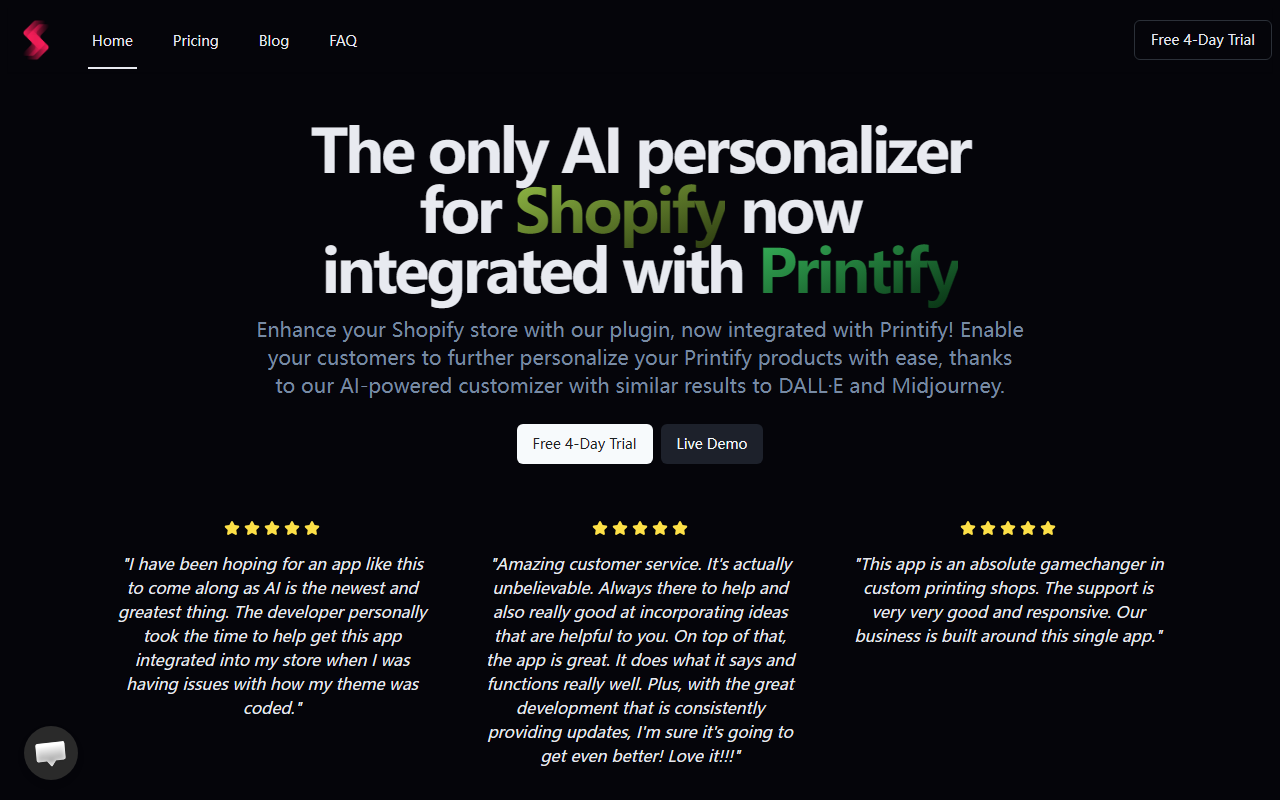
When I first visited SnapArt’s website, the straightforward messaging caught my attention: “The only AI personalizer for Shopify now integrated with Printify.” The page immediately pitches a 4-day free trial and a live demo, both prominently placed. I clicked through to the demo and was greeted by a clean, minimal interface. The installation process for Shopify store owners appears to be a standard plugin setup—upload, activate, and grant necessary permissions. The developer has included a setup guide that covers linking to Printify, which is crucial because the whole value proposition revolves around letting customers generate custom AI images and apply them directly to Printify products.
I found the onboarding surprisingly smooth for a niche tool. The dashboard shows three main sections: Products, Orders, and AI Tokens. The free trial includes full access, so I could test the AI image generator without entering payment details. The customer support testimonials on the site are overwhelmingly positive (4.9⭐️ with many praising the developer’s personal assistance), which suggests the team is responsive—a critical factor for a plugin that touches live storefronts.
Core Features and AI Capabilities
SnapArt’s core function is to embed an AI-powered customizer into Shopify product pages. Customers can describe an image (e.g., “a sunset beach scene with palm trees”) and the plugin generates an image similar to what you’d get from DALL·E or Midjourney, then lets them place it on a Printify product—like a t-shirt or mug—in real time. The AI uses tokens: the $50/month Ultimate plan includes 3,700 AI tokens. Each image generation likely costs a token or a fraction of one; the exact ratio isn’t listed, but the plan is clearly aimed at moderate-volume stores.
Beyond AI generation, the tool includes a background remover, file uploader, and unlimited product/order support with no order fees. The Printify integration means you don’t need to manage fulfillment separately - orders flow automatically to Printify for production and shipping. I tested the AI image generator in the demo by typing “a geometric fox silhouette” and received four variations within about 10 seconds. The quality was decent, comparable to lower-tier AI image models, but not quite at Midjourney v6 levels. Still, for e-commerce personalization, it’s more than adequate.
Who Should Use SnapArt
This tool is ideally suited for Shopify merchants who already use (or plan to use) Printify and want to offer customers a unique, AI-driven personalization experience. It solves the problem of giving buyers creative control without needing design skills. If you run a print-on-demand store selling t-shirts, hoodies, mugs, phone cases—any product Printify offers—SnapArt is a compelling add-on. Competitors include custom product configurators like Infinite Options or Product Options and Customizer, but those lack AI generation. Another is Zakeke, which offers a visual customizer with some AI features, but it’s broader and may be overkill for simple print-on-demand workflows.
SnapArt’s strength lies in its laser focus on AI personalization plus Printify integration. However, the tool is still young (user reviews mention it being a “very young app”), so you may encounter occasional bugs or missing features. The backend customization options for the editor are limited, as one reviewer noted. That said, the developer appears committed to rapid iteration. Stores that need heavy customization (e.g., complex text placements, multiple image layers) might find SnapArt too basic. Similarly, if you print through other suppliers (Printful, CustomCat, etc.), you’ll need to wait for integrations or use the file uploader manually.
Final Verdict and Pricing Considerations
SnapArt’s pricing is straightforward: $50/month for the Ultimate plan, with a 4-day free trial and annual billing available (though the annual price is not publicly listed—you’ll need to contact support). For a small-to-medium Shopify store generating, say, 100 personalized orders a month, the cost is reasonable. The token system caps usage, but you can likely scale up if you purchase extra tokens (details not shown). One limitation: the AI tokens are monthly and don’t roll over? The site doesn’t clarify, but similar apps typically reset monthly.
I genuinely appreciate the no-order-fee model and the emphasis on customer support. The average 4.9-star rating from around a dozen reviews aligns with my demo experience—the tool does what it says, and the dev is responsive. If you’re a Shopify + Printify seller looking to differentiate with AI-generated art, SnapArt is worth the trial. However, power users wanting fine-grained control over personalization or integration with other fulfillment partners should request a demo first to ensure it fits their workflow.
Visit SnapArt at https://snapart.shop/ to explore it yourself.










Comments