

Overview and First Impressions
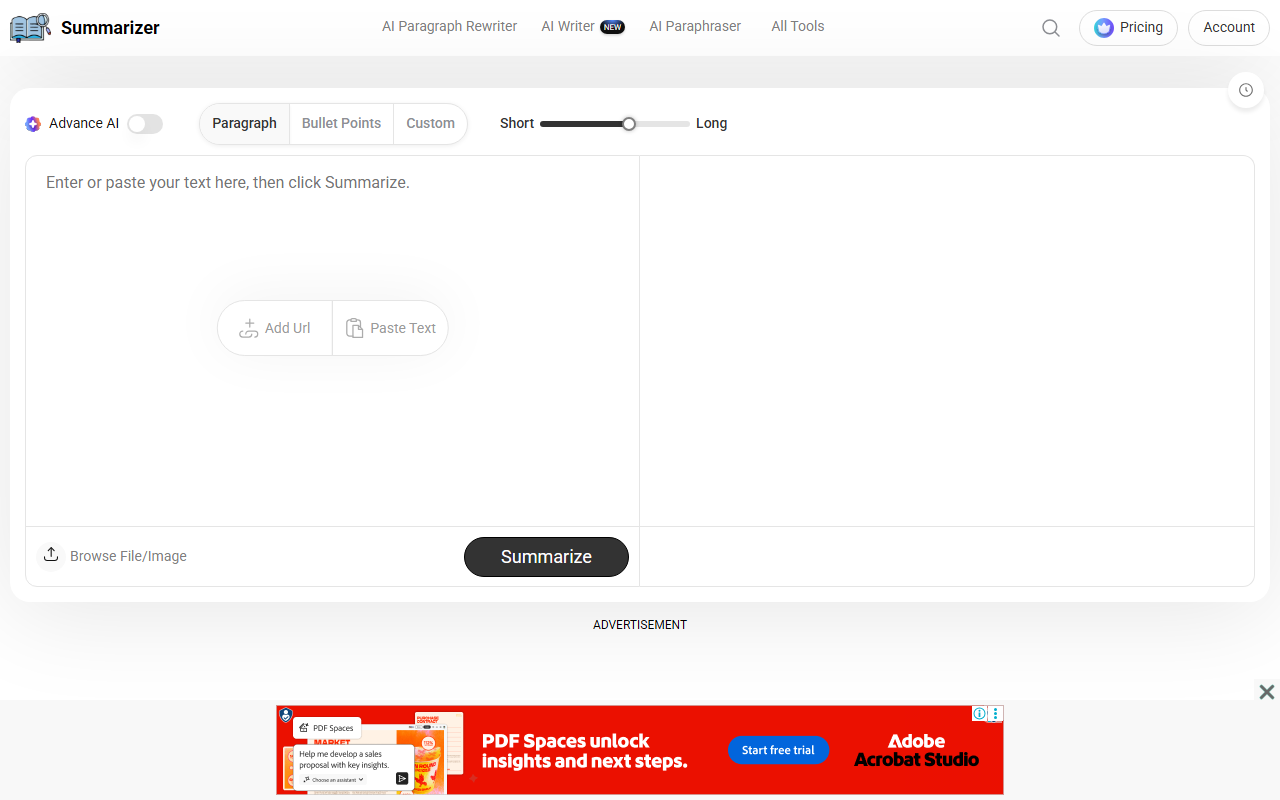
Upon visiting Summarizer.org, the interface is clean and straightforward. The dashboard presents a dual-pane layout: on the left, you can paste text or upload files (TXT, DOCX, even images), and on the right, the summarized output appears. I noticed a slider for adjusting summary length (Short, Medium, Long) and an Advanced AI toggle that is off by default. The free tier lets you summarize up to 1,200 words per input, and there is no sign-up required to use the basic summarizer. I tested it with a 500-word article draft, and the tool returned a concise paragraph in under two seconds. The output preserved the main points well, although the language felt slightly reductive for creative writing.
Core Features and Performance
The tool offers three output formats: Paragraph, Bullet Points, and Custom. The Paragraph mode provides a flowing summary; Bullet Points extracts key points in a list; Custom lets you define a specific length or focus. I found the Bullet Points option especially useful for quickly skimming research papers. The Add URL feature lets you summarize published articles by pasting a link, which worked flawlessly with a sample news article. Under the hood, Summarizer.org uses AI models trained on NLP and machine learning, similar to EditPad’s text summarizer. However, the free version disables the Advanced AI toggle, which presumably uses a larger model for better accuracy. The premium plan unlocks that, along with history tracking and longer inputs. In my tests, the basic AI sometimes missed nuanced connections, but the premium version likely addresses that.
Pricing and Accessibility
Summarizer.org operates on a freemium model. The free tier is generous for casual use: no account needed, up to 1,200 words per summary, and basic AI. For power users, premium options are: Monthly Plan at $7/month and Yearly Plan at $6.7/month (billed annually at $80, a 33% discount). These unlock Advanced AI, unlimited history (shown in the interface as Unlock Your History), and presumably higher word limits. Pricing is publicly listed and competitive with similar tools like QuillBot’s summarizer ($9.95/month). The tool is accessible worldwide and supports multiple languages, though I only tested English. The lack of an API is a notable omission for developers, but the web app suits most individual users.
Final Verdict
Summarizer.org strikes a good balance between simplicity and utility. Its strengths lie in the ease of use, free basic tier, and multiple output options. The ability to summarize URLs and image text (via file upload) sets it apart from many competitors. However, the free version’s 1,200-word cap and the dependency on the premium Advanced AI for best quality are limitations. For students who need quick summaries of articles or researchers managing large documents, the free version is a great starting point. Power users who demand deeper contextual understanding should invest in the premium plan. I recommend trying the free tier first—it’s risk-free and reveals whether the tool fits your workflow. Visit Summarizer.org at https://summarizer.org/ to explore it yourself.













Comments