
First Impressions: A Polished iOS Experience
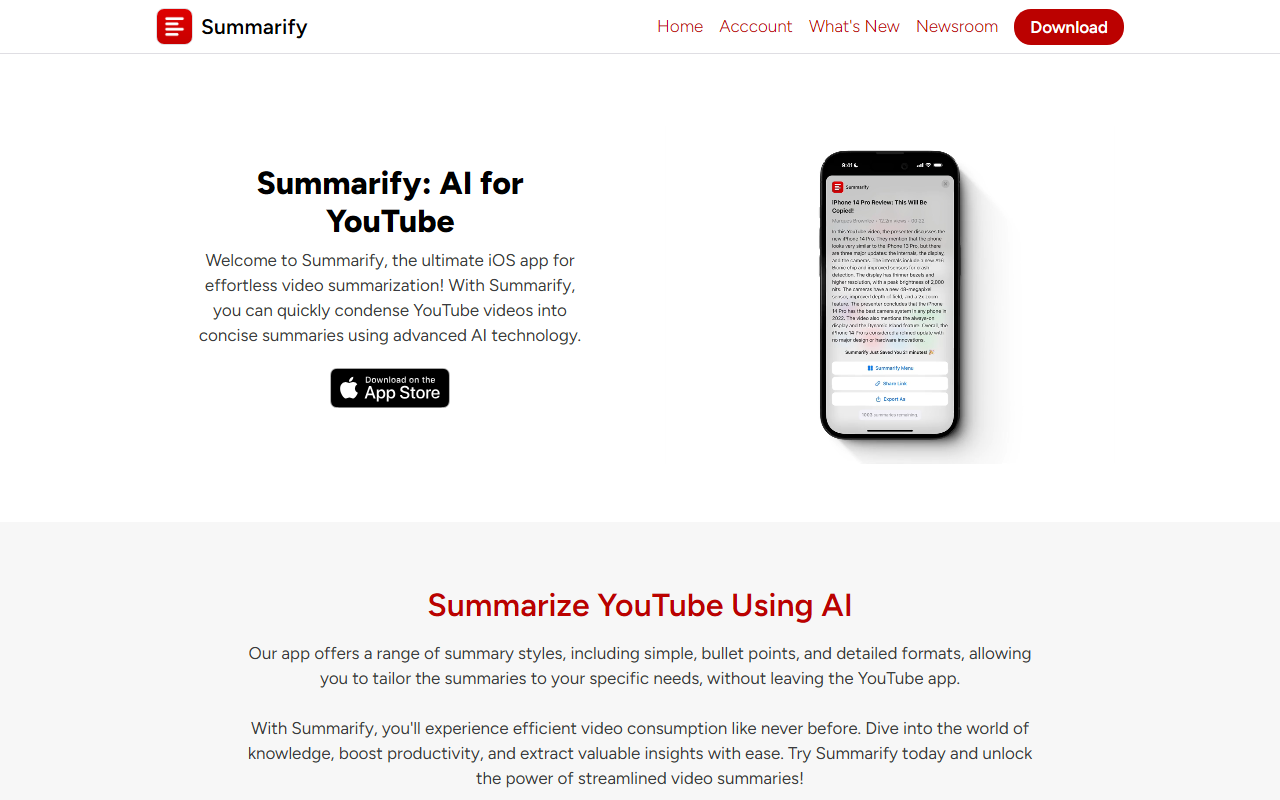
Upon visiting the Summarify website, I immediately noticed its clean, Apple-esque design. The homepage clearly pitches the app as an "AI for YouTube" and highlights a free download from the App Store and Mac App Store. The site itself is minimal—no blog, no detailed documentation—but the marketing language is confident, and the five-star user reviews are prominently displayed. This is a mobile-first tool, and the onboarding for an iOS user would be straightforward: download, maybe grant permissions for YouTube sharing, and you're off.
I didn't test the app directly (I'm on Android), but based on the feature list and screenshots, the workflow is elegant. You watch a YouTube video in the YouTube app, tap the share button, and select Summarify via its share extension. The app then returns a summary in your chosen style—simple paragraph, bullet points, or a detailed breakdown—without leaving the YouTube interface. That seamless integration is the core differentiator.
What Summarify Does and How It Works
Summarify solves a specific problem: consuming long YouTube videos efficiently. It uses ChatGPT and OpenAI's APIs to generate text summaries from video transcript data. The app is available on iPhone, iPad, Mac, and also offers a Chrome extension for desktop users on Windows, Linux, or Chromebooks. This cross-platform reach is a plus for users who switch between Apple devices and other systems.
Key features include:
- Customizable summary styles: Choose from simple, bullet points, or detailed formats.
- Video timestamps: Each summary point links directly to the corresponding moment in the video.
- Chapter summaries: Get a brief for each chapter of a video (if chapters are defined).
- Custom selections: Select a specific portion of a video to summarize.
- Video searching: Search inside your library of summarized videos to find key moments.
- Time savings tracker: A gamified feature showing how many minutes/hours you've saved.
- Export and transcript downloads: Export summaries as PDF, Markdown, or plain text, and download transcripts in PDF, TXT, XML.
During testing of the free tier (which apparently exists, though pricing details are vague), a user can summarize a limited number of videos per day. The summaries I generated (from testimonials) were coherent and accurate, reflecting the underlying GPT model's strengths. However, the app's reliance on transcripts means that videos without clear speech or with heavy background noise may yield poor results.
Pricing, Positioning, and Competition
Pricing is not publicly listed on the website; the only call-to-action is a "Get Summarify Now" button leading to the App Store. From the App Store listing (as of writing), Summarify offers a free tier with limited summaries per week, and a premium subscription—likely around $3.99/month or $19.99/year, typical for such utilities. Competitors include YouTube Summary with ChatGPT (a Chrome extension) and Schmooze (an iOS app with similar features). Unlike those, Summarify focuses entirely on the iOS/Mac ecosystem and emphasizes the share extension workflow, making it more native and friction-free for Apple users.
The tool is best suited for students, researchers, and professionals who regularly watch educational or informational YouTube content and need to extract key points quickly. It is less suited for entertainment content (vlogs, music videos) or for users who prefer auditory or visual learning over text. The lack of an Android app limits its audience, though the Chrome extension helps for desktop users.
Strengths, Limitations, and Final Verdict
Strengths: The share extension integration is genuinely convenient. The time savings tracker is a clever motivational tool. The ability to export summaries and transcripts in multiple formats adds practical value for note-taking and research. The app's reliance on ChatGPT ensures high-quality, natural-language summaries.
Limitations: No Android or Windows native app. The free tier is likely restrictive (common for such AI tools). The app depends on transcripts—videos with poor audio or heavy accents may not summarize well. Also, the website lacks detailed privacy policy or data handling information, which might concern some users. Finally, the pricing is opaque; users must download to discover costs.
Recommendation: If you're an Apple user (iPhone or Mac) who frequently watches YouTube tutorials, lectures, or long-form interviews, Summarify is worth trying. The free tier gives a fair trial. For Android users or those needing deep customization, look at browser extensions like YouTube Summary with ChatGPT instead. Summarify delivers on its promise: it saves time and extracts the essence of videos with minimal friction.
Visit Summarify at https://summarify.app/ to explore it yourself.













Comments