

First Impressions: A Visual Playground for React
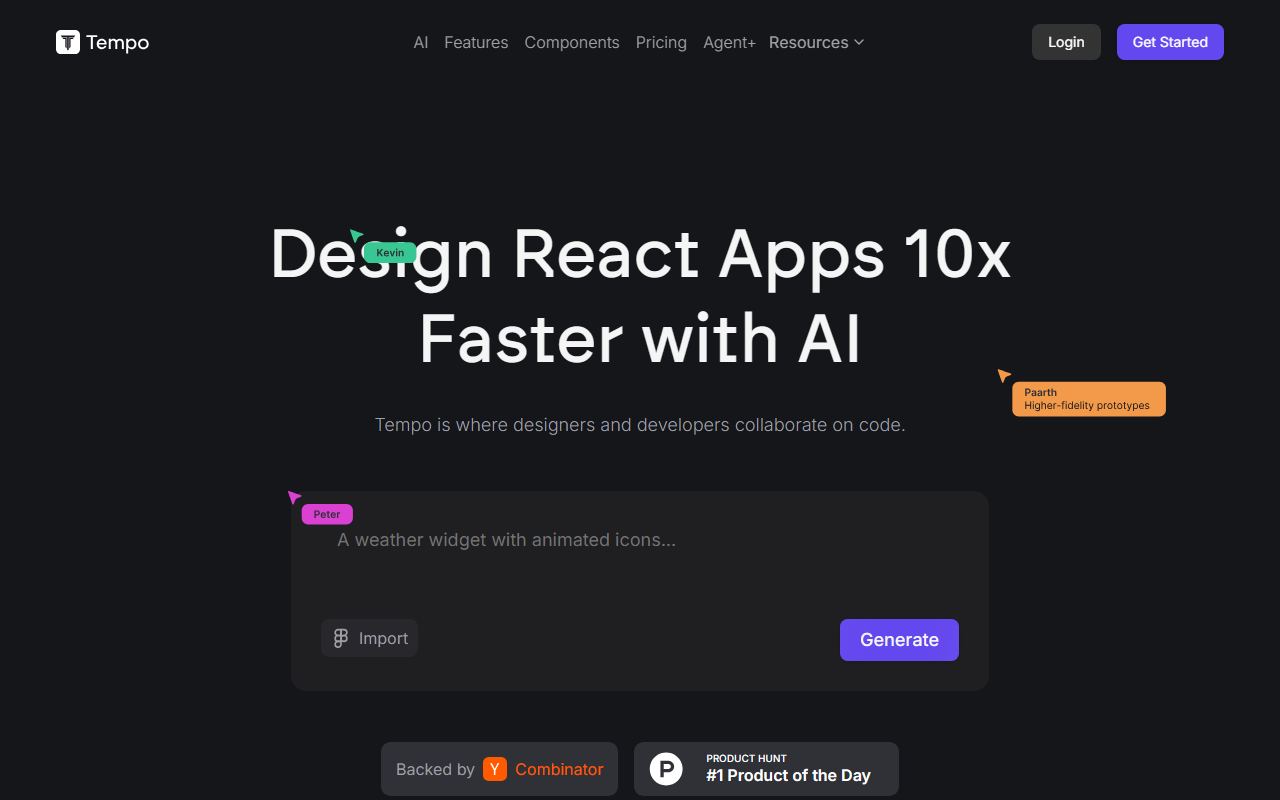
Upon visiting tempo.new, I was immediately struck by the clean, developer-focused landing page. The headline "Design React Apps 10x Faster with AI" sets a bold promise. The dashboard is not just a chat window; it's a visual editor that feels like a design tool. I started by clicking "Generate" and was prompted to describe an app idea. I typed "a simple dashboard with a sidebar and a chart grid." Within seconds, Tempo generated a fully functional React app with a preview. The interface splits into a code panel on the left and a live preview on the right. What impressed me most was the drag-and-drop editor: I could directly click on a component in the preview, change its padding, swap colors, or rearrange layout — all without touching the underlying code. The changes were immediately reflected in both the visual and the code panel. This seamless bridge between design and development is the core differentiator.
Core Capabilities: Beyond Simple Code Generation
Tempo is purpose-built for React developers and designers who want to iterate quickly. It doesn't just spit out code from a prompt; it integrates deeply with your existing workflow. You can import components from Storybook or start from scratch with hundreds of pre-built templates. The tool works with any React codebase — you can point it to your repository, and it will understand your existing structure. When I tested the free tier, I could edit code anytime and even open the project in VSCode using a handy "Open in VSCode" button. Pushing to GitHub is a single click. Under the hood, Tempo uses a combination of large language models and its own reasoning agents for code generation, though the exact model is not disclosed. It also offers an API for advanced integrations, making it suitable for teams that want to build custom pipelines.
Pricing is clearly laid out: a Free tier ($0/month) gives 30 credits (max 5 per day), with error fixes free. The Pro plan at $30/month provides 150 credits and full access to code & reasoning agents. For enterprises, the Agent+ plan at $4,500/month includes human engineers and designers who build 1-3 features daily, with a 48-72 hour turnaround. You can also add 250 bonus credits for $50, which do not expire. This tier is aimed at teams needing high-volume, quality-guaranteed work. The Y Combinator (S23) backing and Product Hunt #1 Product of the Day badge add credibility.
Strengths and Limitations
Strengths: The visual editor is genuinely revolutionary for React UI work. I could edit a button's hover state, adjust spacing, or change typography with drag-and-drop — making it accessible to designers who prefer visual tools. The "Edit code locally" and version control integration mean you never lose control. Error fixes being free on all plans is a smart move that builds trust. Community templates give new users a jumpstart. Compared to Windsurf (which I've used), Tempo's visual editing for React is far more intuitive; Windsurf is a general-purpose IDE plugin, while Tempo is laser-focused on React apps.
Limitations: The tool is exclusively for React. If you work with Vue, Angular, or Svelte, Tempo won't help. The free tier is very limited (only 5 generations per day), so heavy prototyping requires a paid plan. The Agent+ plan at $4,500 is expensive for small teams or solo developers, though it includes human quality assurance. Also, while it claims to work with any React codebase, I noticed that complex state management or custom hooks sometimes caused the generated code to need manual adjustments. The tool is best for UI-heavy prototypes and design systems, not for full back-end logic or data-heavy applications.
Who Should Use Tempo?
Tempo is a game-changer for front-end designers who want to code and for React developers who hate repeatedly tweaking CSS. It's ideal for product teams building MVPs rapidly, agencies creating client dashboards, or anyone maintaining a design system. If you're a backend developer dabbling in front-end, Tempo can help you spin up a professional UI without deep CSS knowledge. However, if your project uses non-React frameworks, or if you need a general-purpose AI coding assistant (like GitHub Copilot or Cursor), look elsewhere. The tool excels at its niche: visual React development with AI assistance. I recommend trying the free tier for a single project — after my first hour, I understood why many users in the "wall of love" section upgrade instantly. Visit Tempo at https://tempo.new to explore it yourself.













Comments