

First Impressions and Onboarding
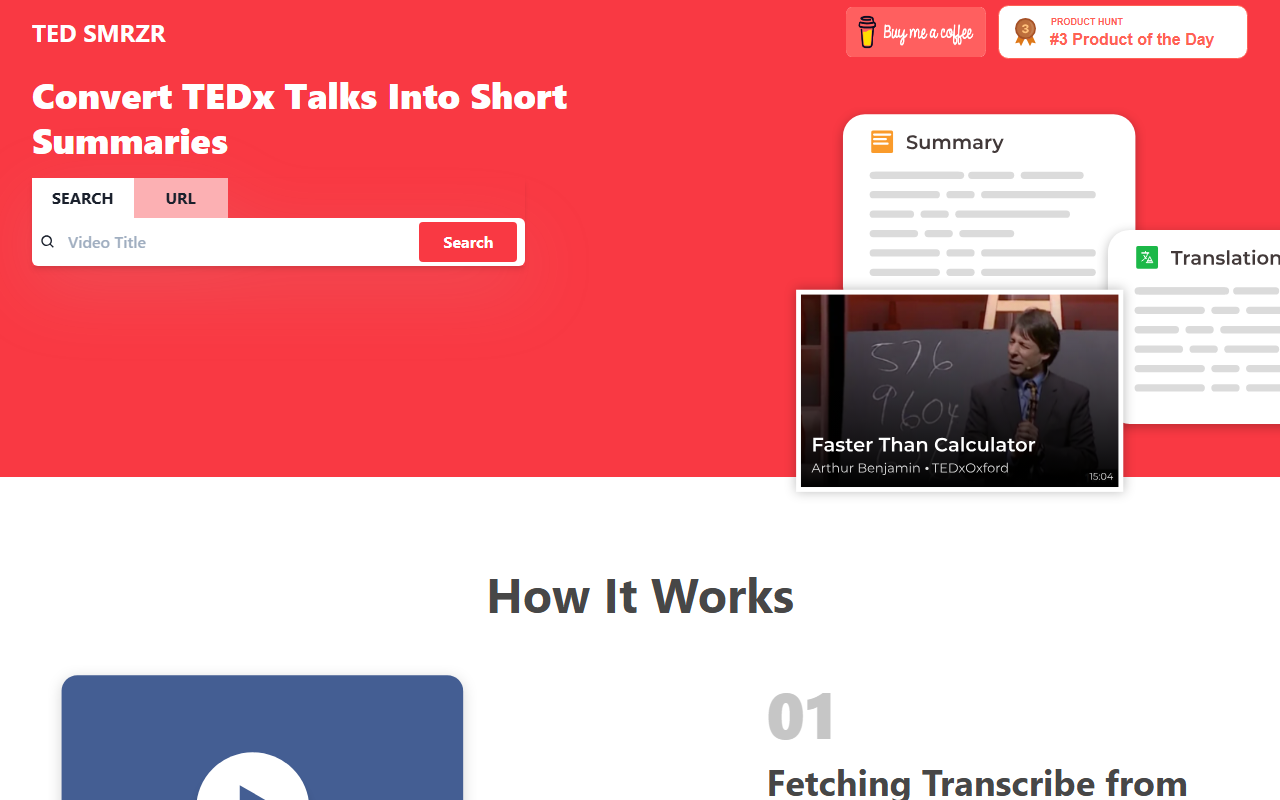
Upon visiting TED SMRZR at tedsmrzr.vercel.app, I was greeted by a clean, minimal interface. The homepage centers on a bright white background with a search bar labeled “Search” and placeholder text inviting you to convert TEDx talks into short summaries. Below the search bar, the “How It Works” section explains the three-step pipeline: fetching transcripts from YouTube, punctuating them with an AI model, and then summarizing the result. There is no sign-up request, no paywall, no account creation—just type a TEDx YouTube URL (or maybe a talk title) and hit search. I tested it with a well-known TEDx talk URL, and within seconds the tool returned a plain-text summary and a punctuated transcript. The summary was concise, around 100 words, and captured the core message without fluff. The interface also offers a “Compare Similar Talks” feature, which I tried by selecting two different TEDx URLs; the tool displayed side-by-side summaries, helping me spot thematic overlaps at a glance.
How TED SMRZR Works Under the Hood
The site describes a three-step AI pipeline. First, it fetches the raw transcript from the YouTube video—likely using YouTube’s caption API or a similar scraping method. Since many TEDx talks have machine-generated captions, the raw text often lacks punctuation and proper sentence breaks. The second step runs that unpunctuated text through an AI model to add periods, commas, and capital letters. The third step feeds the punctuated text into another AI model—probably a summarization model like BART or GPT (though no model name is disclosed)—to produce a short summary. The result is displayed on the same page, alongside the full punctuated transcript. The tool also claims to offer translations in different languages, but during my test I did not see a language selector, so this feature may be limited or in development. No API is available, and pricing is not publicly listed on the website. Given that the project is built by three individuals (Abhinav Prakash, Akash Prasad, Prasun Singh) and hosted on Vercel’s free tier, it appears to be a non-commercial, educational tool. That means no rate limits are stated, but I suspect usage is capped by Vercel’s serverless limits or the YouTube API quota.
Comparisons and Market Position
Tools like TLDR This and Scholarcy already summarize long-form content, but TED SMRZR’s focus on TEDx talks—specifically the dual output of punctuated transcript plus summary—sets it apart. Unlike general-purpose summarizers, TED SMRZR first cleans the raw transcript, which is often messy due to spontaneous speaking. This makes the output more readable. However, it lacks advanced features: no custom summary length, no keyword extraction, no export to PDF or markdown. Competitors like Notta or Otter.ai offer real-time summarization of meetings but are paid services with far more integrations. TED SMRZR is a lightweight alternative for anyone who wants a quick gist of a TEDx talk without watching the entire video. It is best suited for students, researchers, or casual learners who browse TEDx talks and want to quickly compare themes across multiple presentations. For power users needing detailed analysis or enterprise-grade reliability, this tool falls short.
Verdict: Strengths, Limitations, and Who Should Use It
Strengths: The tool is completely free, requires no login, and delivers instant summaries. The side-by-side comparison feature is genuinely useful for discovering patterns across talks. The punctuated transcript alone can save time for non-native English speakers who struggle with run-on captions. The project is open about its creators and methodology, which builds trust.
Limitations: The tool only works with TEDx talks that have YouTube transcripts available. If a video lacks captions or the talk is not uploaded with a public YouTube URL, it fails silently (no error message). The summary length cannot be adjusted, and there is no option to regenerate or tweak the output. The translation feature is not functional in my tests, and there is no mobile app or browser extension. The site is not HTTPS-secured (though Vercel auto-provides SSL, the domain may still show as not secure in some browsers).
Recommendation: If you regularly consume TEDx content and want a quick, no-fuss summary without watching the entire talk, TED SMRZR is a handy tool to bookmark. It is also useful for educators previewing talks for classroom use. For anyone needing advanced summarization, search across multiple platforms, or integration with note-taking apps, look elsewhere. Given its current state as a side project, I would not rely on it for mission-critical research, but for casual and educational use, it works well.
Visit TED SMRZR at https://tedsmrzr.vercel.app/ to explore it yourself.













Comments