

First Impressions and Onboarding
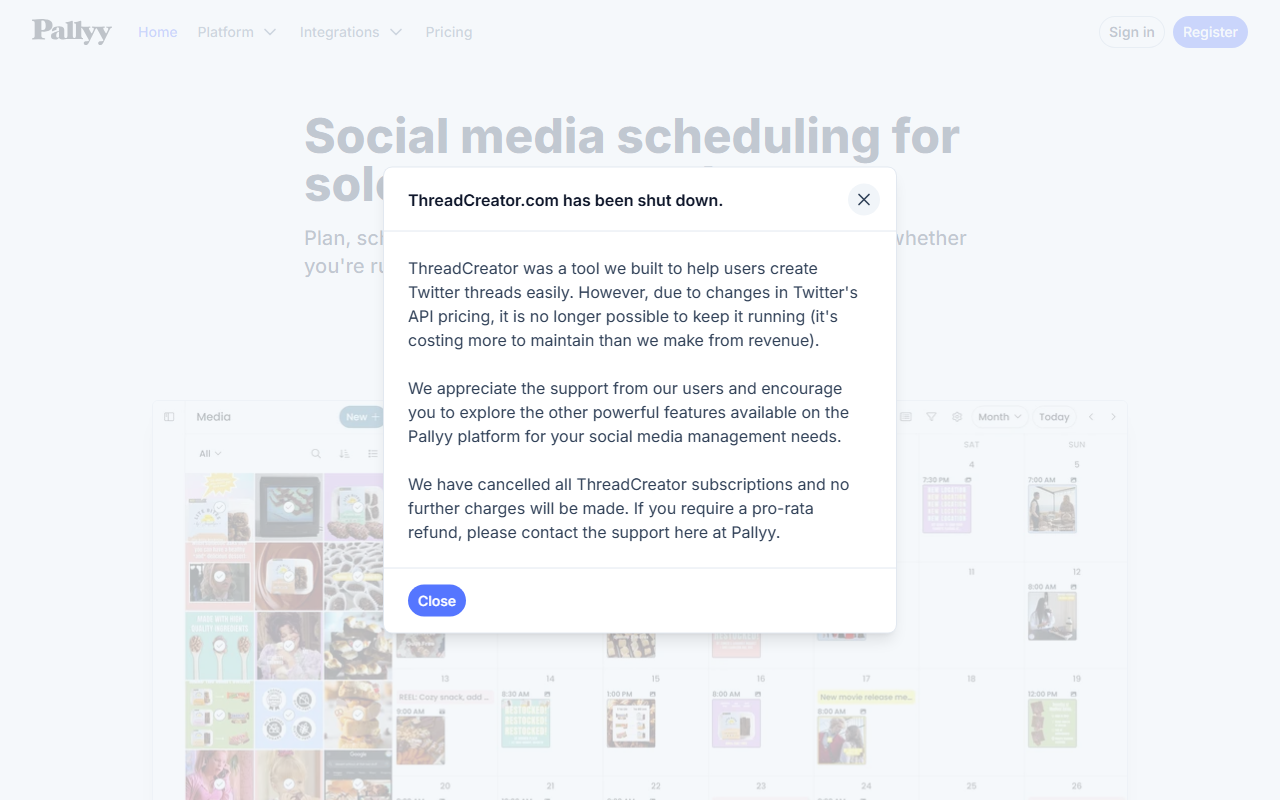
Upon visiting threadcreator.com, I was immediately redirected to the Pallyy homepage—a clean, professional landing page that wastes no time explaining what the tool does. The tagline “Social Media Scheduler for Agencies, Brands, and Creators” is backed by a grid of customer testimonials, a real calendar view screenshot, and a clear call-to-action to try it for free without a credit card. I registered quickly using my Google account, and within minutes I was inside a sparse but functional dashboard. The onboarding flow walks you through creating your first “social set”—a container for one brand’s connected accounts across Instagram, TikTok, LinkedIn, Facebook, Google Business, Pinterest, X, YouTube, and Threads. Connecting each platform required OAuth authorization, which worked without hiccups for Instagram and LinkedIn. The calendar view appeared populated with a sample post, and I could drag it to a new time slot immediately. The interface is intuitive, but I noticed that advanced features like analytics and inbox are locked behind a paywall during the trial. Still, the free tier gives a genuine feel for the scheduling workflow.
Core Features and Workflow
Pallyy’s primary purpose is to centralize social media publishing, collaboration, and approval into one dashboard. It is not an AI writing tool—despite being listed under that category—so do not expect generative content suggestions. Instead, its strength lies in moving a post from draft to published with fewer clicks and less email back-and-forth. The social set structure is the backbone: each set can include one account per platform, and you can share the calendar with clients for free, allowing them to comment and approve posts without needing a paid seat. I tested the approval workflow by inviting a colleague via email; they could see the upcoming posts in read-only mode and leave comments directly on each draft. The commenting interface is clean, and notifications land in the main dashboard. Editing a post after scheduling is straightforward—click the post, adjust the caption or image, and save. Pallyy also offers a basic Bio Link page (similar to Linktree) and a social inbox for monitoring messages and comments across connected accounts. The analytics dashboard shows engagement metrics, follower growth, and post performance, though deeper reporting requires the higher-tier plan. For teams that handle multiple clients or personal brands, keeping each social set separate reduces confusion. The drag-and-drop calendar is responsive, and bulk uploading from CSV is supported. Publishing speed is reliable; posts appeared on my Instagram test account within a minute of the scheduled time.
Pricing and Market Position
Pallyy’s pricing is not fully disclosed on the website beyond “prices in USD” and a free trial with no credit card. Based on common public listings, paid plans start around $15/month for individuals and scale up for agencies with more social sets and team seats. This places Pallyy between budget-friendly tools like Buffer and premium platforms like Hootsuite or Sprout Social. Unlike Later, which emphasizes visual planning for Instagram, Pallyy focuses on cross-platform publishing and team collaboration. A notable limitation is the lack of built-in AI features such as caption generation or hashtag suggestions, which competitors like Hootsuite and Buffer have started integrating. For users seeking an all-in-one creative and scheduling tool, Pallyy may feel incomplete. Another drawback is the absence of detailed API documentation for custom integrations; the tool relies on native connectors. On the positive side, Pallyy’s client collaboration feature is genuinely free—you can share calendars and collect approvals without additional cost, a rarity among scheduling tools. The company claims over 100,000 users and a development roadmap shaped by user feedback, which adds credibility. Support during my trial was responsive via chat, answering a feature question within an hour.
Who Should Use Pallyy?
Pallyy is best suited for agencies, freelancers, and small to mid-sized in-house teams that need a straightforward scheduling platform with strong collaboration. If your workflow involves multiple approvers, client review cycles, or managing several brands from one interface, Pallyy reduces friction. It is less ideal for solo creators who want AI-generated captions or advanced analytics beyond basic metrics. Similarly, large enterprises with complex compliance or custom API needs should look elsewhere. I appreciated how Pallyy stays out of the way—it does what a scheduler should without overcomplicating the interface. For teams tired of email chains and back-and-forth in native apps, this tool is worth a trial. Visit Pallyy at https://threadcreator.com/ to explore it yourself.










Comments