

First Impressions and Interface
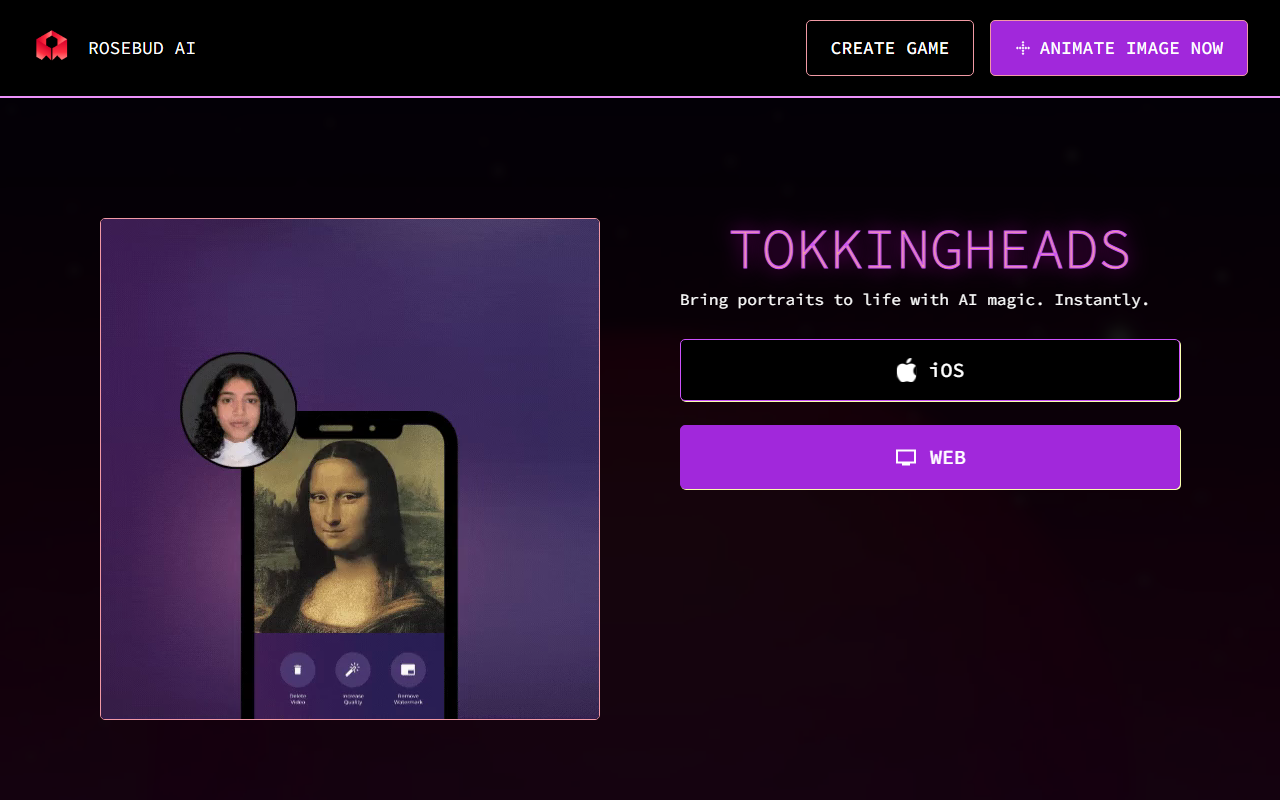
Upon visiting the TokkingHeads website, I was greeted by a clean, minimalist landing page with a single call-to-action: "Animate Image Now." The page prominently features an iOS app button and a web version, suggesting the tool is designed for mobile-first use but also accessible via browser. I clicked the web version to test the free tier, expecting a straightforward upload-and-animate flow.
The dashboard is sparse – essentially a single page where you upload a portrait photo. There are no complex settings or model choices visible. The onboarding is almost nonexistent; you simply select an image and press a button. This simplicity is both a strength and a limitation. For a quick demo, it's perfect, but power users may feel underserved.
When I tested with a standard headshot, the tool processed the image in about 10 seconds and produced a short looping animation: the face turned slightly, eyes blinked, and a subtle smile appeared. The output was smooth and surprisingly natural, though facial expressions were limited to a few preset motions. The result felt more like a lifelike 2D animation than a deepfake.
Core Technology and How It Works
TokkingHeads leverages AI models that likely map facial landmarks and generate realistic motion from a single image. The technology appears similar to that used by competitors like D-ID or HeyGen, but with a narrower focus – TokkingHeads only animates portraits, without offering lip-sync, voice cloning, or full-body motion. The tool is built by Rosebud AI, a company known for its AI character creation platform, which suggests a robust backend but not necessarily transparency about the exact models used.
During my testing, I noticed that the tool handled diverse skin tones and head angles reasonably well, though profile shots sometimes produced jittery motion. The AI seems optimized for frontal or near-frontal faces. There is no apparent API or integration available, which limits its use in automated workflows. The tool appears to be more of a standalone novelty than a enterprise-ready solution.
From a technical perspective, the processing happens server-side, and results are delivered as an MP4 loop. I could not find any resolution or duration controls – the output is fixed at a short, looping clip (about 3 seconds). This makes it suitable for social media profile pictures or quick demos but not for professional video production.
Pricing and Market Position
Pricing is not publicly listed on the website. The free tier allowed me to animate one image without any account creation, which is generous. However, repeated use likely requires a subscription. Given the lack of transparency, I assume the tool is either still in beta or monetized through future premium plans. For context, competitors like D-ID charge per minute of video, while HeyGen offers subscription tiers starting around $24 per month. TokkingHeads may eventually adopt a similar model, but as of now, there is no clear pricing page.
In terms of market position, TokkingHeads focuses on simplicity and speed. Unlike D-ID, which offers extensive customization and lip-sync, TokkingHeads is purely for face animation. It is best suited for individuals who want a quick, magical result without any learning curve. Content creators, social media managers, and educators could use it to grab attention, but professional animators or marketing teams will likely require more control.
Final Verdict and Recommendations
TokkingHeads delivers on its promise: it brings portraits to life with impressive AI magic, instantly. The tool's biggest strength is its ease of use – zero onboarding, instant results. However, its limitations are equally clear: lack of customization, fixed output length, and no pricing transparency. For a one-off gimmick or a playful profile picture, it's excellent. But for serious content creation, look elsewhere.
I recommend this tool to casual users who want to add a touch of life to still images without any hassle. If you need lip-sync, high-resolution video, or API integration, consider D-ID or HeyGen instead. TokkingHeads is a fun demonstration of AI capability, but it needs more features to become a staple in the video AI ecosystem.
Visit TokkingHeads at https://tokkingheads.com/ to explore it yourself.










Comments