

First Impressions and Onboarding
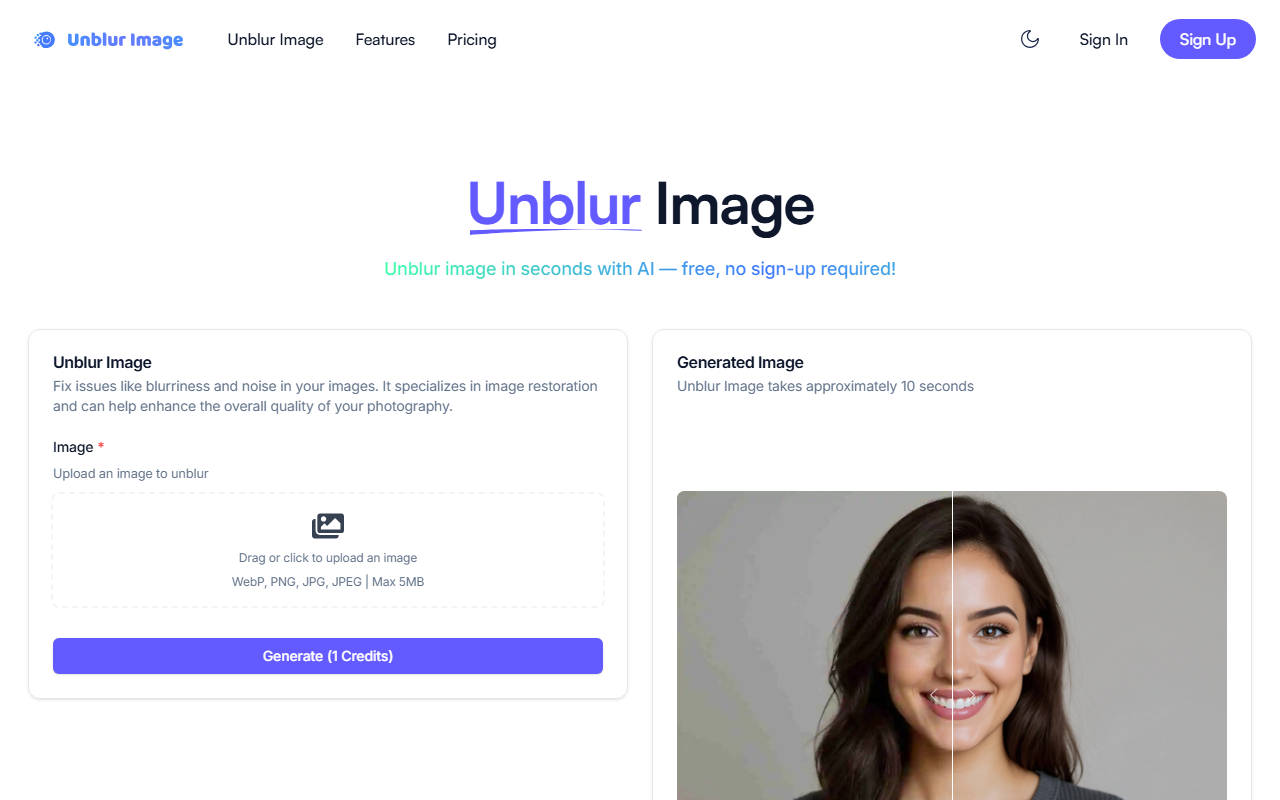
Upon visiting Unblurimg.ai, I was greeted by a clean, minimal interface built around one clear call to action: upload an image. The hero section urges you to drop or click to upload, supporting WebP, PNG, JPG, and JPEG formats with a 5MB cap. There is no sign-up required to start—you simply drag a photo and watch the magic happen. The whole process is remarkably frictionless. Even the free tier grants 10 credits per day just for visiting the site, which is rare among similar tools. Within seconds, my test image—a blurry vacation snap—was processed and presented in a side-by-side comparison. The transformation took roughly 10 seconds, as advertised. The dashboard also shows your credit balance and offers to purchase more if needed, but the free quota is generous enough for casual use.
How the AI Unblurring Performs
The core feature is straightforward: you upload a blurry image, and the AI sharpens it. During my test with a motion-blurred photo, the tool did a solid job of recovering lost detail without introducing noticeable artifacts. Edges became crisper, and the overall clarity improved significantly. Unblurimg.ai markets itself as an all-in-one AI image and video toolkit, with additional features like background removal and video enhancement, but the unblur function is undoubtedly the star. It relies on what appears to be a proprietary deep-learning model; no specific model name is disclosed, but the results are on par with competitors like PicWish and Remini. One limitation I encountered: the tool processes only one image at a time, and the 5MB file size limit might frustrate users with high-resolution photos. Also, while the sharpening works well for moderate blur, extremely out-of-focus shots may not be fully restored.
Pricing and Plans
Unblurimg.ai offers a transparent pricing structure. The Free plan provides 10 credits per day, which is enough for occasional users. For more heavy lifting, the Basic plan costs $9.9/month (or about $7.92 monthly when billed annually) and includes 1,000 credits with a priority queue. The Popular Plus plan at $23.9/month gives 4,000 credits, and the Pro plan at $39.9/month offers 8,000 credits. All paid plans include priority processing, which is handy when the service experiences demand. There is no API pricing listed, so developers may need to look elsewhere for programmatic integration. The credit system is clear: each image unblur consumes one credit, making it easy to budget. Compared to competitors like Let's Enhance (which charges per image resolution), Unblurimg.ai’s subscription is more predictable for regular users.
Who Should Use Unblurimg.ai?
This tool is best suited for casual photographers, social media enthusiasts, and anyone with a pile of blurry personal photos who wants a quick, no-hassle fix. The free tier and lack of sign-up make it ideal for one-off tasks. However, professional photographers or editors who need batch processing, higher resolution output, or advanced fine-tuning will likely find the limitations frustrating. The 5MB file cap and single-image workflow are deal‑breakers for serious work. Additionally, while the AI does a decent job, it cannot match the precision of dedicated desktop software like Topaz Gigapixel. Still, for its intended audience—people who want to unblur an image online free without installing anything—Unblurimg.ai delivers a reliable, pleasant experience. If you need quick clarity from a blurry memory, give it a shot.
Visit Unblurimg.ai at https://unblurimg.ai/ to explore it yourself.










Comments