

First Impressions and Onboarding
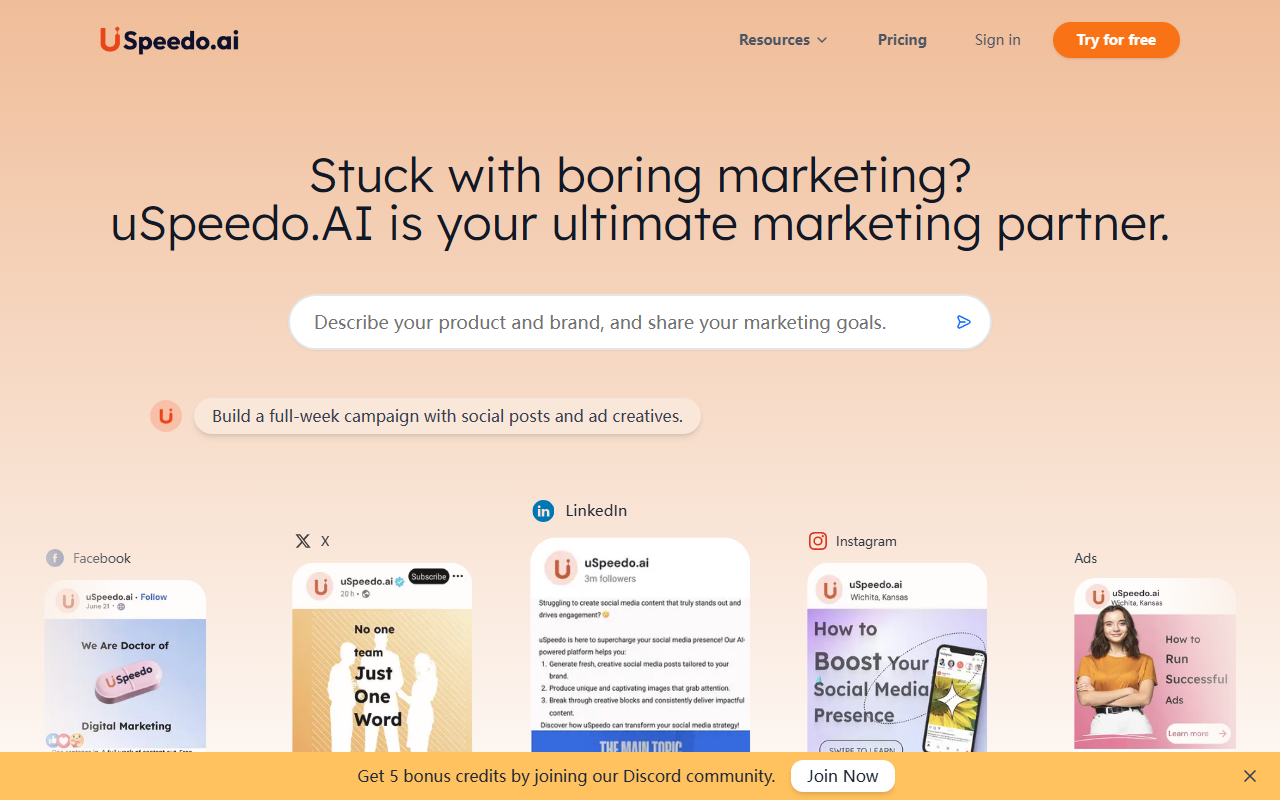
I visited uSpeedo.ai expecting another generic AI content generator, but the landing page immediately signaled a focused marketing tool. The interface is clean and uncluttered: a sidebar lists social channels (X, LinkedIn, Instagram, Facebook) and ad platforms, while the main area shows a campaign builder. The onboarding flow is straightforward—after signing up for the free tier (no credit card required), I was greeted with a welcome message and a prompt to connect my social accounts. The process took under two minutes. I noticed the dashboard prominently displays a credit counter (I started with 5 credits after joining the Discord community as suggested). The overall experience feels polished, though the heavy emphasis on data-driven claims made me eager to test the actual output quality.
Core Features and Performance
The tool bundles three core modules: AI Copywriter, Visual Generator, and Trends Radar. I spent most of my testing on the Copywriter, typing a prompt for a LinkedIn post about AI in e-commerce. Within 10 seconds, uSpeedo returned three variations—each included a headline, body, and suggested hashtags. The copy was coherent but a bit formulaic; it nailed industry jargon but lacked a distinct brand voice. The Visual Generator works differently: you first create a moodboard by selecting colors, styles, and reference images, then ask for a design. I generated an Instagram story ad for a fictional coffee brand. The result was decent—80% ready as promised—but required manual tweaking in an external editor to match my exact brand guidelines. The standout feature is the Trends Radar. I asked about competitor activity in the SaaS space, and it produced a chart with keyword trends, top-performing ad copy from similar brands, and platform-specific advice. This is genuinely useful for planning and beats manually scraping social listening tools.
One-click posting works as advertised: after generating content, scheduling across Twitter, LinkedIn, Facebook, and Instagram took a single click. The Smart Inbox aggregated comments and DMs from connected accounts—handy for small teams. However, I found the analytics dashboard basic: it shows likes, shares, comments, and views but no deep metrics like conversion tracking or audience segmentation. For a tool that touts data-driven insights, this feels half-baked.
Pricing and Market Position
Pricing is not publicly listed on the website. The only option I encountered was a free trial with 5 credits (and an additional 5 by joining Discord). Paid plans are hinted at but require contacting sales. This opacity is a notable limitation. Competitors like AdCreative.ai and Canva offer transparent pricing from $29/month upward. uSpeedo positions itself as an all-in-one marketing partner, whereas Hootsuite focuses on scheduling and Buffer on analytics. Its strength lies in combining copywriting, design, and trend research—a rare combo. Yet, for advanced marketers who need granular control or enterprise-grade integrations (e.g., CRM sync, custom API), uSpeedo may fall short. The tech stack appears to use proprietary models; no mention of GPT or DALL-E on the site, but output style aligns with fine-tuned LLMs.
Final Verdict
uSpeedo AI is a solid choice for solopreneurs and small marketing teams who want a quick, data-informed start to campaign creation. The Trends Radar alone justifies a test run if you lack time for competitive research. However, the lack of transparent pricing and limited customizability in design output mean it’s not yet a replacement for dedicated tools like Canva or a full social media suite like Sprout Social. I recommend signing up for the free tier to gauge if its “80% ready” philosophy meshes with your workflow. For those needing deep analytics or white-label capabilities, look elsewhere—for now. Visit uSpeedo at https://uspeedo.ai/ to explore it yourself.













Comments