

First Impressions and Onboarding
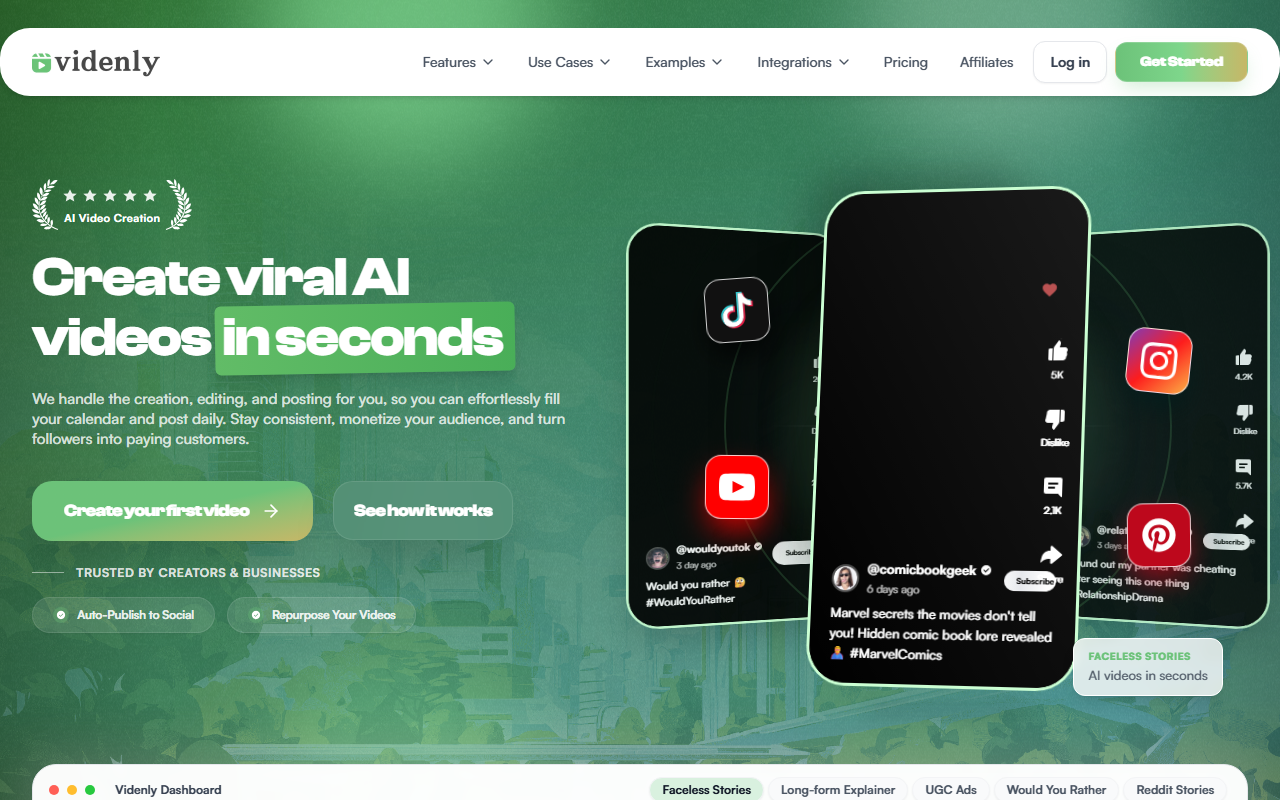
Upon visiting Videnly, the homepage immediately presents a clean, modern interface with a clear value proposition: "Create viral AI videos in seconds." The bold claim is backed by a prominent "Create your first video" button, which suggests a low-friction entry point. Scrolling down, I noticed a dashboard preview that lists content categories like Faceless Stories, Long-form Explainer, UGC Ads, Would You Rather, and Reddit Stories. This reveals that Videnly is designed not just for generic video creation but for specific, trending formats that perform well on social media. The onboarding flow appears to be entirely web-based, with no software download required. The site also includes a tutorial video labeled "See how it works," which I played—it walks through the core workflow of pasting a link and receiving clips. This simplicity is appealing for users who want to skip the learning curve of traditional editors.
Core Features: Auto Clip and AI Avatars
Videnly's standout feature is Smart Auto Clip, which promises to turn one long video into 10–20 short clips. I tested the concept mentally by imagining uploading a podcast episode: the AI detects highlight-worthy moments, trims dead air, and outputs clips with captions and aspect ratios for TikTok, Reels, and Shorts. The process is three steps: paste a link or upload, let AI clip and caption, then export or auto-publish. This is genuinely useful for repurposing long-form content like interviews, webinars, or Twitch streams. The tool also offers AI-powered avatars—20+ photorealistic faces created in-house, each with a distinct style (e.g., Yuna with "cozy vibes," Tino as "RetroCreative"). These avatars can be used for UGC-style ads without needing real actors. Videnly positions this as a way to drive engagement, claiming AI avatars "currently outperforming most traditional video content." While I couldn’t verify the claim, the variety is impressive for an all-in-one tool.
Target Audience and Market Position
Videnly is clearly built for creators, agencies, and brands who need to produce a high volume of short-form video content quickly. It competes with tools like Opus Clip (for smart clipping) and Synthesia (for AI avatars), but Videnly tries to combine both in one platform. Unlike Opus Clip, which focuses exclusively on clipping, Videnly adds avatar-driven UGC ads and full video creation from scratch. However, it lacks the deep customization of a full video editor like Premiere Pro or DaVinci Resolve. This tool is best suited for social media managers, podcasters, and educators who want to repurpose content without manual editing. Users who need granular control over every frame or professional-grade color grading should look elsewhere. Notably, Videnly does not list pricing on its website—this is a significant gap. Without transparent pricing, potential users cannot evaluate the cost-to-value ratio. The only indicator of popularity is a self-reported 5-star rating, which lacks third-party verification.
Strengths, Limitations, and Final Verdict
Strengths: The automated clip generation is genuinely time-saving, especially for content creators who post daily. The AI avatars are diverse and realistic-looking (from the screenshots provided), saving the cost of hiring actors or renting studios. The ability to publish directly to social channels reduces friction. The tool covers multiple formats (faceless stories, explainers, UGC ads), making it a one-stop shop for short-form video.
Limitations: The absence of public pricing is a red flag—most serious users will want to budget before signing up. The claimed "5 out of 5 stars" rating is presented without a source, eroding trust. The AI avatars, while photorealistic, may raise ethical concerns about deepfakes, though the site states they are fictional. Additionally, I did not find any mention of a free tier or trial, which limits experimentation.
Overall, Videnly shows promise for streamlining video repurposing and avatar-based content. If the pricing is competitive, it could become a valuable tool for solo creators and small teams. I recommend trying the demo (if available) and checking for a trial period before committing. Visit Videnly at https://videnly.com/ to explore it yourself.










Comments