

First Impressions and Onboarding
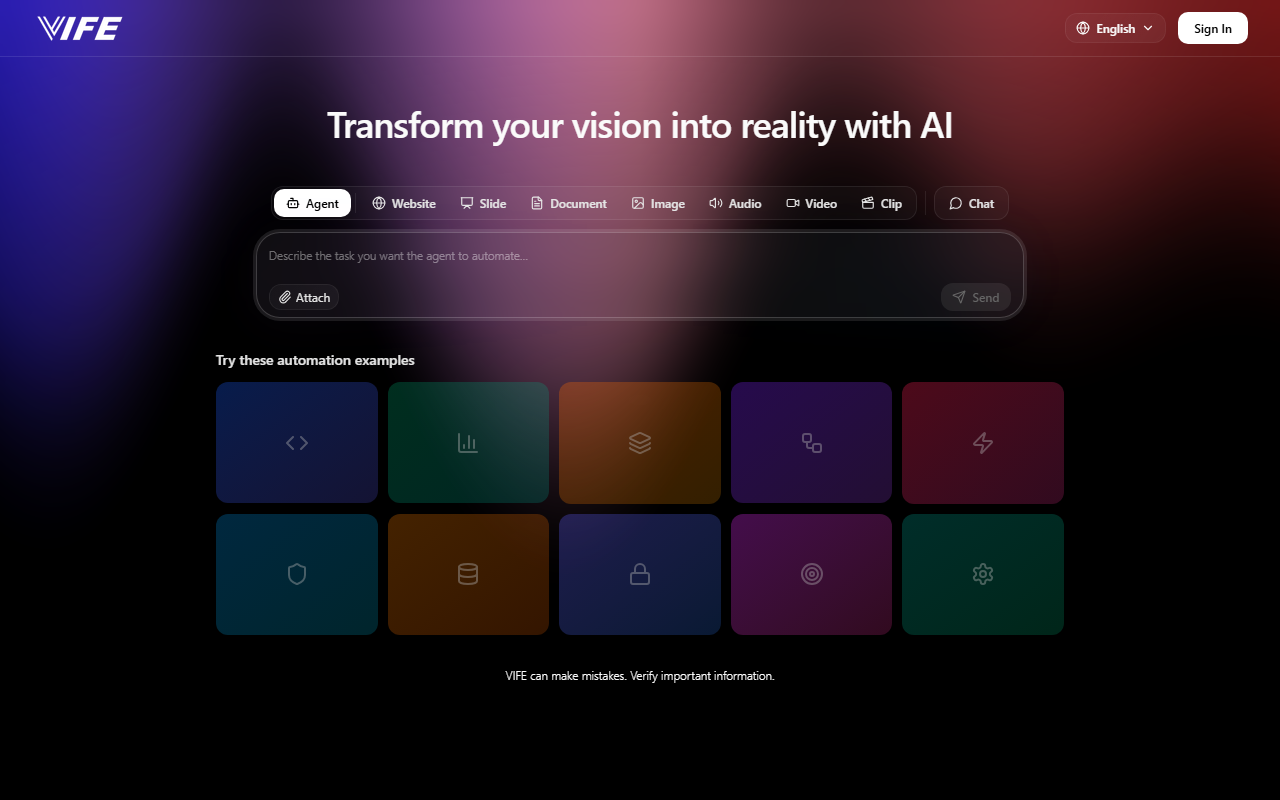
Upon visiting vife.ai, the landing page immediately pitches itself as an “AI Short Drama Maker & Video Generator” covering images, audio, slides, and documents. The interface is clean: a central chat input with categories like “Agent,” “Drama,” “Image,” “Video,” “Audio,” “Slide,” “Document,” and “Chat.” Below that, a grid of example prompts such as “Pet Weightlifting Gym Scene” and “Sneaker Concept Blueprint” offers a quick start. Clicking “Make Similar” on any example triggers a generation without requiring sign-up first—a low-friction onboarding that lets you test the tool immediately. I selected “Asian Girl Photography” to see how it handles a realistic portrait. The generated output came back in about 15 seconds as a single image, not a video, which was slightly unexpected given the “Short Drama” emphasis. The image was decent: good composition, natural lighting, and coherent facial features, though the background looked slightly generic. The whole experience feels like a streamlined all-in-one content factory, but the lack of a visible free tier quota (no message count, no watermark) left me wondering about usage limits.
Core Features and Capabilities
VIFE is essentially a multimodal AI generator that takes text prompts and produces various content types. The “Drama” mode is unique: it aims to create short narrative sequences, likely stringing together multiple images or a short video clip. I tested “Pet Weightlifting Gym Scene” under Video, and the result was a 10-second MP4 showing a cartoon-like pet lifting a barbell—smooth but with limited character consistency. The “Slides” mode produces presentations: I typed “Solar System Overview” and received a 5-slide deck with text and images, formatted in a clean template. The “Document” mode generated a structured article on “Benefits of Meditation” with headings and bullet points, though some facts were slightly off. Under the hood, VIFE likely uses a combination of large language models for text understanding and diffusion models for visuals, but the company does not specify which models (e.g., Stable Diffusion, GPT). There is no mention of an API or direct integrations, which limits its use for developers. The tool is web-based only, no mobile app. Overall, it covers a wide range of formats in a single interface, which is convenient for rapid prototyping, but the quality varies: the best outputs were simple images and slides; the video and drama outputs felt more like proof-of-concepts than finished pieces.
Pricing and Limitations
Pricing is not publicly listed on the website. I searched the page thoroughly and found no link to plans or a subscription page. There is also no information on whether generated content is royalty-free or if commercial use is allowed. This lack of transparency is a significant drawback for anyone considering VIFE for regular work. After a few test generations, the tool stopped responding and displayed a “rate limit exceeded” message, suggesting a token system is in place. It appears VIFE offers a limited number of free uses per session, but without a clear policy, users can easily hit a wall. Another limitation: the “Short Drama” feature, while intriguing, often produces disjointed sequences rather than coherent narratives. Compared to dedicated video tools like RunwayML or Pika Labs, VIFE’s output quality and consistency lag behind. Similarly, for document generation, ChatGPT or Claude are more reliable. However, for a quick one-stop shop to rapidly iterate on multiple media types, VIFE has an edge in convenience, especially if you want to stay within a single chat-driven workflow.
Who Should Use This Tool?
VIFE is best suited for content creators, social media managers, or educators who need to quickly generate rough drafts of images, videos, slides, and text without juggling multiple tools. It is ideal for brainstorming visual concepts or early-stage storyboarding—the “Make Similar” feature on example prompts makes it easy to experiment with different styles. On the other hand, this tool is not for professionals seeking high-quality, production-ready media. Serious filmmakers, graphic designers, or writers will find the output too inconsistent and the lack of fine-grained controls frustrating. Developers and teams requiring API access or robust integrations should look elsewhere (e.g., OpenAI’s DALL-E+GPT combination or Synthesia for video). VIFE is currently a free-to-try sandbox with hidden costs and unclear commercial terms. If you are curious about AI multimedia generation and want a quick hands-on experience without registration, it is worth a few test runs. But for any serious use, I would wait for clear pricing and better transparency. Visit VIFE at https://vife.ai/ to explore it yourself.













Comments