

First Impressions and Interface
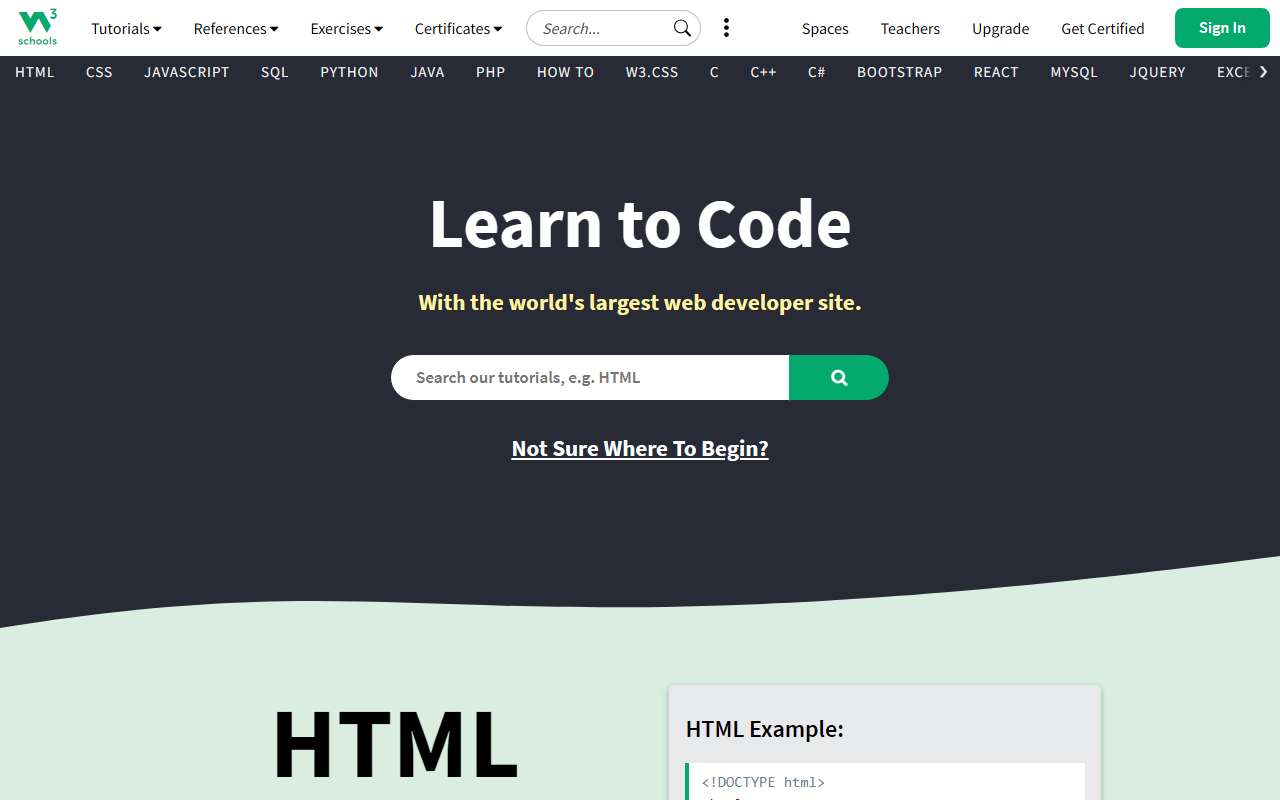
Upon visiting W3Schools, I was greeted by a clean, grid-like dashboard that immediately presents the core languages: HTML, CSS, JavaScript, SQL, Python, and more. The search bar at the top is prominent, and a menu on the left reveals dozens of other topics—from machine learning and AI to Kotlin, Swift, and Rust. The homepage also features a color picker, a code game, and a quick link to the “Try it Yourself” editors. I noticed the site is optimized for fast loading, though the free tier displays banner ads, which can be distracting during study sessions. The onboarding for new users is straightforward: you can start with any tutorial without an account, but signing up unlocks progress tracking and additional features like W3Schools Spaces for building and hosting websites. Overall, the interface feels focused on quick access to content, though the sheer number of options might overwhelm absolute beginners.
Learning Experience and Key Features
The core learning experience revolves around written tutorials paired with interactive code editors. I tested the HTML tutorial: after reading a short explanation of the <h1> tag, I clicked “Try it Yourself” and was taken to a split-screen editor where I could modify the sample code and see the result instantly in the browser. This feedback loop is excellent for cementing syntax and logic. W3Schools also offers “Exercises and Quizzes” to test knowledge, and a “Code Game” that gamifies basic concepts. For more structured learning, the platform provides certification courses (e.g., HTML Certificate, Python Certificate) that cost a one-time fee. Another standout feature is W3Schools Spaces, a built-in hosting environment that lets you create a website without any local setup—useful for beginners wanting to deploy a simple page. The “Plus” subscription removes ads and adds unlimited challenges and practice tests. However, I found the AI section (labeled “GEN AI”) to be minimal; there is no integrated AI tutor or code generator. The machine learning and AI tutorials are essentially static content covering basic definitions and algorithms, not a hands-on AI development environment.
Pricing and Positioning
W3Schools operates on a freemium model. The free tier gives access to all tutorials and the basic code editor, but includes ads and limits practice tests. The Plus plan (price not publicly listed on the website) removes ads, provides unlimited challenges and practice tests, and grants priority support. There are also individual certification exams (around $95 each, based on third-party reports) and a “Bootcamps” option for more comprehensive training. For teachers, W3Schools offers a classroom management portal with ready-to-use materials and progress tracking. Compared to competitors—like freeCodeCamp (completely free, project-based) and Codecademy (paid interactive courses with a more modern UI)—W3Schools focuses on reference-style learning with immediate hands-on editing. It is less project-driven than freeCodeCamp and less gamified than Codecademy, but it excels as a quick lookup resource. The platform is owned by Refsnes Data and has been online since 1999, giving it a long track record of reliability. However, some tutorials are dated (e.g., using older JavaScript patterns), and the design feels slightly archaic compared to modern learning platforms.
Strengths and Limitations
W3Schools’ greatest strength is its breadth: nearly every web technology you can think of is covered, from HTML basics to DSA and AI. The “Try it Yourself” editors are responsive and require no setup, making it easy to experiment on any device. Certification courses are recognized by many employers as a sign of foundational knowledge. Additionally, W3Schools Spaces lowers the barrier to publishing a live website. On the other hand, the platform has notable limitations. The content often skips depth—it teaches syntax and common use cases but rarely explains underlying concepts or best practices. The code examples are sometimes oversimplified, and the AI-related sections are thin, with no actual AI model integration or interactive labs. The free tier’s ads can be intrusive, and the user interface, while functional, lacks modern polish. For experienced developers seeking advanced tutorials or AI-based code assistance, W3Schools falls short. It is best suited for absolute beginners, students needing a quick reference, or instructors who want a structured curriculum to supplement their teaching. If you are looking for a tool that uses AI to personalize learning or generate code, consider alternatives like GitHub Copilot or Tabnine—but for straightforward, no-frills web development education, W3Schools remains a solid choice. Visit W3Schools at https://w3schools.com to explore it yourself.













Comments