

First Impressions and Onboarding
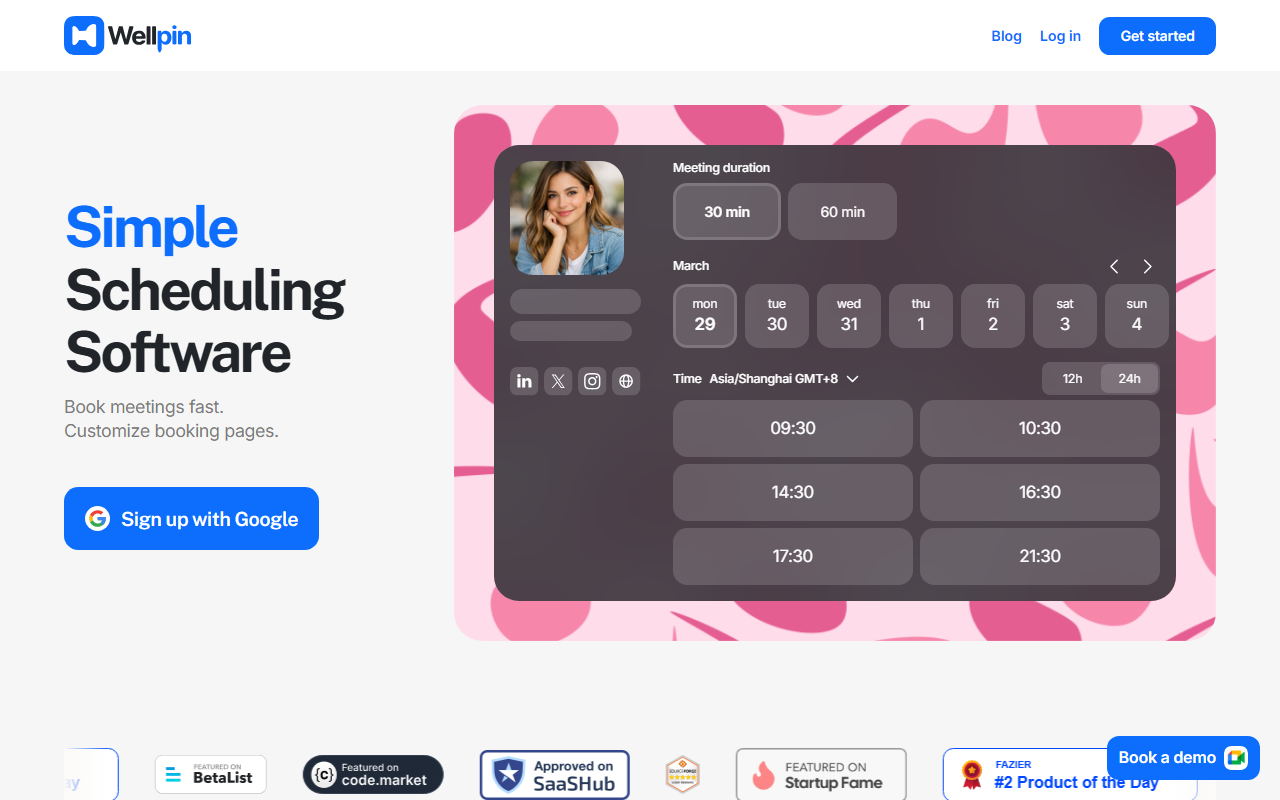
Upon visiting the Wellpin website, I was greeted by a clean, modern interface that immediately put the scheduling workflow front and center. The dashboard shows a calendar view where you can select meeting durations (30 or 60 minutes) and pick time slots. The onboarding flow is refreshingly simple: you sign up with Google, sync your calendar, set availability hours, and share your custom booking link. I tested the free tier and within two minutes had a working booking page ready to share. The process felt intuitive, with no unnecessary steps. I particularly appreciated the "Meet Cap" feature, which limits daily bookings, and the "Slot Gaps" option to add buffer time between sessions. The interface also includes a neat preview of how your booking link will appear when shared on social media—a small but thoughtful touch.
Key Features and Pricing
Wellpin offers a robust set of features for a scheduling tool, especially considering its generous free plan. The free tier includes unlimited bookings, core features like calendar sync, custom backgrounds, and the ability to add custom fields to collect information from bookers. Where Wellpin differentiates itself is with the Pro plan ($9.99/month), which adds paid events and time slots, group events, an AI meeting notetaker, and access to a VIP community. The Business plan ($149.99/month plus $2 per additional seat) targets teams with up to 20 seats, round-robin event types, event analytics, and integrations with HubSpot and Mailchimp. The Enterprise tier ($12,000 per year) includes 100 seats, SSO/SAML, domain control, and audit log compliance. I tested the free version’s booking flow end-to-end and found it responsive and reliable. The AI meet notetaker is a standout feature for Pro and above users—it promises to transcribe and summarize meetings, though during my review it was still marked as "launching soon" in the waitlist section. Similarly, the custom booking page monetization (paid slots) was functional in the demo but required a Pro upgrade. Compared to Calendly, Wellpin’s free tier is more generous (Calendly’s free plan limits to one event type) and its built-in payment collection eliminates the need for a third-party tool like Stripe.
Who Should Use Wellpin (and Limitations)
Wellpin is best suited for freelancers and small business owners who want a free, no-fuss scheduling tool with the option to monetize appointments. The ability to set a rate and collect payment directly makes it a strong choice for consultants, coaches, and tutors. The AI meeting notetaker—once fully released—will appeal to anyone tired of manually transcribing calls. For larger teams or enterprises, the Business and Enterprise plans offer the necessary controls, though the tool is not yet as mature as Calendly or Google Calendar in terms of integrations or polish. One clear limitation is that several advanced features (paid slots, group events, AI notetaker) are behind the Pro paywall, and at the time of testing the custom background upload and AI notetaker were still in early access. Additionally, the absence of a native mobile app (browser-only) may be a dealbreaker for some. If you need robust round-robin scheduling or deep CRM integrations, Calendly remains a stronger competitor. However, for individuals and micro-teams looking for a clean, free alternative with monetization baked in, Wellpin is worth a serious look.
Visit Wellpin at https://wellpin.io/ to explore it yourself.











Comments