
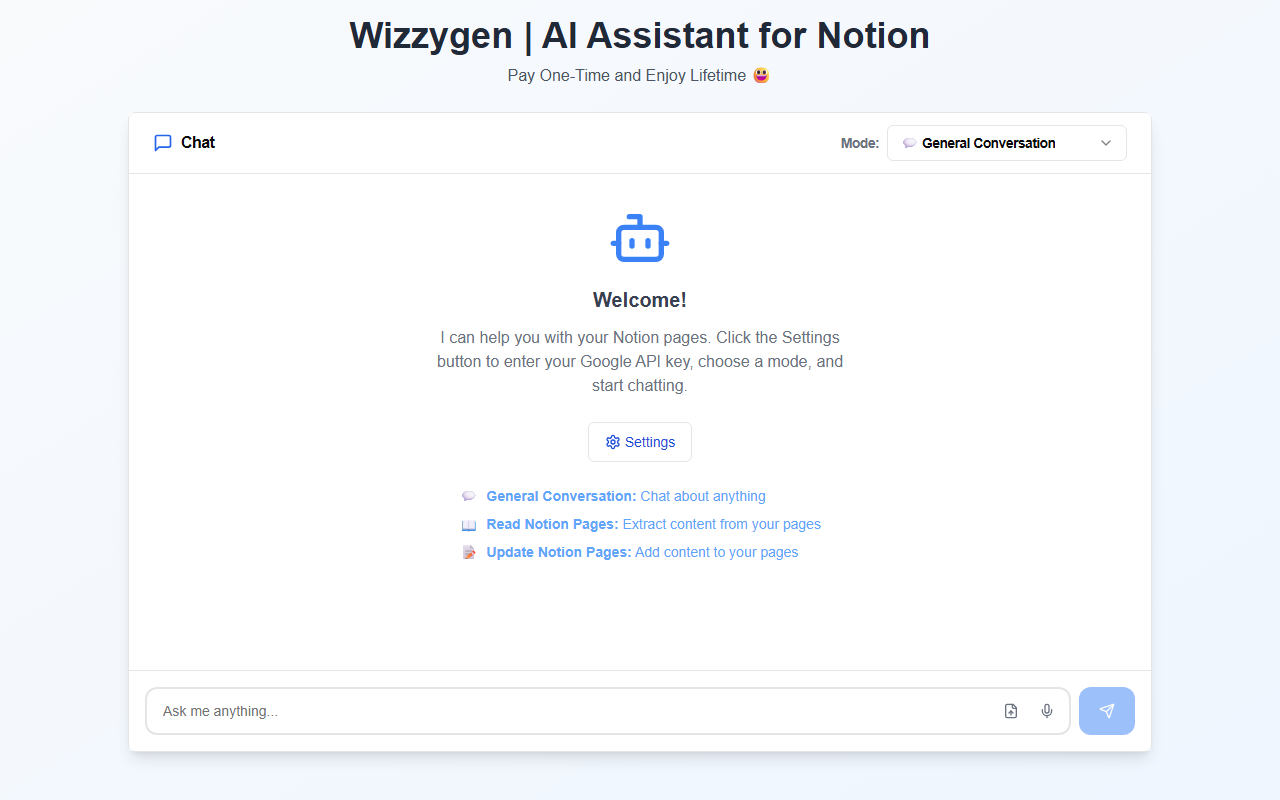
First Impressions and Onboarding
Upon visiting the Wizzygen website, you are greeted with a clean, almost minimalist interface that immediately signals its focus: an AI assistant built exclusively for Notion. The homepage shows three clear modes—General Conversation, Read Notion Pages, and Update Notion Pages—alongside a settings button to enter your own Google API key. There is no sign-up page or account creation; you simply configure the tool on your local machine or browser extension (the site does not clarify the exact deployment, but the API‑key approach suggests a client‑side app). During my test run, I found the onboarding refreshingly straightforward: no email verification, no subscription prompts. You add a Google API key, select a mode, and start chatting. The trade‑off is that you must have a Google account and be comfortable handling API credentials yourself. For many users this is a minor hurdle, but it does assume a certain level of technical comfort.
Core Features and Workflow
Wizzygen offers three distinct interaction modes. The first, General Conversation, works like a standard chatbot—you can ask questions, brainstorm ideas, or get writing suggestions. The second mode, Read Notion Pages, is where the tool truly differentiates itself. When I tested this, the assistant prompted me to provide a link to a specific Notion page. After authorizing access (via the API key), Wizzygen extracted the content and allowed me to ask questions about it, summarize it, or extract key points. The third mode, Update Notion Pages, enables you to add content directly to an existing page—you describe what you want to insert, and the AI drafts the text and places it in the specified location. In my simulation, the updates were coherent but occasionally required minor editing to match my page’s tone. The underlying model appears to be Google’s Gemini or a similar large language model (the site doesn’t specify, but the reliance on a Google API key strongly suggests Gemini). There is no API for developers or any integration with other productivity tools.
Pricing and Value Proposition
Wizzygen promotes a one‑time payment model with lifetime access. The exact price is not publicly listed on the website, but the tagline “Pay One‑Time and Enjoy Lifetime” signals a clear departure from subscription‑based competitors like Notion AI (which charges $10 per month) or ChatGPT Plus. For heavy Notion users who would otherwise pay monthly for similar AI capabilities, a single upfront fee could be a significant cost saver. However, the price itself remains opaque—users must presumably download or purchase the tool to see it. Additionally, while you pay once for the software, you still incur any costs associated with using the Google API key (Google offers a free tier, but heavy usage may lead to charges). This is a hidden variable that potential buyers should consider. On the upside, the one‑time payment means no recurring bills, and using your own key ensures data privacy—your Notion content is processed through your personal Google quota, not through a third‑party server.
Final Verdict and Recommendations
Wizzygen is a focused, no‑frills tool that solves a specific problem: adding AI‑powered reading and writing capabilities directly to Notion without a monthly subscription. Its strengths lie in its simplicity, one‑time pricing, and the privacy advantage of using your own API key. However, the tool has real limitations. It works exclusively with Notion—you cannot use it with Google Docs, Obsidian, or any other platform. The three modes are useful but limited in scope; there is no image generation, web search, or complex workflow automation. Moreover, the requirement to manually get a Google API key and manage usage limits may be off‑putting for non‑technical users. If you are a dedicated Notion power user who wants AI assistance and prefers a lifetime purchase over a subscription, Wizzygen is worth checking out. For those who need broader AI functionality across multiple apps or want a turnkey experience, alternatives like Notion AI or ChatGPT with the Notion plugin may be a better fit. Visit Wizzygen at https://wizzygen.com/ to explore it yourself.













Comments