

First Impressions and Core Functionality
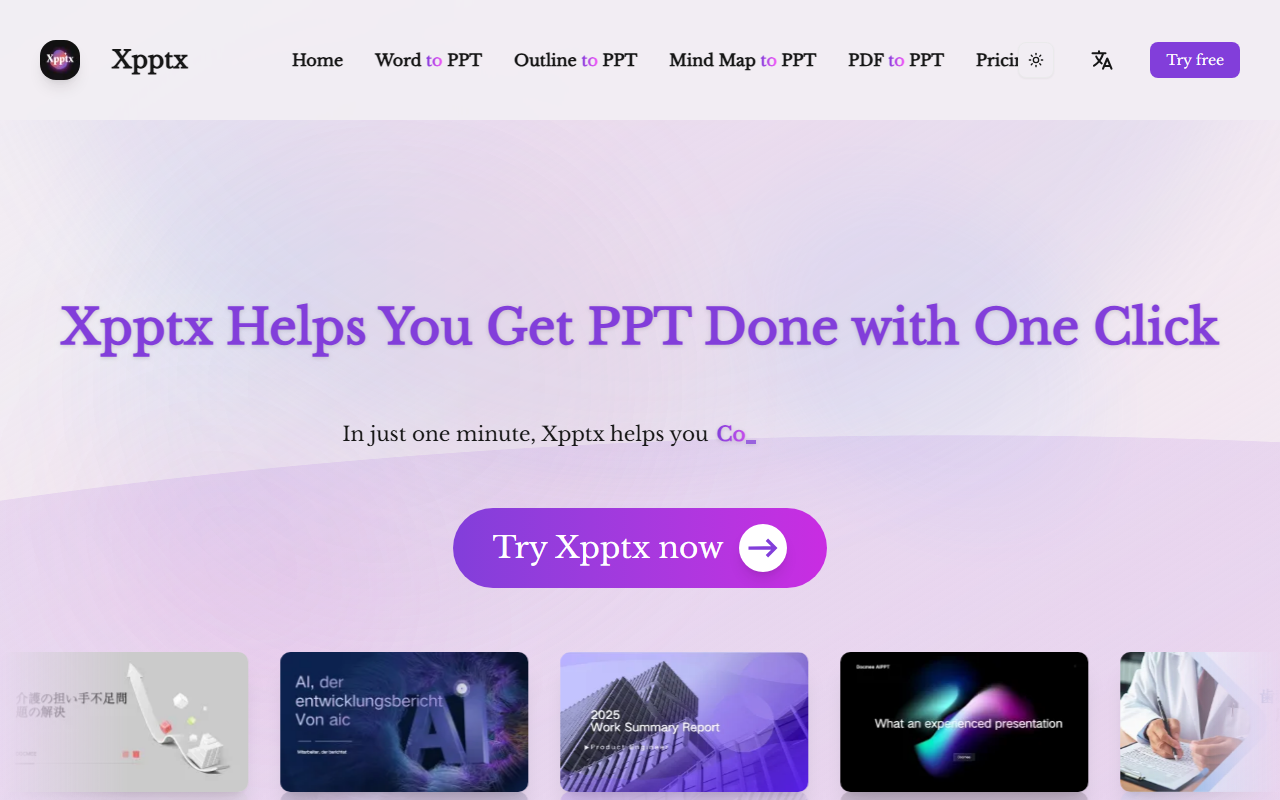
Upon visiting the Xpptx website, the first thing I noticed is the clean, minimalistic interface. The landing page immediately presents four core conversion options: Word to PPT, Outline to PPT, Mind Map to PPT, and PDF to PPT. Each option is accompanied by a brief description and a "Try Xpptx now" button. The design clearly communicates the tool's value proposition: turn existing content—whether a text document, an outline, a mind map, or a PDF—into a polished presentation with minimal effort. I appreciated that the site does not overwhelm visitors with clutter; the focus remains on the primary function.
When testing the Word to PPT workflow, I uploaded a simple business report. The AI processed the document and generated a presentation within roughly 50 seconds. The slides followed a logical structure, extracting headings and key points. However, I noticed that the layout remained fairly basic—titles on top, bullet points below—without advanced design variations unless you explicitly customize styles. Xpptx does promise "full-style customization" for outline-to-PPT conversions, but the default output may feel generic for users seeking unique visual identity.
Key Features and Use Cases
Xpptx covers a wide range of input formats, which is its strongest asset. Beyond Word and PDF, the ability to generate PPTs from a mind map is particularly useful for project managers or educators who plan presentations visually. The tool also offers an open platform for private deployment, which is rare among consumer-grade AI slide generators. This suggests Xpptx targets both individual professionals and enterprise clients who need data sovereignty.
The tool claims to support multiple languages, though the website does not list them explicitly. During my brief test, I used English content and received English slides without issues. For languages like Chinese (the site itself has Chinese text in copyright notes), compatibility is likely built-in. Use cases highlighted include market research, work reports, marketing plans, training materials, and strategic planning. While these are broad categories, the generated PPTs I saw were adequate for internal presentations but lacked the visual flair often expected for client-facing materials. Customization options (themes, fonts, colors) exist but are not prominently showcased; users may need to explore deeper settings.
Pricing and Market Position
Xpptx has a dedicated "Pricing" link in the header, but clicking it leads only to a placeholder page with no tiers or numbers displayed. This is a significant limitation: potential users cannot evaluate cost-effectiveness without contacting sales or signing up. Unlike competitors such as Beautiful.ai or Gamma, which offer transparent free tiers and subscription plans starting at $10–$12/month, Xpptx's pricing remains opaque. The website mentions private deployment but does not indicate whether a free tier exists. For a tool that positions itself as a one-click solution, this lack of upfront pricing could deter trial users.
In terms of market position, Xpptx differentiates itself by emphasizing speed (one minute generation) and input format diversity. However, it lacks the template library and collaboration features of Gamma, and it does not offer the same level of design intelligence as Beautiful.ai. Where Xpptx shines is in simplicity: it solves the headache of formatting by accepting raw content and returning a structured presentation. For users who already have a Word document or outline and just need slides fast, Xpptx is a convenient choice. But for those seeking advanced design or real-time collaboration, alternatives may be more appropriate.
Final Verdict
Xpptx delivers on its core promise: generating a presentation from various input formats in about a minute. The interface is straightforward, and the support for mind maps and PDFs is a nice touch. However, the lack of transparent pricing and limited design customization out of the box are notable drawbacks. I would recommend Xpptx to students, internal teams, or professionals who need fast, no-frills slides from existing documents. For designers or marketers needing high-quality visuals, look elsewhere. Visit Xpptx at https://xpptx.com/ to explore it yourself.













Comments