

Exploring Zubtitle’s Interface and Core Offerings
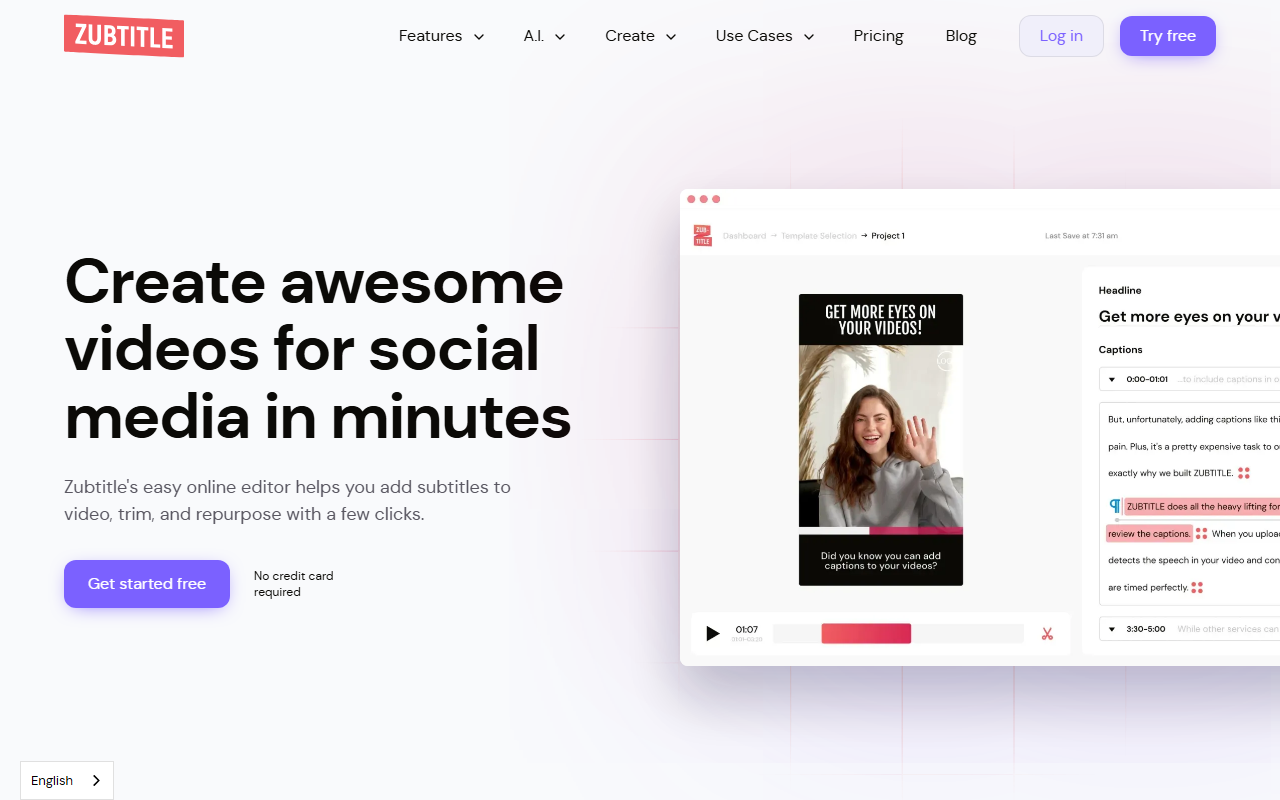
Upon visiting Zubtitle’s website, I was greeted with a clean, no-nonsense landing page. The call-to-action buttons—“Get started free” and “Try free”—are prominent, and the page immediately showcases a gallery of video templates for common social media formats. I clicked through and was able to start using the free trial without entering a credit card, which is always a welcome gesture. The dashboard itself is a straightforward online editor: a video upload area on the left, a preview window in the center, and editing panels for text, subtitles, and styling on the right. I uploaded a 30-second screen recording (an mp4, under 1 GB) and watched as Zubtitle’s auto-subtitle engine transcribed the speech in roughly 15 seconds. The captions appeared synchronised below the video, complete with a default styled bar. I could click to edit individual words or adjust timing—a workflow that felt as smooth as the best consumer editing tools. The interface is clearly designed for speed: every core action (add headline, resize, crop, trim) is one click away from the main toolbar.
Key Strengths and Technical Capabilities
Zubtitle’s primary strength is its laser focus on solving a specific problem: making social media videos accessible and engaging without requiring pro editing skills. The automated subtitle generation uses its own AI engine, and in my test, accuracy was on par with services like Rev or Otter for clear, slower speech. The tool also lets you upload a custom logo, choose brand fonts and colors, and even add a progress bar—all through a drag-and-drop interface. For repurposing, you can quickly switch aspect ratios (1:1, 9:16, 16:9, etc.) and trim the start and end points. The video processing is performed server-side, so even on a mobile phone (the site is mobile-friendly) you can submit a video and receive the rendered output. Technical requirements are clearly stated: H.264 codec, max 20 minutes, max 1 GB, and resolutions up to 4K. Unlike many competitors, Zubtitle also offers the ability to download the .srt subtitle file separately, which is a thoughtful touch for accessibility or translation workflows. The tool supports foreign language subtitles as well, though I did not test that feature extensively.
Limitations, Pricing, and Who Should Use It
For all its polish, Zubtitle has real constraints. The free trial gives you exactly one video credit—enough to evaluate the service but far from enough to rely on as a daily driver. Paid plans exist, but exact pricing tiers are not displayed on the homepage; you must visit the separate pricing page to see details. This opacity can be frustrating for users who want quick cost comparisons. Another limitation: manual editing of subtitle text and timing is possible but basic—there is no multi‑track timeline or waveform visualization, so fine‑tuning complex edits (e.g., correcting a single misheard word) requires retyping the entire caption block. The tool is also explicitly not designed for long‑form content (videos over 20 minutes are rejected). Compared to Kapwing, which offers a more collaborative workspace with layers and stickers, or Descript, which provides full transcript‑based editing and podcast features, Zubtitle’s feature set is narrower. However, for the exact use case—adding clean, branded subtitles to short social clips—it excels.
I would recommend Zubtitle primarily to independent content creators, small business owners, and social media managers who need to quickly repurpose interview clips, product demos, or talking‑head videos for Instagram, TikTok, or LinkedIn. It is not the right tool for professional video editors who require fine granular control over typography or complex multi‑camera projects. If your workflow is built around rapid turnaround and you prioritise ease of use over deep customization, Zubtitle is a strong contender. I found the experience refreshingly friction‑free, and the automatic branding features saved me several minutes per video compared to manually overlaying watermarks in traditional editors. Visit Zubtitle at https://zubtitle.com/ to explore it yourself.










Comments