

First Impressions and Onboarding
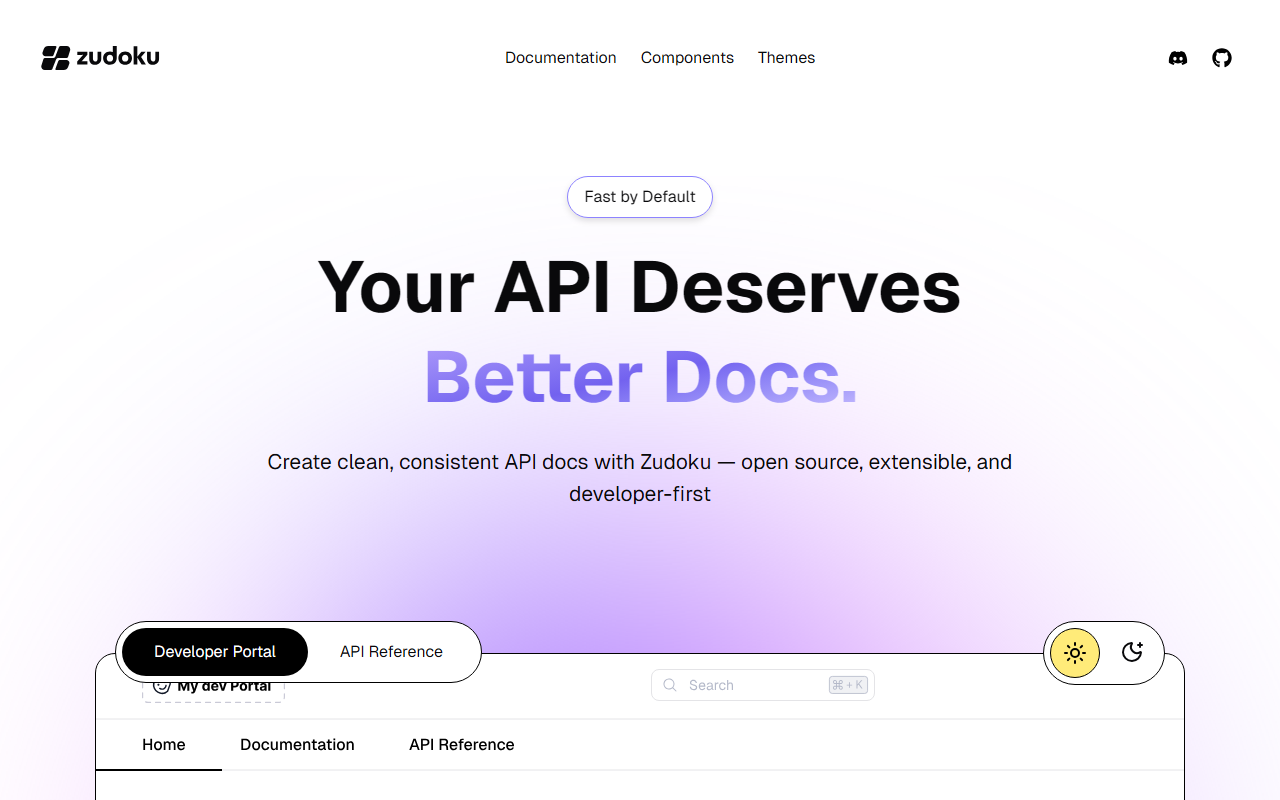
Upon visiting Zudoku's landing page, I was greeted by a clean, modern interface that immediately communicated its purpose: building API documentation. The tagline “Your API Deserves Better Docs” sets the tone, and the dashboard-like layout highlights key features with clear call-to-action buttons. The onboarding flow is refreshingly simple: you can either check a live demo or jump straight to installation via a three-step CLI process. I tried the demo—a mock API reference with an interactive playground—and the experience felt snappy and intuitive. The command npm create zudoku@latest installs the framework, then you add your OpenAPI schema (v2/v3) via config, and start customizing with themes and components. Within minutes, I had a sense of the workflow, and the documentation itself is well-organized into sections like Documentation, Components, and Themes.
Core Features and Technical Depth
Zudoku is essentially a static site generator tailored for API documentation. It auto-generates docs from one or multiple OpenAPI schemas, complete with an interactive playground that lets developers test endpoints live, supporting API keys and OAuth2/JWT authentication. This is a huge time-saver for teams that want to ship a developer portal without reinventing the wheel. Built-in search is powered by Pagefind or Inkeep, and the framework supports MDX for writing richer markdown pages. Under the hood, it uses a modern stack (likely React, though not explicitly stated on the page) and produces SEO-friendly static pages. The “Supercharged Plugins” section hints at extensibility—both core and community plugins, plus the ability to create custom ones. For internal tools, Zudoku provides prebuilt UI components like that you can drop into any page. I was impressed by how quickly you can go from raw OpenAPI specs to a polished, branded developer portal.
Market Position and Competitors
Zudoku enters a space occupied by tools like ReadMe (hosted, closed-source) and Swagger UI (open-source but less extensible). Unlike ReadMe, Zudoku is fully open-source (MIT license) and emphasizes a developer-first workflow—CLI install, static site generation, and hosting flexibility. Compared to Swagger UI, Zudoku offers a much richer feature set: built-in auth, search, MDX, and theming. However, it is younger and has a smaller community. The website prominently links to a Discord server and GitHub stars (though no star count is shown), suggesting an active but nascent community. Competitors like Docusaurus can also generate docs but require more manual configuration for API references. Zudoku’s focus on API docs gives it a clear niche. Notably, the website does not list any pricing—likely because the core framework is free and open-source. I clicked through to the GitHub and documentation pages, but no enterprise or paid tier was mentioned. That means hosting and premium support may be missing for teams that need guaranteed uptime or SLAs.
Strengths, Limitations, and Final Verdict
Strengths: Zudoku is genuinely fast to set up, open-source, and packed with features that matter for API docs: live testing, auth support, instant search, and static site generation. The component system is a standout—you can embed playgrounds and auth flows without writing boilerplate. For a team with an OpenAPI schema, going from zero to a live doc site is under ten minutes. Limitations: The ecosystem is immature; plugin count is low, and community resources (tutorials, blog posts, Stack Overflow answers) are sparse. There is no visible pricing for any hosted variant, which may worry teams that want managed infrastructure. Also, while MDX is supported, the core experience is still tightly coupled to OpenAPI—teams with non-standard API specs (e.g., GraphQL or gRPC) may need to wait for future updates. Documentation depth is decent for getting started but falls short on advanced customization details.
Recommendation: If you are a startup, a mid-size company, or an open-source project that lives and dies by its API documentation, Zudoku is absolutely worth trying. It delivers a modern, professional developer portal with minimal effort. For enterprise teams that need SLAs, SSO, or managed hosting, you may need to complement Zudoku with external hosting or wait for an official cloud offering. But for self-hosted, open-source, developer-first docs, Zudoku is currently one of the best options I have seen.
Pricing and Availability
Pricing is not publicly listed on the website. The framework is open-source and free to use. No paid tiers or enterprise plans are mentioned in the documentation or on the landing page. The repository on GitHub is licensed under MIT, so you can self-host without licensing fees. For additional services like hosting or support, you would need to contact the team through Discord or GitHub.
Visit Zudoku at https://zudoku.dev/ to explore it yourself.










Comments