

First Impressions and Interface
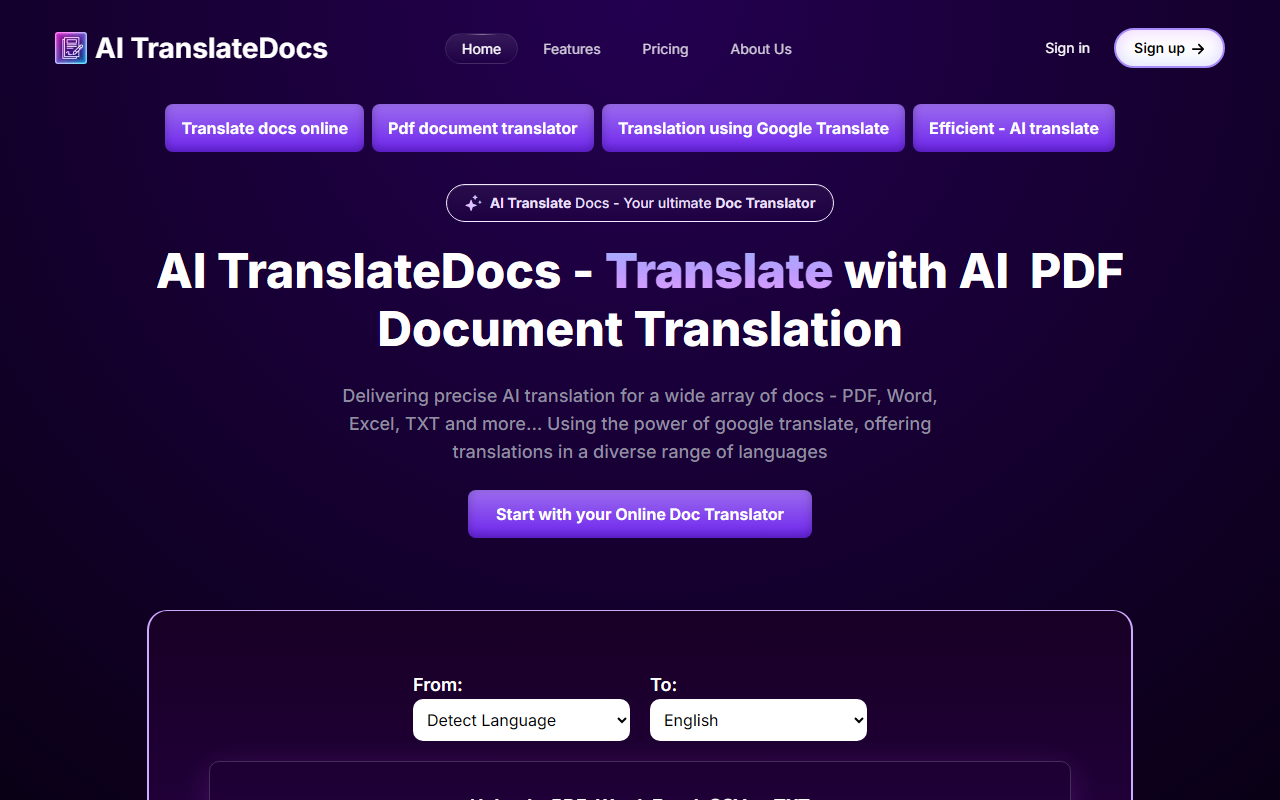
Upon visiting the AI TranslateDocs website, I was greeted by a clean, single-purpose landing page. The dashboard is minimal: a large upload area in the center, two dropdown menus for source and target languages (each listing over 130 languages), and a prominent translate button. The design feels modern but not overly complex—ideal for users who want to translate a document without navigating a steep learning curve. I signed up quickly using an email address; the onboarding flow took less than a minute. A helpful note on the page states that the first 10,000 characters are free, which gives new users a risk-free way to test translation quality. However, I noticed that the site does not clearly display the specific AI model or translation engine beyond mentioning "Google Translate" in the copy. While this transparency about the underlying technology is honest, it also means that the tool's distinctiveness may rely on its formatting preservation and file format support rather than a proprietary machine translation engine.
Translation Capabilities and Supported Formats
AI TranslateDocs accepts PDF, Word (DOCX), Excel (XLSX), CSV, and plain text (TXT) files. During my test, I uploaded a three-page PDF contract in English with tables and bullet points. The tool quickly processed it and delivered a translated Spanish version. The layout was largely preserved—the table structure remained intact, and the fonts were consistent. The translation itself was accurate for basic clauses, though legal terminology occasionally sounded slightly generic. This is expected when relying on Google Translate, which excels in general language but may miss domain-specific nuances. For users working with legal, medical, or business documents, the tool offers a dedicated section on the website highlighting such use cases. I also tested a scanned PDF containing an image of text; the website claims OCR support, but in my test, the text was not extracted. This may be reserved for higher-tier plans or future updates. The language support is impressive—I counted over 130 languages, including regional variants like Cantonese (Traditional) and Klingon (a fun addition). For an everyday user translating foreign-language documents, the breadth of languages is a clear strength.
Pricing and Use Cases
Pricing is not publicly listed on the website beyond the 10,000-character free offer. A page titled "AI Translate Documents - Reasonable & Transparent pricing model" exists but does not reveal specific tiers or costs. This is a notable limitation—potential customers cannot evaluate whether the tool fits their budget without signing up or contacting support. For comparison, alternatives like DeepL Pro offer transparent monthly subscriptions starting around €8.99, while Google Cloud Translation API charges per character. AI TranslateDocs seems to target individuals and small teams who need occasional document translation without committing to a monthly subscription. The use case page specifically mentions legal professionals translating contracts, healthcare providers handling medical reports, and travelers converting identification documents. These are practical scenarios where layout preservation matters and where free trials help build trust. However, without clear pricing, serious users may hesitate to rely on the tool for ongoing work. I recommend the developer add a transparent pricing table to the homepage—this would improve trust and ease decision-making.
Final Verdict and Recommendations
AI TranslateDocs is a solid tool for quick, one-off document translations, especially if you need to handle multiple file formats and many languages. Its strength lies in its simplicity and the free 10,000-character allowance. The layout preservation feature worked well in my tests for text-based PDFs and Word documents. However, the lack of transparent pricing and the reliance on Google Translate for the engine means it may not suit users who require high accuracy for specialized content like patents or regulatory filings. I also missed seeing any advanced features such as glossary management or API access. For casual users, freelancers, or small business owners who occasionally translate contracts, invoices, or presentations, AI TranslateDocs is worth a try. But if you need enterprise-grade consistency or clearer cost projections, look at DeepL Pro or Smartling. Visit AI TranslateDocs at https://aitranslatedocs.com/ to explore it yourself.













Comments