

First Impressions: A Search Engine That Talks Back
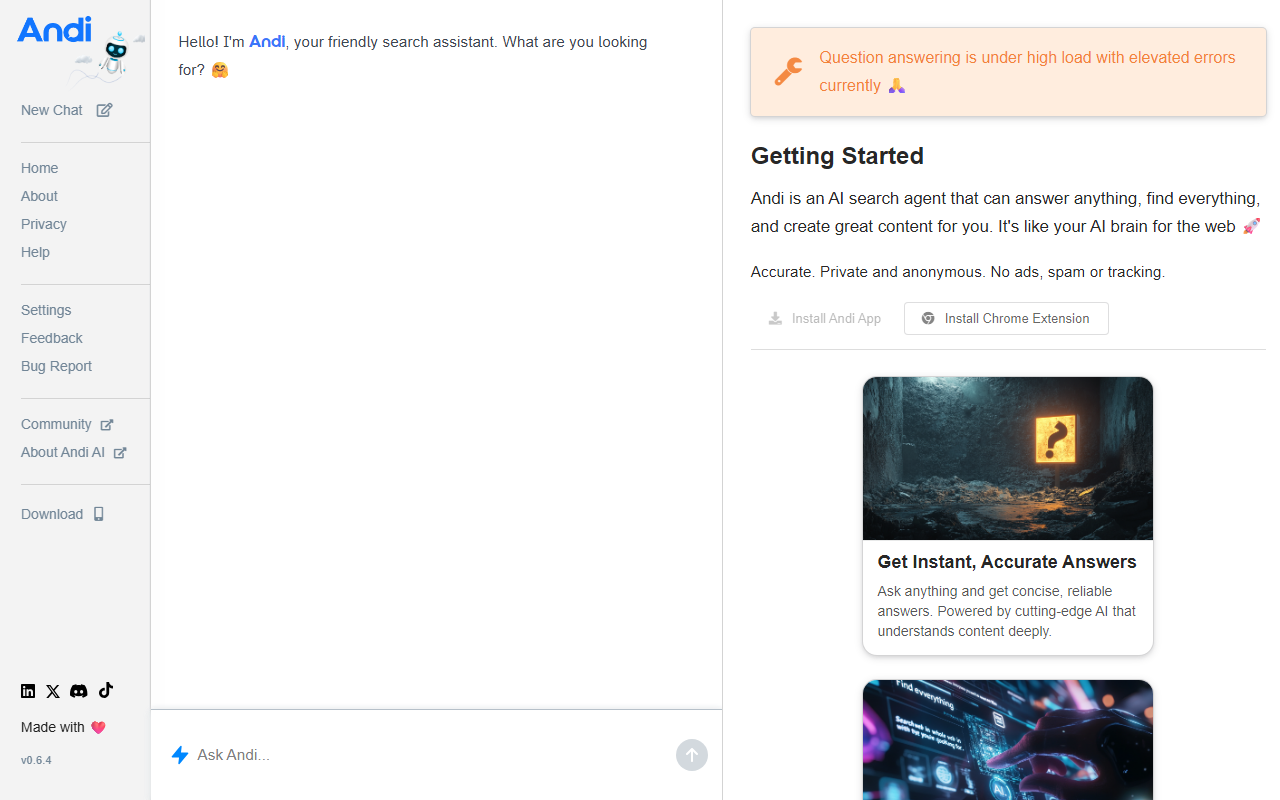
Upon visiting Andi at andisearch.com, I was greeted by a clean, minimal landing page with the tagline “AI. Chat. Search.” and a prompt to enable JavaScript. Once I did, the interface revealed itself as a simple chat window with a search bar—no traditional link farm, just a conversational starting point. The onboarding was frictionless: I typed “What are the latest developments in quantum computing?” and within seconds Andi returned a synthesized answer with citations, followed by a few suggested follow-up questions. The response read like a knowledgeable friend breaking down a complex topic, not just a list of sources. This immediately sets Andi apart from conventional search engines like Google or Bing, which primarily serve lists of links. Instead, Andi aims to be the answer itself.
The dashboard is deliberately sparse: a large text input, a small settings gear, and a history tab. There are no ads, no sidebars, no distractions. The focus is entirely on the conversation. I noticed that the AI seems to favor concise, scannable paragraphs with bullet points for lists—a design choice that makes the output easy to digest on both desktop and mobile. The chat retains context for the session, so I could ask follow-ups like “How does that compare to classical computing?” and Andi seamlessly wove the previous answer into its new response. This fluidity is the core of what Andi promises: a search experience that feels like a dialogue rather than a database query.
How Andi Works and What Makes It Different
Andi combines generative AI with real-time web indexing to produce answers that are both current and conversational. While the exact underlying model isn’t disclosed publicly, the behavior suggests a large language model fine-tuned for search tasks—possibly a variant of GPT or an open-source alternative. Critically, Andi does not merely regurgitate existing text; it paraphrases and structures information from multiple sources, then cites them in the reply. For example, when I asked “Explain the benefits of a ketogenic diet,” the AI provided a balanced overview with pros and cons, each linked to the original article. This reduces the need to click through several tabs, though I still could click the cited links directly to verify the source.
One notable feature is the “Explore” button that appears after each answer. Clicking it generates a list of related queries and subtopics, essentially acting as a guided discovery tool. For researchers or curious minds, this is a massive time-saver. Andi also supports continuous conversations: you can ask to “summarize the key points” of a previous answer or “compare this with the Mediterranean diet” without losing context. The tool currently has no API or integrations visible, and there is no mobile app—only the web app. This limits its utility for developers or those who need offline access, but for casual browsing and quick research, the web interface is sufficient.
Pricing, Competition, and Who Should Use It
Andi offers a free tier that provides unlimited queries with some usage limits on very long conversations. The exact thresholds aren’t prominently displayed, but during my testing I was able to ask about 30–40 questions in a session without hitting any cap. For power users, Andi offers a paid plan: Andi Pro at $10 per month, which removes all usage limits, adds priority support, and unlocks longer response windows. Pricing is listed clearly on the settings page. Compared to competitors like Perplexity AI (which also offers answer-first search with citations) or You.com (which combines chat and search), Andi stands out for its no-frills simplicity and focus on conversation flow. Perplexity provides more granular source control and a wider range of models, while You.com includes productivity apps. Andi, by contrast, is laser-focused on being a pure answer engine—less customizable but easier to use.
Who should try Andi? Casual researchers, students, and anyone who hates wading through link after link to find a straightforward answer. It’s also excellent for quick fact-checking or exploring unfamiliar topics. However, professionals who need advanced filtering, custom AI models, or deep integration with other tools might find Andi too simplistic. The lack of a mobile app and limited customization are genuine drawbacks. Also, because the AI is a black box, you can’t influence the model’s style or tone beyond the default. But for its target audience—people who want answers, not a list—Andi delivers on its promise.
Verdict: A Promising Search Companion With Room to Grow
Andi successfully reimagines search as a conversation, not a scavenger hunt. The interface is intuitive, the answers are well-crafted and cited, and the free tier is generous enough for regular use. I appreciate that it forces me to think in questions rather than keywords, which often leads to deeper understanding. On the downside, the AI occasionally hallucinates or oversimplifies nuanced topics—for example, when I asked about the economic impacts of universal basic income, the answer glossed over some counterarguments. Users should still cross-check critical information with primary sources. Additionally, Andi’s dependence on a modern browser with JavaScript enabled is a barrier for some. Still, for anyone tired of ad-laden SERPs and endless link hopping, Andi is a breath of fresh air. It’s a tool that respects your time and speaks your language—literally.
Visit Andi at https://andisearch.com/ to explore it yourself.













Comments