

First Impressions and Setup
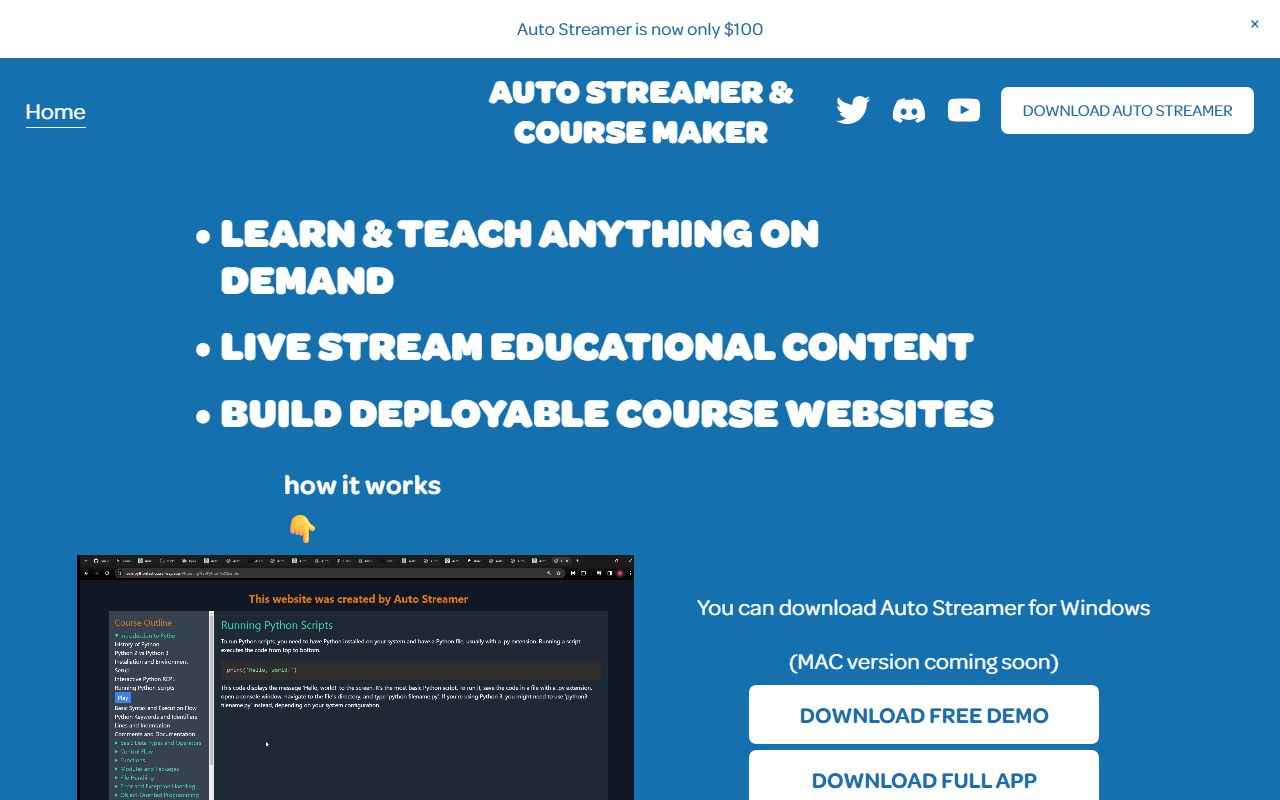
Upon visiting the Auto Streamer website, I found a clean, modern landing page that immediately explains the core value: learn or teach anything on demand via live-streamed educational content. The site offers a free demo download (Windows only) before the full purchase. I downloaded the demo and ran the executable. The app opens with a straightforward dashboard. The onboarding asks for an OpenAI API key—this is required for all content generation. The tool then prompts you to choose a topic, language, vocal tone, and course length. I tested the free demo by entering a topic: "Introduction to Python programming." The app began generating an outline and text in real time, using the GPT model behind the scenes. The process was smooth, though it depends entirely on your internet speed and API key limits. The interface is minimal but functional, with a preview of the course website that updates live as content is created.
Core Features and Workflow
Auto Streamer is essentially a content-generation engine that builds complete course websites. Key features include infinite course outlines, support for over 50 languages, six vocal tones (likely text-to-speech for narration), and customization options like headers, footers, web links, and light/dark mode for your site. You can set a word limit per chapter, controlling course density. The app generates both text and audio for each lesson. The sample Python course website I viewed (linked on the site) is a full, navigable site with chapters, quizzes (not mentioned but implied?), and a clean layout. The tool outputs a deployable website—presumably as a folder of HTML/CSS/JS files that you can host anywhere. This is unusual: most course platforms (like Teachable or Thinkific) are hosted services. Auto Streamer is a downloadable app that builds the site locally. This gives you full ownership but requires some technical knowledge to deploy online. The live streaming aspect isn't fully detailed on the site, but the tagline suggests you can stream educational content live while the tool generates supporting materials.
Pricing and Technical Requirements
Pricing is straightforward: $100 one-time purchase to download and own the app forever. No subscription. However, you must provide your own OpenAI API key, and content generation costs between $1 to $3 per hour of content produced. So a 10-hour course might cost $10-$30 in API fees on top of the app price. This is transparent but can add up. The app currently only runs on Windows (Mac version coming soon). It requires the user to have some familiarity with API keys and basic deployment if they want the course publicly accessible. For comparison, traditional course creation tools like Teachable charge monthly fees ($29-$249/month) and limit course hosting. Auto Streamer offers a one-time cost and full content ownership, but lacks built-in hosting, student management, payment processing, or analytics. It is best suited for solo creators, educators, and content creators who already have hosting and want to rapidly produce AI-generated courses. Larger institutions or corporate training might prefer more robust platforms like Articulate Rise or Adobe Captivate, but those are far more expensive and complex.
Strengths, Limitations, and Verdict
Auto Streamer's greatest strength is its speed and simplicity. Within minutes, you can generate a full course outline with text and audio for any topic. The ability to output a deployable website is excellent for those who want to own their content without monthly fees. The multilingual and voice options make it great for language instructors and global audiences. However, there are real limitations: the app is Windows-only (Mac promised but not delivered yet), it requires a paid OpenAI API key, and the quality of content is entirely dependent on the underlying AI model—you may get generic or occasionally inaccurate information. The deployment step is not guided; you need to manually host the generated site. There is no built-in enrollment system, student tracking, or assessment tools. This tool is not a replacement for a full learning management system. It is best used as a rapid prototyping tool or for solo educators who want to supplement live streams with auto-generated course materials. I recommend trying the free demo first to see if the output quality meets your standards. If you are a tech-savvy content creator or an educator comfortable with basic web hosting, Auto Streamer offers unique value. Others should wait for a more polished, all-in-one solution. Visit Auto Streamer at https://autostreamer.live/ to explore it yourself.













Comments