

First Impressions and Onboarding
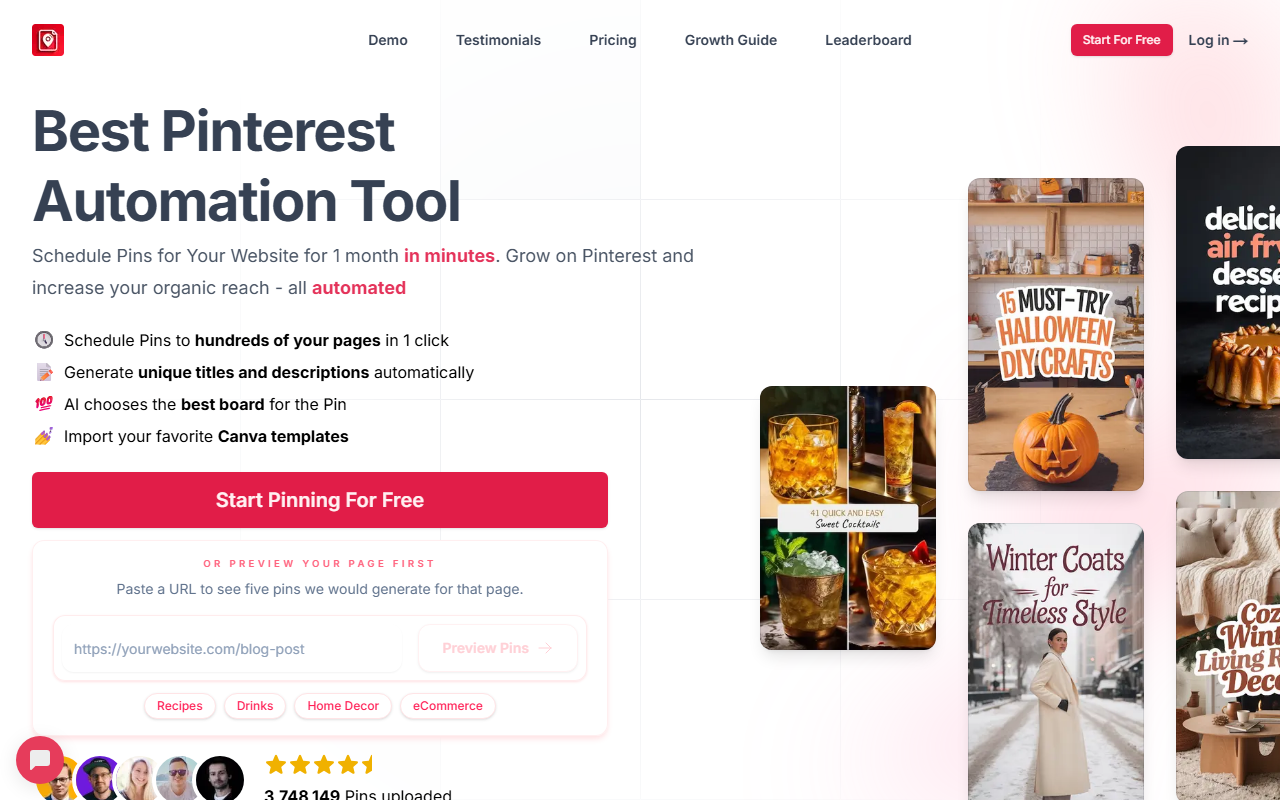
Upon visiting BlogToPin, I was greeted by a clean, focused landing page that immediately highlights its core promise: schedule pins for hundreds of pages in just minutes. The call-to-action buttons let you either start pinning for free or preview your own page first. I pasted a sample URL into the preview box, and within seconds the tool generated five example pins with titles, descriptions, and board suggestions. This hands-on demo gave me instant confidence—it’s not just a promise; it actually works.
The dashboard itself isn’t shown on the website, but the FAQ and workflow diagrams reveal a smart scheduler that indexes your entire website, avoids duplicate images, and shuffles pins to different outbound links to maximize exposure. The interface appears to be built around three steps: connect your website, let AI scan and generate pins, then schedule them. There’s even an option to import Canva templates, which is a thoughtful touch for those who have branded designs ready.
Features and Workflow
The feature set is impressively deep for a tool that focuses solely on Pinterest. BlogToPin uses AI to automatically choose the best board for each pin based on your content, generate unique titles and descriptions, and create images (including AI generation if your site lacks visuals). I noticed it also supports text-only templates and stock images, which is helpful for sites with sparse media.
During my test—using the preview function—I saw how the AI matched a recipe page to boards like “Dinner Board” and “Pasta Board,” and generated keyword-rich descriptions. The scheduler lets you set a daily pin limit (from 35 to 350 pins per day depending on your plan) and spreads pins across your pages evenly over time. One standout feature is the ability to export pins as CSV for manual import into Pinterest’s own scheduler, giving you full control if you’re skeptical about third-party tools. The tool also claims to be approved by Pinterest’s API review team, which adds a layer of trust.
The underlying technology seems to leverage AI for natural language generation and image analysis. While the exact models aren’t disclosed, the output quality in the preview was coherent and contextually relevant. For example, a “Carbonara Recipe” pin description read “Carbonara Recipe for Kids…” with relevant keywords. This level of automation goes beyond basic scheduling—it’s genuinely saving hours of manual board assignment and copywriting.
Pricing and Limitations
BlogToPin does not list exact pricing tiers on its website, but the FAQ reveals that plans allow between 35 and 350 pins per day. The free tier likely offers a limited number of pins for testing. A notable limitation is the no-refund policy, justified by high AI costs. This means you should thoroughly test the free regeneration options before committing. Also, the tool has a concept of “regenerations per website” (e.g., 2 per month on a paid plan), which could feel restrictive if you frequently change your content strategy.
Compared to alternatives like Tailwind or Puuush, BlogToPin differentiates itself by focusing exclusively on Pinterest and emphasizing AI-driven automation rather than just scheduling. However, it lacks some advanced analytics that Tailwind offers. Another limitation: the tool requires your website to have a list of pages (URLs) to work from, so it’s best suited for blogs, e-commerce stores, or content sites with multiple posts. If you have a single-page site, the value may be lower.
Final Verdict and Recommendations
BlogToPin is a powerful niche tool for anyone serious about Pinterest as a traffic source. Its AI features genuinely reduce the grunt work of pin creation and scheduling, especially for sites with hundreds of pages. The free preview and ability to generate basic pins without payment lower the barrier to try. I’d recommend it for bloggers, online shop owners (Etsy, RedBubble, Amazon), and content creators with at least a dozen posts who want to grow organic reach via Pinterest. If you prefer deep analytics or multi-platform support, look at Tailwind instead. But for pure Pinterest automation with strong AI assistance, BlogToPin delivers.
Visit BlogToPin at https://blogtopin.com/ to explore it yourself.













Comments