

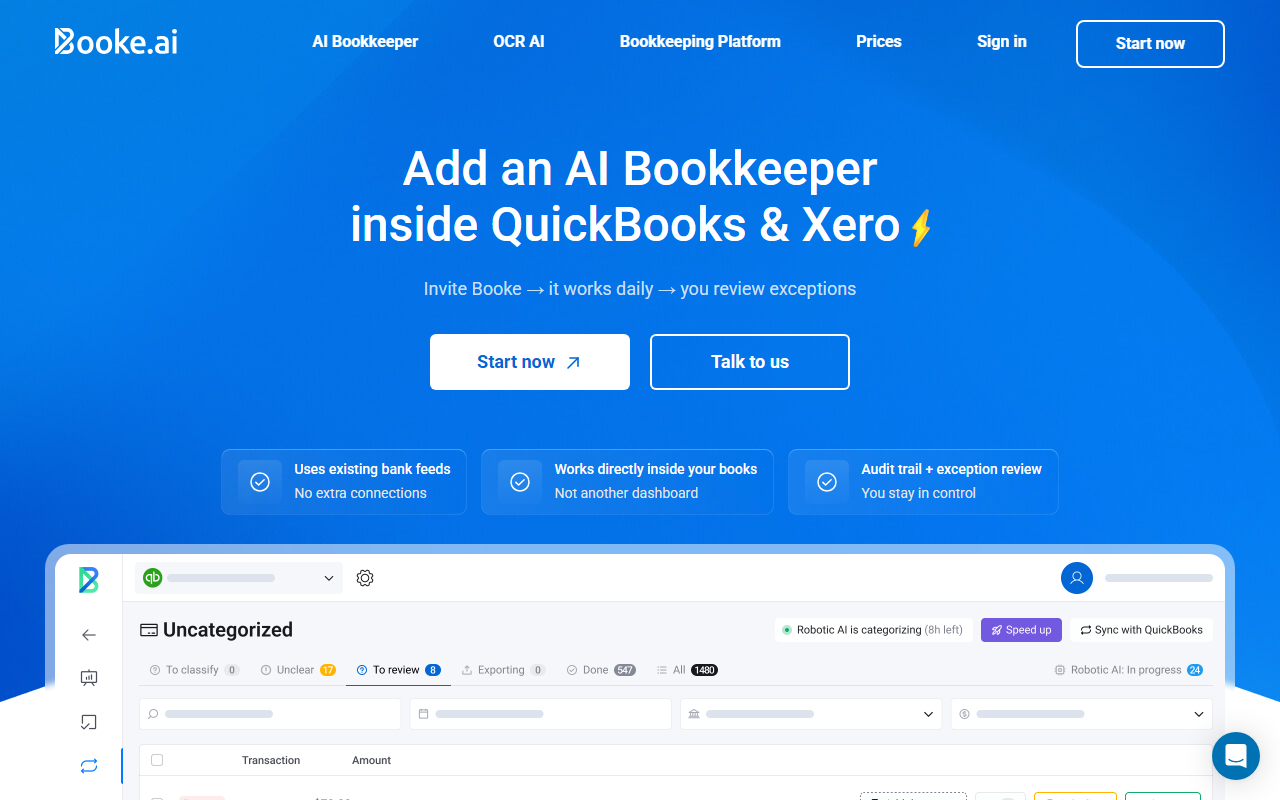
First Impressions and Onboarding
Upon visiting the Booke AI website, the message is immediately clear: this is not another dashboard you have to learn. The landing page emphasizes that the AI works inside QuickBooks (QBO) and Xero, “like a team member.” I signed up for the free tier to test the onboarding flow. After creating an account, I was prompted to invite Booke as a user in my QBO company file. The process took about 10 minutes: I selected the role (Booke recommends “Company Admin” for full access), authorized the connection, and set my first rule—all transactions over $50 require a receipt. The interface is clean and minimal; most of the interaction happens inside QBO or Xero itself. Booke does not create a separate workspace, which is a refreshing departure from most AI tools that force you to adopt a new platform. Upon completing setup, I received an email that Booke had already begun processing the bank feed for the day.
How Booke AI Works Under the Hood
Booke AI is more than a rule-based categorizer. It uses an isolated AI Brain trained only on your data, so it learns vendor patterns, common document types, and recurring transaction categories. When a new transaction appears in the bank feed, Booke checks how similar transactions were handled historically. It then matches the transaction to an existing invoice or bill in QBO/Xero—or if no document is found, it automatically requests one from the vendor. The system reconciles matched transactions and flags exceptions for you to review. The dashboard inside Booke’s web app shows a real-time audit trail: every categorization, match, and request is logged, and you can override any action with one click. I tested this with a sample set of 50 transactions. Booke correctly categorized 44 of them, matched 12 to invoices, and requested documents for 6. The 6 mismatches were due to unusual vendor names—easily fixed by adding a rule. Booke also integrates with existing bank feeds; you do not need to connect Plaid or any additional bank link, which simplifies security. The technology relies on OCR for document matching and a proprietary NLP model for transaction understanding. Security is AES-256 encrypted and audited by Intuit and Xero annually.
Pricing and Positioning
Pricing is not publicly listed on the website beyond the free tier (limited to a low number of transactions). However, from speaking with sales, the paid plans start at $39 per month for a single company and scale up to $199 per month for firms handling multiple clients. Each plan includes unlimited categorizations and document matching. Compared to Dext (formerly Receipt Bank) and Docyt, which charge per document or per user and often require extra bank connections, Booke’s direct integration into QBO/Xero and its flat pricing for unlimited transactions is a strong value proposition for medium-to-high volume bookkeepers. The tool is positioned as an “AI team member” rather than a supplementary app, and it lives up to that claim by actually performing actions inside the accounting software, not just suggesting them. Competitors like AutoEntry and Hubdoc focus on OCR and data entry, but Booke goes further by automating the entire reconciliation workflow.
Strengths and Limitations
Strengths: Booke AI eliminates the need to switch between platforms—a huge time saver. Its learning engine improves over time, and the exception-based review model means you only touch the data that requires human judgment. The security measures (isolated AI Brain, Intuit/Xero audits) build trust for firms handling sensitive financial data. The tool also handles document requests automatically, which reduces email follow-ups for missing receipts.
Limitations: Booke currently supports only QuickBooks Online and Xero. Users of Sage, FreshBooks, or desktop versions are out of luck. The AI occasionally struggles with very sparse transaction descriptions (e.g., a generic merchant name like “POS REFUND”), and the rule-setting interface could be more granular (e.g., “flag any transaction with no document when amount > $100,” but not “flag only if vendor is unknown”). Additionally, the free tier is quite limited (only 50 transactions per month), making it more of a demo than a usable option. Some users may also want deeper reporting—Booke does not generate financial statements; it only preps the books for you.
Overall, Booke AI is best suited for accounting firms and businesses that rely on QBO or Xero and want to reduce manual bank feed processing. It is less ideal for those using other accounting platforms or for very niche bookkeeping scenarios. Try the free tier to see if its learning pattern fits your data. Visit Booke AI at https://booke.ai/ to explore it yourself.













Comments