

First Impressions and Onboarding
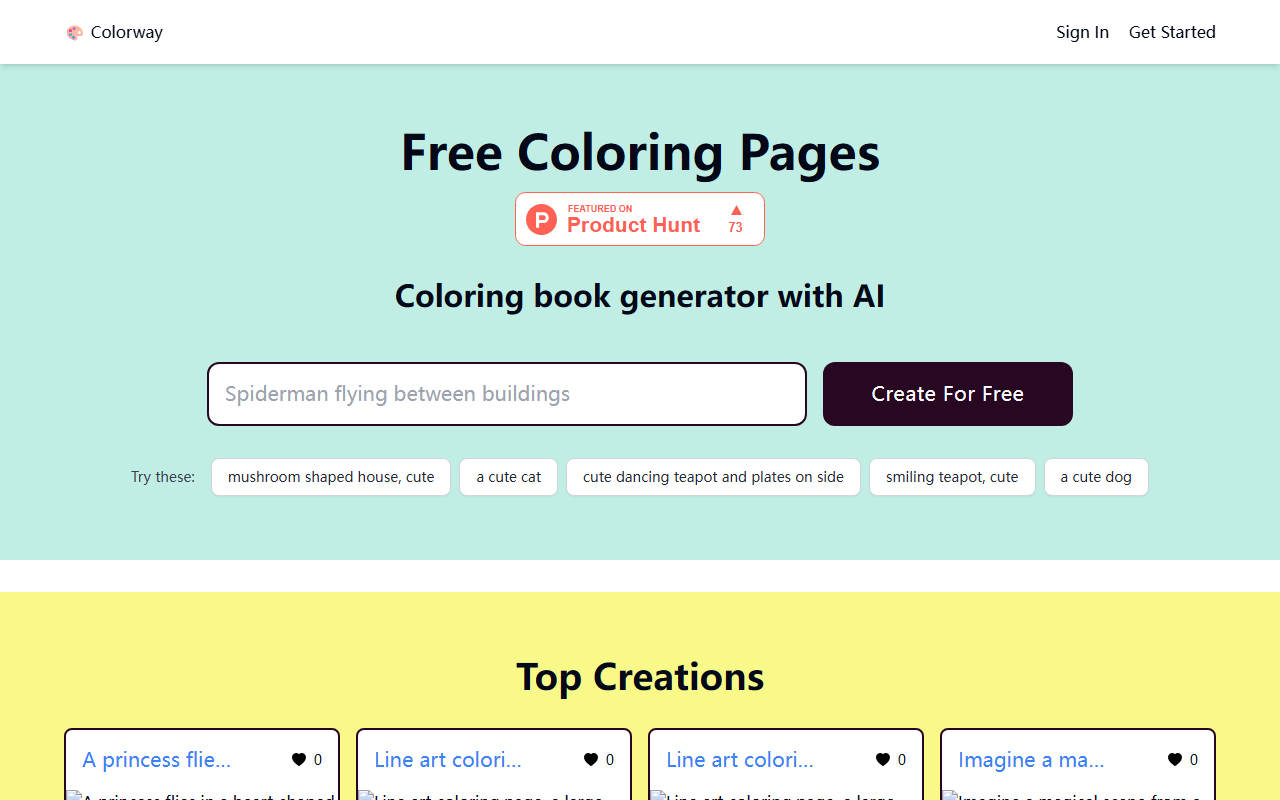
Upon visiting Colorway AI, the interface is minimalist and focused entirely on one thing: generating coloring pages. The landing page presents a simple text box labeled “Coloring book generator with AI” alongside a “Create For Free” button. Below are several example prompts such as “mushroom shaped house, cute” or “a cute cat.” Clicking on any of these instantly triggers the generation process, which feels nearly instantaneous. I tested the prompt “a cute dog,” and within a few seconds a black-and-white line art coloring page appeared, ready for download or printing. The dashboard below the generator shows a large gallery of “Top Creations” and hundreds of categorized coloring pages by tags (e.g., “cute coloring pages (208 pages)”, “cat coloring pages (145 pages)”). Navigation is straightforward, with no account creation required for basic use—a refreshingly low-friction experience.
How It Works and Underlying Technology
Colorway AI appears to use a text-to-image diffusion model fine-tuned specifically for generating printable line art suitable for coloring books. The prompts are short and casual; the system translates them into high-contrast, closed-line drawings that work well with crayons or markers. I noticed that the generated images have consistent stroke thickness and avoid overly complex shading—ideal for children or adult coloring enthusiasts. The tool does not reveal which model (e.g., Stable Diffusion, Midjourney) powers it, but the output quality is comparable to dedicated coloring page generators like ColoringBook AI or Book Creator’s built-in generator. There is no visible API or integration option, and the site does not mention any paid tiers. Pricing is not publicly listed on the website; the entire experience appears to be free, supported by the large community library of user-created pages. The tag-based search system is particularly robust, allowing users to filter by theme, style, and difficulty. However, I found no way to upload a reference image or fine-tune the coloring page’s complexity—it’s purely prompt-driven.
Strengths, Limitations, and Market Position
The greatest strength of Colorway AI is its sheer simplicity and zero cost. Anyone can generate a new coloring page in seconds without signing up, which makes it an excellent resource for parents, teachers, and caregivers on a budget. The library of pre-made pages is vast, covering popular topics from “roblox” to “cocomelon” to intricate mandalas. The tag-based database is well organized, even if some tags appear to be generated by the community (e.g., “branco” and “gato” appear alongside English tags). However, the tool has real limitations. The output resolution is fixed (likely around 800×600 pixels), and there is no option to adjust line thickness or add custom borders. No batch generation or high-resolution export is available. The generator sometimes produces repetitive patterns or imperfect anatomy (e.g., a dog with three legs), but these are rare. Unlike competitors such as ColoringBookFun.com or SuperColoring, Colorway AI offers no collaborative features or community challenges. It also lacks a mobile app, although the website is responsive. For advanced users seeking commercial-grade coloring books or vector output, this tool will feel too limited. The address in Middletown, Delaware suggests a small team behind the project, with no major funding announcements visible.
Who Should Use Colorway AI and Final Recommendation
Colorway AI is best suited for casual users—parents looking for quick, free activities for their kids, ESL teachers needing themed coloring pages, or adults seeking a simple stress-relief activity. It is not designed for professional illustrators or publishers who require editable vector files or higher resolution. If you need advanced control over shading, line style, or text overlays, look toward specialized software like Adobe Illustrator or paid AI services like Midjourney with custom prompts. My recommendation: give Colorway AI a try if you want a no-commitment, instant coloring page generator. It delivers exactly what it promises—free, AI-generated coloring pages—with no hidden costs and a surprisingly large community library. For anyone who needs more customization or commercial rights, look elsewhere. Visit Colorway AI at https://colorway.ai/ to explore it yourself.













Comments