

First Impressions and Onboarding
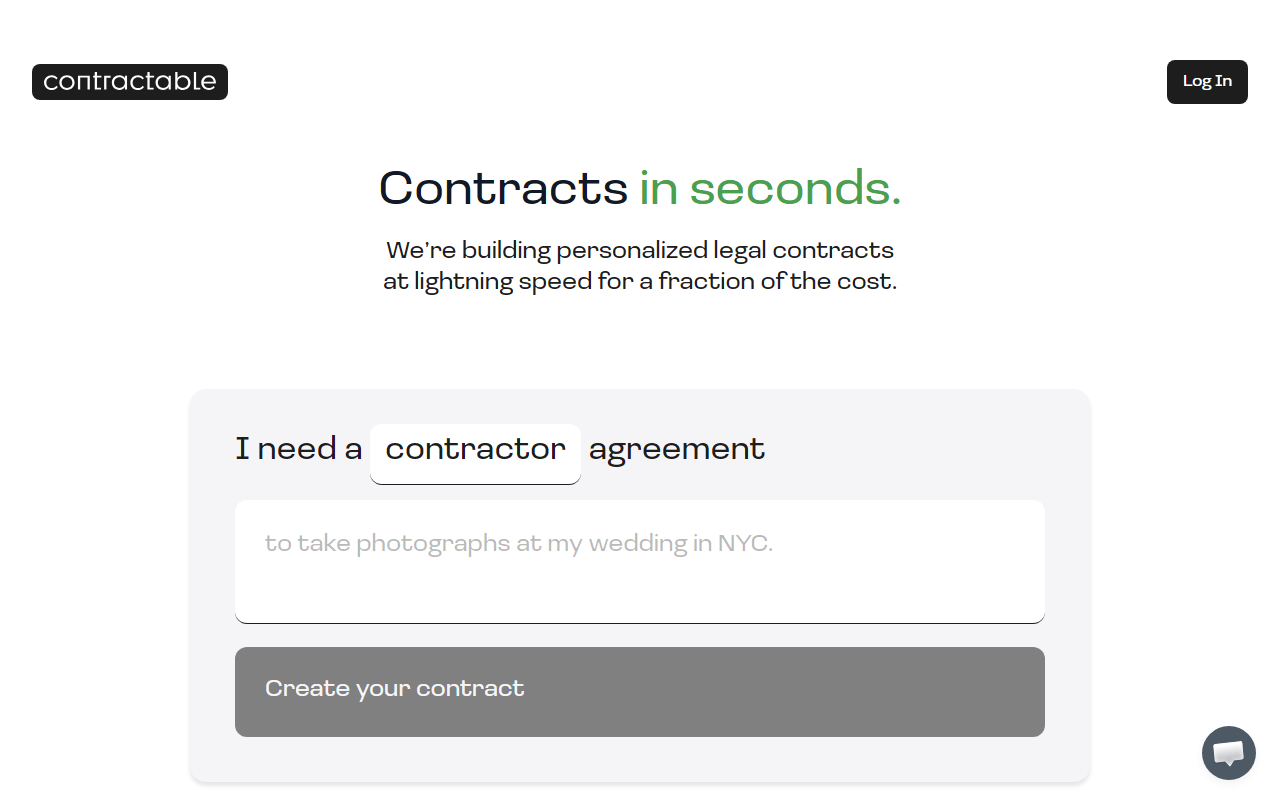
Upon visiting Contractable, the interface is immediately minimal and to the point. The hero section reads “Contracts in seconds” with a single dropdown labeled “I need a” and an option for “contractor agreement.” There is no clutter or lengthy onboarding flow. I clicked the dropdown, selected the contractor agreement, and the page prompted me to “Create your contract.” However, instead of jumping into a contract builder, I was asked to sign up to be notified of new releases. This suggests Contractable has not yet fully launched its core drafting functionality—or it is in a limited beta phase. The sign-up form requires only an email address and a country selection (United States is the only option visible). This tight focus on US law is an important detail from the start.
I decided to sign up to see what happens next. After entering my email, I received a confirmation message but no immediate contract. The website does not yet allow me to generate a contract without joining a waitlist. This is a significant limitation for a tool that advertises “create your contract” on the homepage. The onboarding experience is simple but leaves the user wanting more direct access.
How Contractable Works and Who It Serves
Contractable aims to solve a common pain point for freelancers, independent contractors, and small business owners: creating legally sound agreements without paying hundreds of dollars per document. The tool uses AI to generate personalized contracts based on user inputs, though the specific underlying models are not disclosed on the site. Based on the single contract type listed (contractor agreement), it appears the tool will expand to other common agreements over time.
The target audience is clear: solopreneurs, gig workers, and startups who need a quick, affordable alternative to hiring a lawyer for routine contracts. Unlike competitors such as LegalZoom or Rocket Lawyer, which offer extensive libraries of templates plus optional attorney review, Contractable focuses entirely on speed and simplicity. There are no complex questionnaires or editor dashboards visible. The experience seems designed for someone who wants to select a contract type, answer a few questions, and download a ready-to-sign PDF. That said, the current waitlist access means the actual workflow cannot yet be tested by the public. This reduces confidence in the tool’s readiness for real-world use.
Pricing, Integrations, and Limitations
Pricing is not publicly listed on the website. There is no pricing page, no mention of a free tier or subscription costs anywhere in the visible content. This is a notable omission. Most competing services clearly state their fees for document generation. Until Contractable launches fully, the cost structure remains unknown. Additionally, there is no mention of API availability or integrations with platforms like DocuSign or Google Workspace—features that power users often look for.
The tool’s limitations are clear at this stage. First, it is currently restricted to the United States, as indicated by the country dropdown. Second, only one contract type is hinted at (contractor agreement). Third, the lack of attorney review or human oversight means that generated documents may not withstand legal scrutiny in complex situations. Alternative tools like LawDepot offer state-specific templates and allow customization, while Contractable promises personalization via AI but provides no transparency on how the AI handles jurisdictional variations. For anything beyond a simple contractor relationship, users should exercise caution.
Final Verdict: Should You Try Contractable?
Contractable has genuine strengths: a clean interface, a laser focus on speed, and the potential to save money for users who need basic contracts immediately. The brand’s messaging of “for a fraction of the cost” is appealing in a market where legal fees are high. However, the current waitlist wall and lack of pricing transparency are real drawbacks. I cannot recommend it as a fully functional tool until the contract generation process is actually available to try.
If you are a freelancer or small business owner in the US who frequently needs simple contractor agreements, sign up for the waitlist and keep an eye on developments. But for now, rely on established alternatives like LegalZoom’s fixed-price documents or Rocket Lawyer’s free trial for one document. Contractable could become a strong contender once it launches, but it needs to demonstrate its AI’s accuracy, add more contract types, and publish clear pricing. Visit Contractable at https://contractable.ai/ to explore it yourself.













Comments