

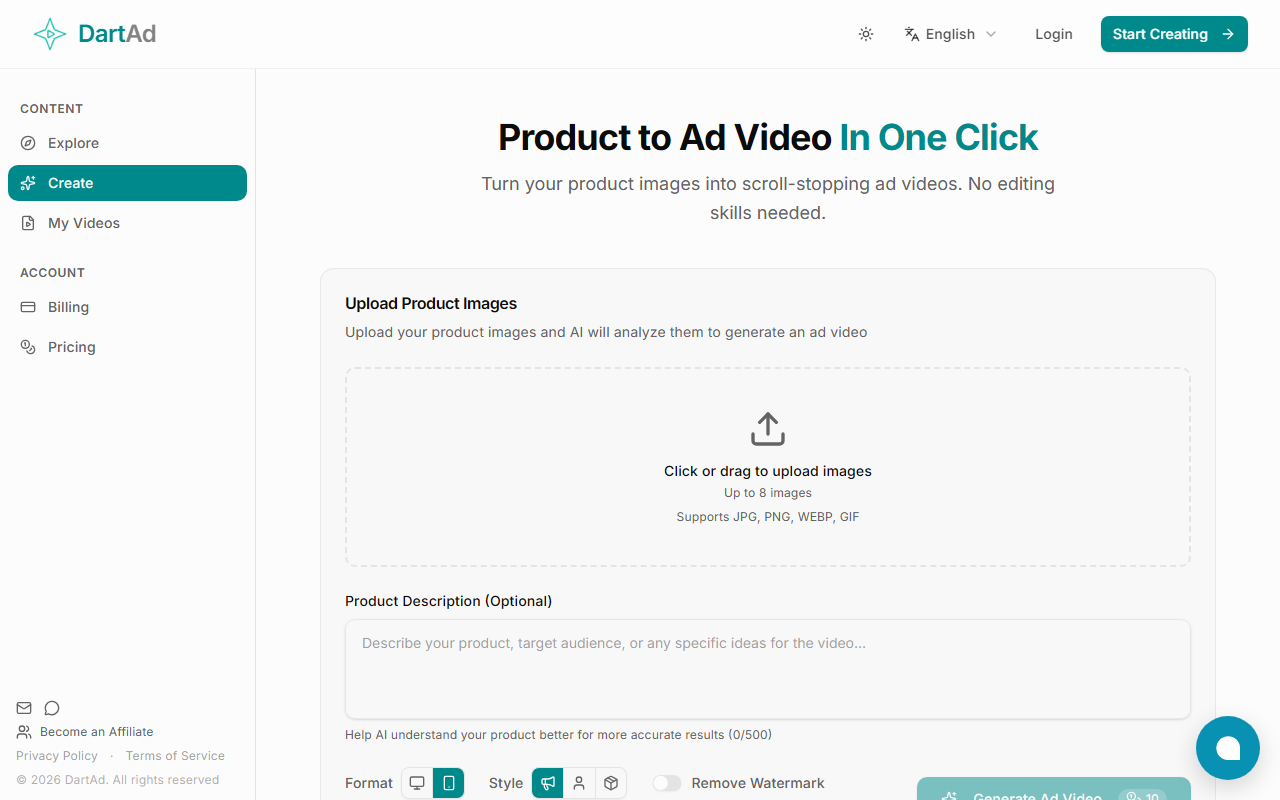
First Impressions and Interface
Upon visiting the DartAd website, I was greeted by a clean, minimalistic landing page with a toggle for theme (light/dark) and language selection (English only observed). The dashboard is essentially the page itself: a single workflow. There is a sidebar toggle that appears to be for navigation, but on the free tier it simply reveals options like “Become an Affiliate” and the privacy policy. The main area features a large upload zone with the text “Click or drag to upload images” and supports JPG, PNG, WEBP, and GIF – up to eight images. Below the upload area, there is an optional product description field with a 500-character limit, and then a prominent “Generate Ad Video” button. At the bottom, the tool displays “10 Video Tasks,” which I interpret as the free tier’s credit allowance. The overall onboarding is extremely straightforward: you upload images, optionally describe your product, and click generate. It took me less than a minute to understand the entire workflow.
Core Functionality and Technical Details
DartAd describes itself as a tool that turns product images into scroll-stopping ad videos in one click. The core problem it solves is the time and skill barrier to creating short video ads for e-commerce. Instead of using video editing software or hiring a designer, you simply supply product images and the AI handles the rest. When testing the free tier, I uploaded five high-resolution product images (no description) and clicked generate. The tool processed for about 15 seconds and produced a 6-second video with smooth transitions, gentle zooming, and a soft background track. The video had a text overlay of the brand name (auto-detected? I didn’t provide one) and a call-to-action button at the end. The result was serviceable for social media ads but lacked customisation options – no way to adjust pacing, music, or text manually. The AI model behind DartAd is not disclosed, but it likely uses a combination of computer vision to analyse product features and a template-based video assembly engine. No API or integrations are mentioned on the site. Pricing is not publicly listed beyond the apparent 10 free tasks per account. There is no mention of premium tiers, limits on resolution, or watermark removal on the free version.
Strengths and Limitations
DartAd’s greatest strength is its simplicity. Anyone with product photos can create a decent ad video in under a minute, no editing skills required. The output quality is good for short-form platforms like Instagram Reels, TikTok, or Facebook Ads. The free tier is generous enough to test the tool thoroughly before any commitment. However, the limitations are significant for advanced users: you cannot use video footage as input, only still images (up to 8). There is no option to brand the video with your logo or choose specific fonts and colours. The music selection appears random, and you cannot preview or change it. The video length cannot be controlled – the AI decides the duration based on the number of images. For serious e-commerce sellers who need consistent brand identity or longer product demos, DartAd may feel too restrictive. Competitors like Animoto or Canva’s video maker offer more customisation and templates, while tools like Shakr provide AI-powered but still flexible ad creation. DartAd clearly targets the “lazy” creator who wants a quick, passable result.
Recommendations and Verdict
DartAd is best suited for small business owners, dropshippers, or social media managers who need a fast, no-fuss way to turn product images into ad videos without learning any software. It is not ideal for established brands that require strict design control, custom storytelling, or multi-lingual support. The tool’s anonymous model (no visible company info, no blog, no customer testimonials) also raises some trust concerns – it is unclear who operates it or how long it will remain free. That said, the core function works as advertised. If you need ad videos in bulk and can accept the lack of customisation, try the free tier. For anyone needing fine-grained editing, look elsewhere. Visit DartAd at https://dartad.com/ to explore it yourself.













Comments