

First Impressions and Onboarding
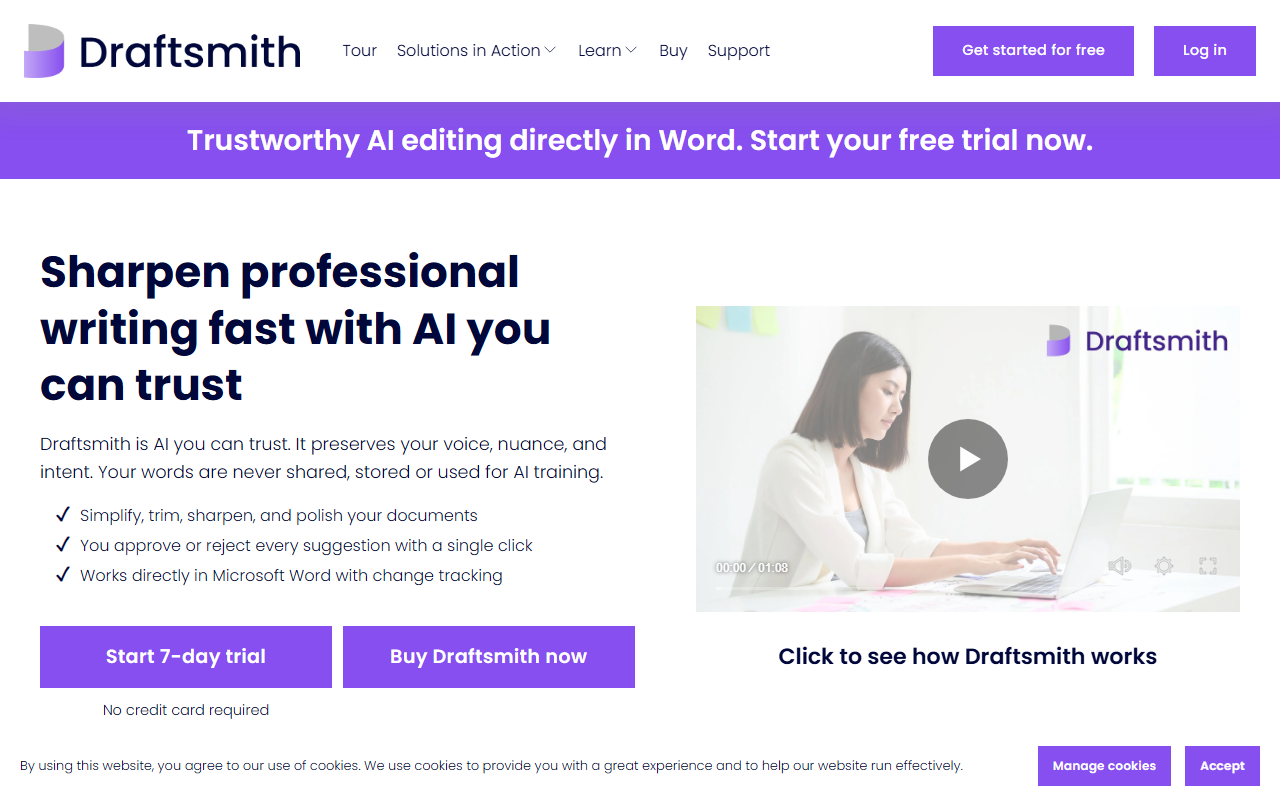
Upon visiting draftsmith.ai, the first thing I noticed is the clean, professional layout that immediately communicates its purpose: trustworthy AI editing for Word users. The homepage features a prominent call to action—a 7-day free trial with no credit card required—and a short explainer video showing how the tool works inside Microsoft Word. The site is concise, focusing on five core capabilities: simplifying writing, trimming word counts, maintaining quality under pressure, smoothing ESL text, and delivering suggestions via tracked changes. Unlike many AI writing tools that push content generation, Draftsmith positions itself firmly as an editor, not a writer. This is a refreshing and honest positioning that sets the stage for the rest of the review.
Key Features and How It Works
Draftsmith is designed to work directly within Microsoft Word, using the familiar tracked changes feature so you can accept or reject every suggestion with a single click. The tool offers four main editing modes: simplify complex language, reduce word count without losing meaning, improve English fluency for ESL writers, and general sharpening or polishing. I tested the free trial by selecting a short paragraph in Word, and within seconds Draftsmith returned a tracked-changes version with several suggestions. The AI did not rewrite my text entirely; instead it made targeted edits—tightening phrasing, cutting redundancies, and improving clarity. This respect for the original voice is a major strength. The website claims the AI never generates false citations or hallucinations because it only improves existing text, not creates new content from scratch. That aligns with my observation: the suggestions felt conservative and safe, avoiding the over-bold rewrites I have seen in tools like Grammarly Premium. However, Draftsmith’s focus on editing rather than drafting means it is not a replacement for generative AI tools like ChatGPT or Jasper. It is purpose-built for professionals who already have a draft and need to polish it efficiently.
Security, Privacy, and Underlying Technology
One of Draftsmith’s most compelling selling points is its commitment to data privacy. The tool runs on Microsoft’s Azure OpenAI Service, which provides enterprise-grade security. The website explicitly states that your text is never shared, stored, or used to train any AI models. This is a significant advantage over many cloud-based writing assistants that often anonymize data for training. The AI only makes suggestions based on the existing text, so there is no risk of hallucinated facts or plagiarized content. For editors working with sensitive documents—such as legal briefs, government reports, or confidential business proposals—this trust factor is crucial. The integration with Azure also suggests robust infrastructure and compliance with standards like GDPR and SOC 2, though I did not see explicit certifications on the site. Pricing is not publicly listed on the website; the only option visible is the 7-day free trial and a “Buy Draftsmith” button that presumably leads to a purchase page after login. I would have liked to see transparency about cost, especially for potential buyers comparing against competitors like ProWritingAid or Word’s built-in editor.
Who Should Use Draftsmith?
Draftsmith is best suited for professional editors, technical writers, academics, and business professionals who produce long-form documents in Microsoft Word. It excels at preserving nuance and voice while cleaning up language, trimming wasted words, and improving flow. The tool is particularly strong for ESL authors who want natural-sounding English without turning their work over to a full AI rewrite. Limitations include its platform lock-in: it only works within Microsoft Word on desktop (the website does not mention a browser extension or Google Docs integration). Users who work primarily in Google Docs, LibreOffice, or other editors will need to look elsewhere. Also, because Draftsmith does not generate new content, it offers little value for brainstorming or first-draft creation. In the competitive landscape, Grammarly remains the go-to all-in-one assistant, while ProWritingAid offers deeper stylistic analysis. Draftsmith differentiates itself through its laser focus on Word integration, tracked changes compatibility, and ironclad privacy policy. I recommend the free trial for any professional editor who has been burned by AI tools that mangle their prose. For those who value control, voice, and security, Draftsmith is a worthy investment—once you accept the single-platform limitation. Visit Draftsmith at https://draftsmith.ai/ to explore it yourself.










Comments