

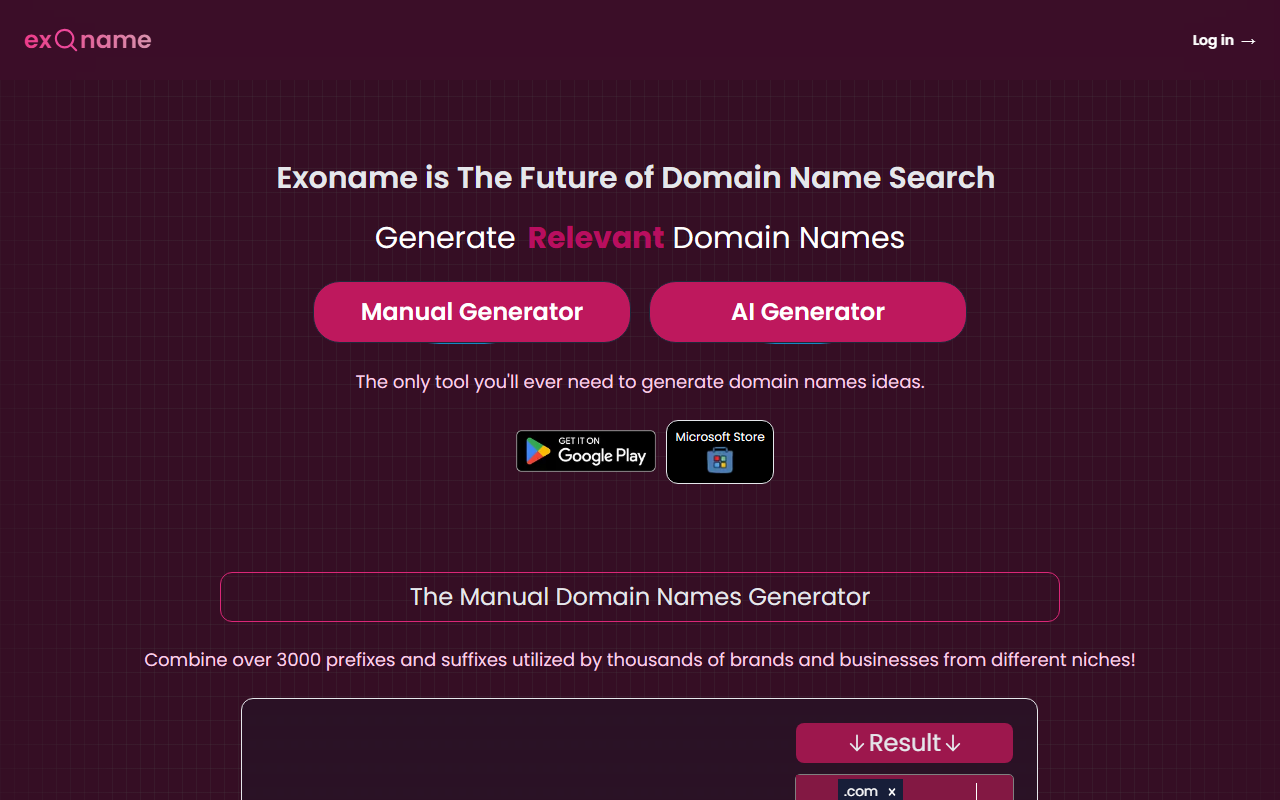
First Impressions of Exoname
Upon visiting Exoname.com, I was greeted by a clean, two-pronged interface. The left side features a Manual Generator with dropdowns for prefixes and suffixes (over 3,000 combinations), while the right side houses the AI-powered generator. The dashboard is uncluttered, with quick links to manage custom prefix/suffix lists and a history section. I appreciated the immediate availability check under each generated domain—no extra clicks needed. The site also mentions integration with ChatGPT Plus and a Microsoft Store listing, hinting at broader ecosystem ties. During testing the free tier, I generated 20 AI-based domain names from a brief prompt about a tech blog; results were returned in under two seconds, each marked as available or taken.
How Exoname Works
Exoname solves the specific problem of brainstorming brandable, available domain names by combining two approaches. The AI Generator uses machine learning (likely transformer-based models, though not specified) to parse your prompt—up to 500 characters—and outputs up to 40 domain suggestions. It also checks availability in real time via integrated registrar data. The Manual Generator, by contrast, lets you select from curated lists of prefixes and suffixes (e.g., “tech,” “ify,” “ly”) and instantly see .com availability. Both tools support saving favorites and accessing search history. Notably, the AI Generator accepts iterative feedback: you can provide a second prompt to refine results if the initial batch misses the mark. Exoname is free for 20 AI generations per day; “for extensive use, particularly by domainers, an upgrade may be required,” but specific pricing tiers are not publicly listed on the website. The tool also appears to offer a ChatGPT plugin, expanding its reach.
Strengths and Limitations
What Exoname does well: Speed and simplicity stand out. In a single query, I got diverse, relevant name suggestions—most were short and brandable, like “TechVibe” or “BlogSphere.” The real-time availability check eliminates back-and-forth with a registrar, and the manual mode gives creative control to users who know exactly what kind of wordplay they want. The built-in favorites and history are practical for comparing names over time. Additionally, the AI’s ability to refine results after a feedback prompt is a thoughtful touch, mimicking a conversational assistant.
Limitations: The AI suggestions can sometimes be too generic, especially for niche industries; my test for a local pet-grooming service produced mostly broad terms like “PawsOnline” rather than something location-specific. The Manual Generator’s prefix/suffix lists, while extensive, lean heavily toward common tech/startup patterns and may not suit all brand styles. Moreover, the upgraded plan’s cost is undisclosed, which may frustrate power users. Competitors like Lean Domain Search (free, unlimited) or NameMesh (categorizes by style) offer similar AI features with clearer pricing. Exoname also lacks integration with domain registrars beyond the check; you still need to purchase separately.
Who Should Use Exoname?
Exoname is best suited for entrepreneurs, bloggers, and small business owners who need quick, creative domain ideas and value a hybrid approach—AI for inspiration and manual tweaking for precision. It’s less ideal for professional domainers requiring bulk generation (due to the daily limit) or users needing deep niche customization. The tool’s free tier is generous enough for most one-off projects, making it a low-risk try. If you’re tired of sifting through unavailable domains on other platforms, Exoname’s built-in availability check alone makes it worth a visit.
Visit Exoname at https://exoname.com/ to explore it yourself.













Comments