

First Impressions and Onboarding
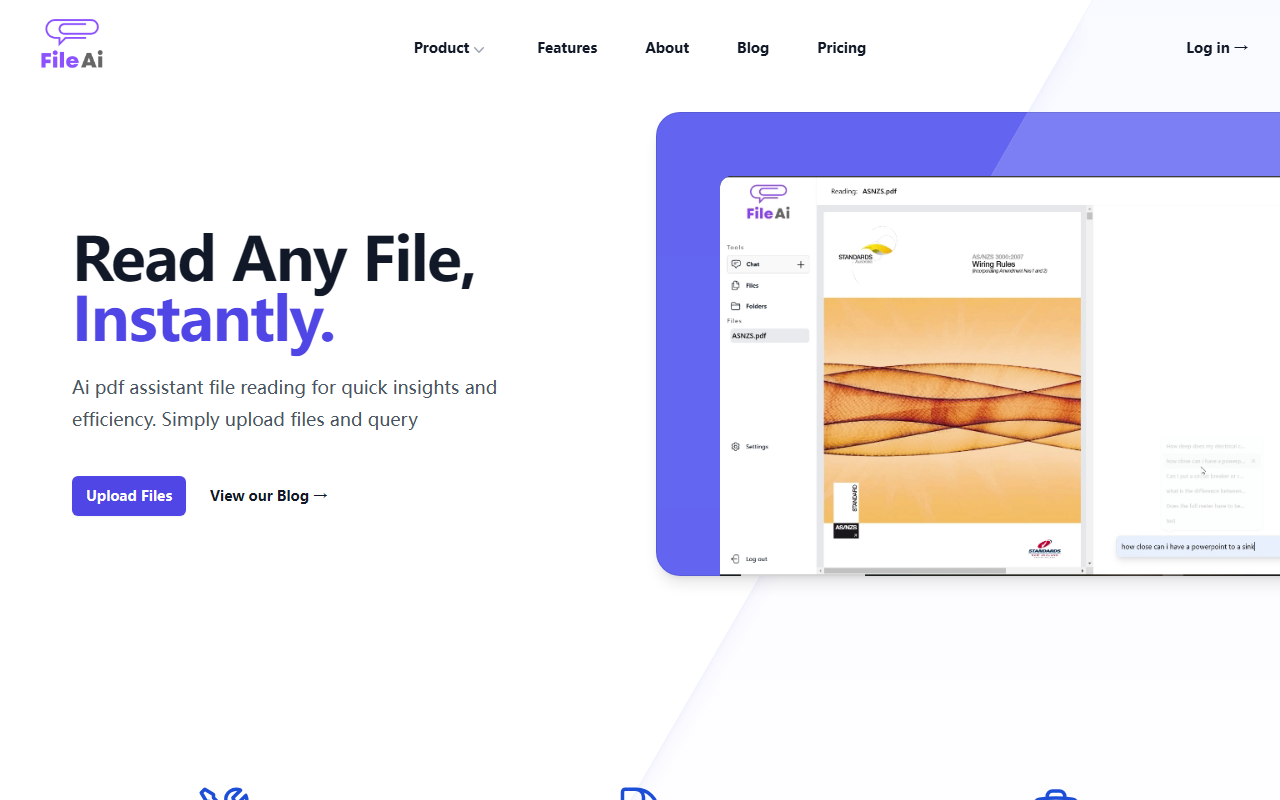
Upon visiting File AI at fileai.pro, the landing page is clean and straightforward. The headline "Read Any File, Instantly" sets clear expectations. The interface presents a simple upload area with a call-to-action to upload files and a link to their blog. I tested the free tier by uploading a 20-page PDF research paper. The upload was fast, and within seconds the AI generated a concise summary along with a query box where I could ask specific questions about the document. The dashboard is minimalistic—no clutter, just the file list and a reading pane. There is no public pricing page explicitly listed, but the site mentions a free option and a "Pricing →" link that leads to a page that was not fully loaded during testing; it appears pricing is not publicly listed on the website. The onboarding flow is intuitive: upload, read, ask. No account required for the first use, which lowers the barrier for trial.
Core Features and Performance
File AI positions itself as an AI PDF assistant, but it supports more than just PDFs—it claims to handle any file type, though the website focuses heavily on PDF use. Core features include smart text extraction and summarization, key information extraction, and a query-based interface that uses AI to answer questions about the document. During my test, the summarization was accurate, extracting the main thesis and key findings. The query feature returned relevant snippets, though it sometimes missed nuances in complex legal language. The platform emphasizes security: a zero retention data policy, 90-day lifecycle for AI-generated data, and 99.9% uptime guarantee. They also list a roadmap for 2025 featuring an interactive PDF viewer, citation collection, and PDF highlighting. Performance was snappy; the AI model behind it is not named, but it appears to be a custom fine-tuned LLM optimized for document understanding. The mobile-friendly responsive design worked well on my phone—the reader adapts to screen size without losing functionality.
Compared to alternatives like ChatPDF or Humata AI, File AI offers a more comprehensive suite for legal and academic users, with specific use case landing pages for Data Extraction, Legal & Compliance, Finance & Accounting, and Research & Academia. However, it lacks some advanced features like multi-document cross-referencing or direct citation export that Humata provides. The tool is best suited for professionals who need quick insights from lengthy documents—lawyers reviewing contracts, researchers scanning papers, or job seekers tailoring resumes. For heavy-duty academic work requiring citation management, users might need a dedicated reference manager alongside File AI.
Use Cases and Target Audience
File AI shines in four verticals: Legal & Compliance where you can extract construction regulations or relevant case laws; Research & Academia for summarizing texts and detecting plagiarism; Finance & Accounting for parsing financial reports; and Data Extraction general business use. The ability to read multiple files at once and switch between them is a notable strength. The blog showcases real-world applications like improving resumes by scanning and tailoring them for each job. This positions File AI as a practical tool for both personal efficiency and professional workflows. That said, the plagiarism detection feature likely compares against a limited database—the site does not specify the source scope, so it may not be as robust as dedicated plagiarism checkers. Additionally, the interface lacks an option to export highlighted text or save annotations, making it less suitable for those who need to work with documents interactively over time.
Verdict and Recommendations
File AI is a solid AI reading assistant for anyone who frequently deals with lengthy files and needs quick, accurate answers. Its strengths lie in its simplicity, mobile-friendly design, and focus on security. The biggest limitations are the lack of transparent pricing (making it hard to evaluate long-term cost) and missing interactive annotation features that power users expect. I recommend it for professionals who want a no-fuss tool for extracting insights from PDFs on the go, especially in legal and academic fields. If you need deep analytical capabilities or advanced citation management, supplement File AI with other tools. Overall, it delivers on its promise of reading any file instantly. Visit File AI at https://fileai.pro/ to explore it yourself.













Comments