

First Impressions and Onboarding
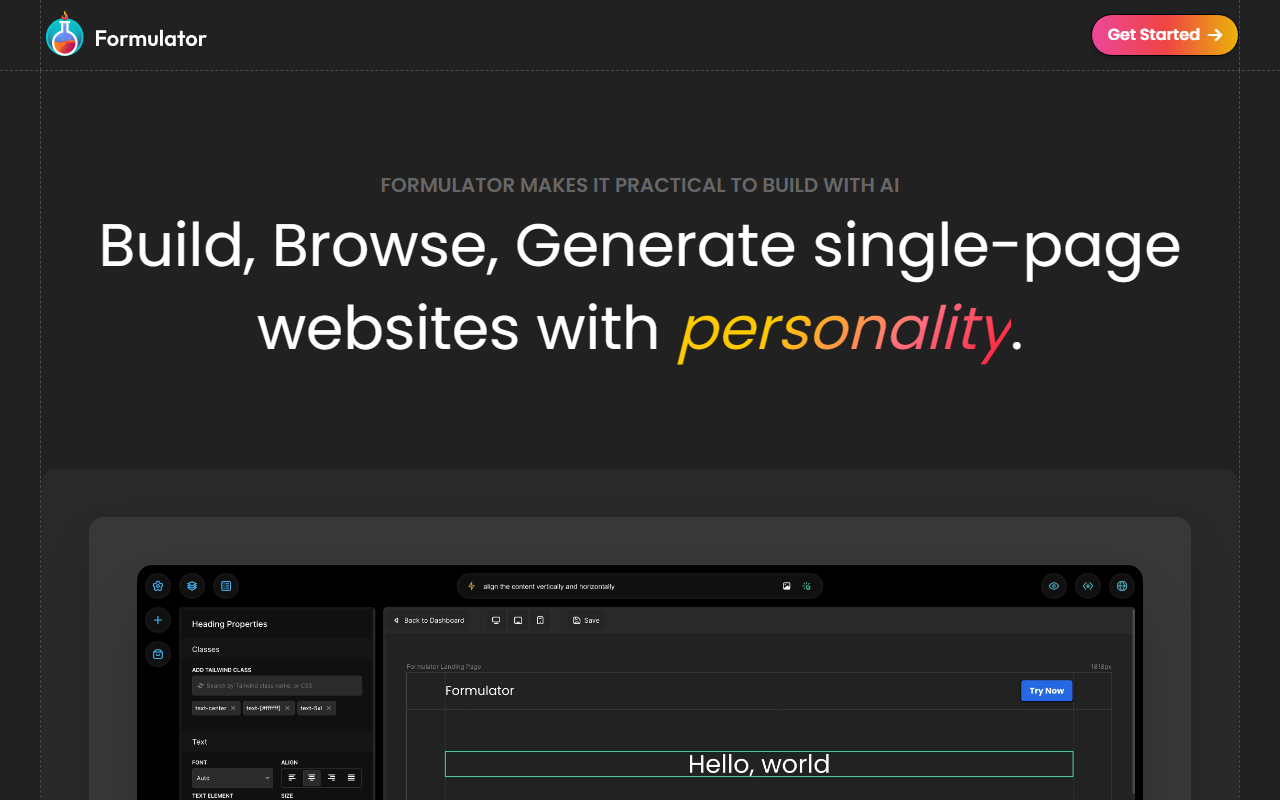
Upon visiting Formulator, I was greeted by a clean landing page that immediately sets the tone: “Build websites with personality.” The call to “Get Started” is prominent. Clicking through, the dashboard presents a minimal canvas with a sidebar containing builder tools and a library panel. The interface is uncluttered, which makes the initial exploration intuitive. I noticed a “Generate” button in the top toolbar—this is where the AI plays its part. The onboarding flow is quick: no account required to test the builder. Within seconds, I was dragging a pre-built header component onto the canvas.
Core Features and AI Integration
Formulator’s main selling point is its three-mode workflow: Build, Browse, and Generate. The Build mode offers a fluid drag-and-drop experience. I dragged a “Hero” component and then a “Cards” section, each snapping into place. The right panel reveals real-time CSS property edits—background colors, padding, typography—without touching code. The Browse tab shows a small library of three pre-built templates (e.g., a landing page for a podcast app) and several UI components like navbars, testimonial sections, and footers. Each can be dragged directly onto the canvas.
The Generate mode is where Formulator’s AI shines. I typed “a minimalist landing page for a digital marketing agency” and hit enter. Within a few seconds, the AI produced a full one-page layout with a navigation bar, hero image placeholder, service cards, and a contact form. The quality was decent—not revolutionary, but a solid starting point. I then used the builder tools to tweak the color scheme and swap an image. The AI appears to use a proprietary generation model tuned for front-end components. It also supports image-to-page generation, though I did not test that extensively. The tool currently offers 10 free Generator AI requests, which is a generous trial.
Notably, Formulator is limited to single-page websites. If you need multi-page navigation or complex backends, look elsewhere. Competitors like TeleportHQ provide multi-page AI generation, while Wix ADI offers a full CMS. Formulator focuses narrowly on quick, personality-rich landing pages.
Pricing and Export
Pricing is not publicly listed on the website. The free tier includes 10 AI generation requests, full access to builder tools, and—most importantly—free and unlimited code exports. I exported a component’s HTML and CSS with one click, and the output was clean, readable, and free of extraneous wrappers. This is a huge plus for developers who want to integrate the design into a larger project. There is no mention of a premium subscription on the site, which suggests Formulator may be in a beta phase or monetizing through future features. I could not find any API documentation or team collaboration features.
The library contains 11 builder tools (spacing, alignment, z-index, etc.) and over 2,000 font icons. The pre-built templates number only three, which feels sparse. While the components library is decent, I expected more variety given the emphasis on “Browse.” Still, the AI generation compensates by creating custom layouts on demand.
Who Should Use Formulator?
Formulator is ideal for designers, freelancers, and product managers who need to prototype a single-page website or a UI component in minutes. The combination of drag-and-drop precision and AI speed is genuinely practical. It is less suitable for building full websites with blogs, ecommerce, or membership areas. Compared to AI tools like 10Web or Wix, Formulator stays lightweight and export-friendly, which developers will appreciate. However, the lack of pricing transparency and the limited template library are real drawbacks. I recommend trying the free tier to see if the workflow fits your use case. For quick, characterful landing pages, Formulator delivers on its promise.
Visit Formulator at https://formulator.app/ to explore it yourself.













Comments