

First Impressions and Onboarding
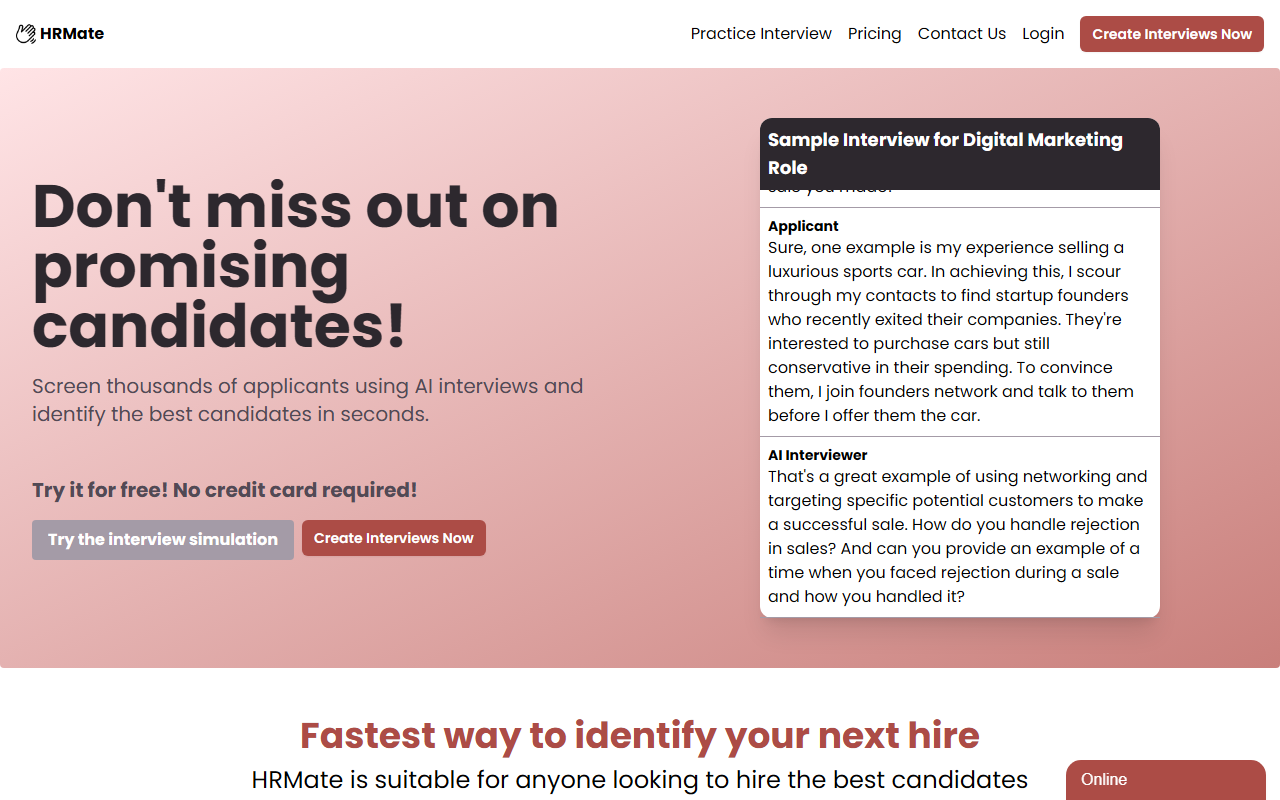
Upon visiting HRMate's website, I was greeted by a clean, modern dashboard that immediately highlights the core value proposition: screening a high volume of applicants through AI-driven interviews. The onboarding flow is straightforward. I clicked "Create Interviews Now" without providing a credit card, which is refreshing. The interface prompted me to set a role and key interview questions, offering both manual input and template options. I tested the free tier by creating a sample interview for a digital marketing role. The process took less than two minutes, and I was given a shareable link to send to applicants.
Core Features and Workflow
HRMate's primary function is to replace initial human screening with an automated conversational AI. The tool works in three steps: set up the interview role and questions, share a link with applicants, and then review summaries and transcripts. When I simulated an applicant session, I noticed the AI automatically asked follow-up and probing questions based on the candidate's responses. This goes beyond simple Q&A and mimics a human interviewer's ability to dig deeper. The platform generates an in-depth summary for each candidate, highlighting key strengths and red flags. This feature allows recruiters to quickly identify the best candidates without reading hundreds of CVs. The interface also provides unlimited practice interviews on the free tier, which is useful for refining the setup before going live.
Pricing and Limitations
HRMate offers two pricing tiers. The Starter plan is free and includes unlimited interviews and practice sessions, but interviews are capped at four questions. This is a significant limitation for roles that require comprehensive screening. The Pro plan costs $14.99 per month, or $9.99 per month when billed annually—marked as best value. The Pro tier removes the question limit and adds summarized interview results and exclusive paid templates. While the free tier is generous for testing, serious recruiters will likely need the Pro plan. One limitation I observed is that the free demo result displayed a watermark or generic branding (noted as a copyrighted demo from archive.org), which may not be acceptable for professional use. Additionally, the tool lacks integrations with major HR platforms like Lever or Greenhouse, which could slow down workflow for larger teams.
Who Should Use HRMate
HRMate is best suited for small to medium businesses that receive a high volume of applicants and need to screen efficiently without a full-time recruiter. It also works for startups hiring for multiple roles simultaneously. Compared to alternatives like HireVue or MyInterview, HRMate focuses on simplicity and speed rather than advanced analytics or video assessment. However, if your hiring process requires detailed psychometric testing or deep personality fits, you may need a more specialized tool. I recommend trying the free tier first to gauge question length and response quality. For teams that only need to filter candidates before a human interview, HRMate will save significant time. Visit HRMate at https://hrmate.co/ to explore it yourself.













Comments