

First Impressions and Setup
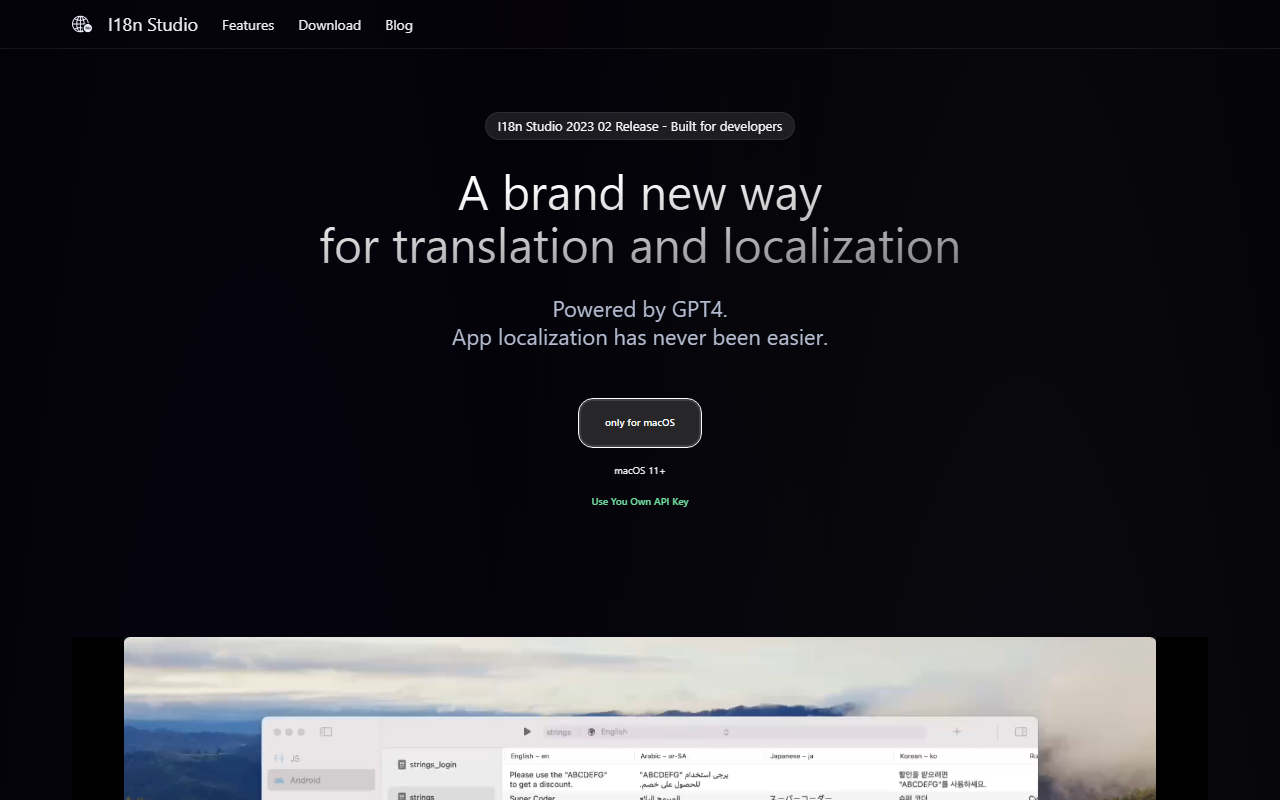
Upon visiting I18n Studio's website, I immediately noticed a clean, developer-focused landing page. The call to action is straightforward: download the Mac app (macOS 11+). There is no web version, which immediately positions this tool as a local-first solution for developers who prefer offline work. After downloading and opening the app, the dashboard presents a minimal interface: a left panel for project files and a central editor area. The onboarding is smooth – you are prompted to load a localization file (JSON, XML, .strings, or String Catalog), then connect your own OpenAI API key. This is a key distinction: I18n Studio does not charge per-use itself; you pay for your own GPT-4 tokens. During testing, I loaded a small JSON file with 50 keys in English. The app automatically detected the source language and presented a column-based view where each target language could be added. The design is clearly built for developers who already manage locales manually and want to speed up translation without leaving their IDE workflow.
Core Features and Translation Workflow
The real value of I18n Studio lies in its context-aware translation options. After selecting a key or value, you can add "comments" that provide translation context. For example, I marked the key "app_name" with the instruction "Do not translate" and the tool respected it perfectly. I also used the "Scenes" feature to describe that a certain string was part of a button label, which improved the translation accuracy for German and Japanese. The app supports four translation granularities: translate a single value, translate all values for a key (across languages), translate an entire column (one language), or translate everything at once. I tested "Translate All" for three target languages (French, Spanish, German) and the batch translation completed in under 30 seconds for 50 keys — impressive speed. The integration with Xcode, VSCode, and Android Studio is seamless: you can export directly to the project's locale folder. The workflow is exactly as described on the site: Load, Translate, Write. This simplicity is a strength for developers who want a no-fuss localization tool rather than a full platform like Crowdin or Lokalise, which often require more setup and collaboration overhead.
Pricing and Developer Experience
I18n Studio is free to download and use, but it requires you to bring your own OpenAI API key. Pricing is not publicly listed on the website because it depends on your API usage with OpenAI. For GPT-4, the cost per 1K input tokens is $0.03 and per 1K output tokens $0.06 (as of early 2025). Translating a typical 5,000-key app file might cost a few dollars, which is reasonable for a one-off project. The app itself has no subscription or paywall. This is a double-edged sword: you avoid a monthly fee, but you must manage your own API key and monitor token usage. The Mac-only limitation is a significant drawback for cross-platform teams. Additionally, the app does not offer cloud sync or collaboration features — it is strictly a local desktop tool. For solo developers or small teams who need to quickly localize one or two apps, this setup is ideal. However, larger teams with ongoing localization needs would be better served by a platform like Crowdin that offers translation memory, glossaries, and team workflows. I noticed the "Trusted By" section lists other Mac utility apps like ChatTab and Folder Hub, suggesting I18n Studio is already used in the indie developer community. The integration with code editors is solid, but missing features like machine translation post-editing or review workflows limit its use for enterprise projects.
Recommendations and Verdict
I18n Studio is a focused, performant desktop app that solves a clear problem: localizing app strings quickly using GPT-4 while maintaining control over context. Its strengths are speed, IDE integration, and the ability to add custom translation instructions. The main limitations are the Mac-only requirement, the need for an OpenAI API key (which involves additional cost management), and the lack of collaborative features. This tool is best suited for freelance developers, indie Mac app creators, or small teams who manage localization in-house and want a lightweight, private alternative to cloud-based platforms. If you need real-time team collaboration, translation memory, or a web-based portal, look at alternatives like Lokalise or POEditor. For developers already using Xcode or VSCode and comfortable with managing their own API keys, I18n Studio offers an elegant, one-click solution. I recommend downloading the free trial to see if the batch translation speeds and context features align with your workflow. Visit I18n Studio at https://i18n.studio/ to explore it yourself.













Comments