

First Impressions and Core Concept
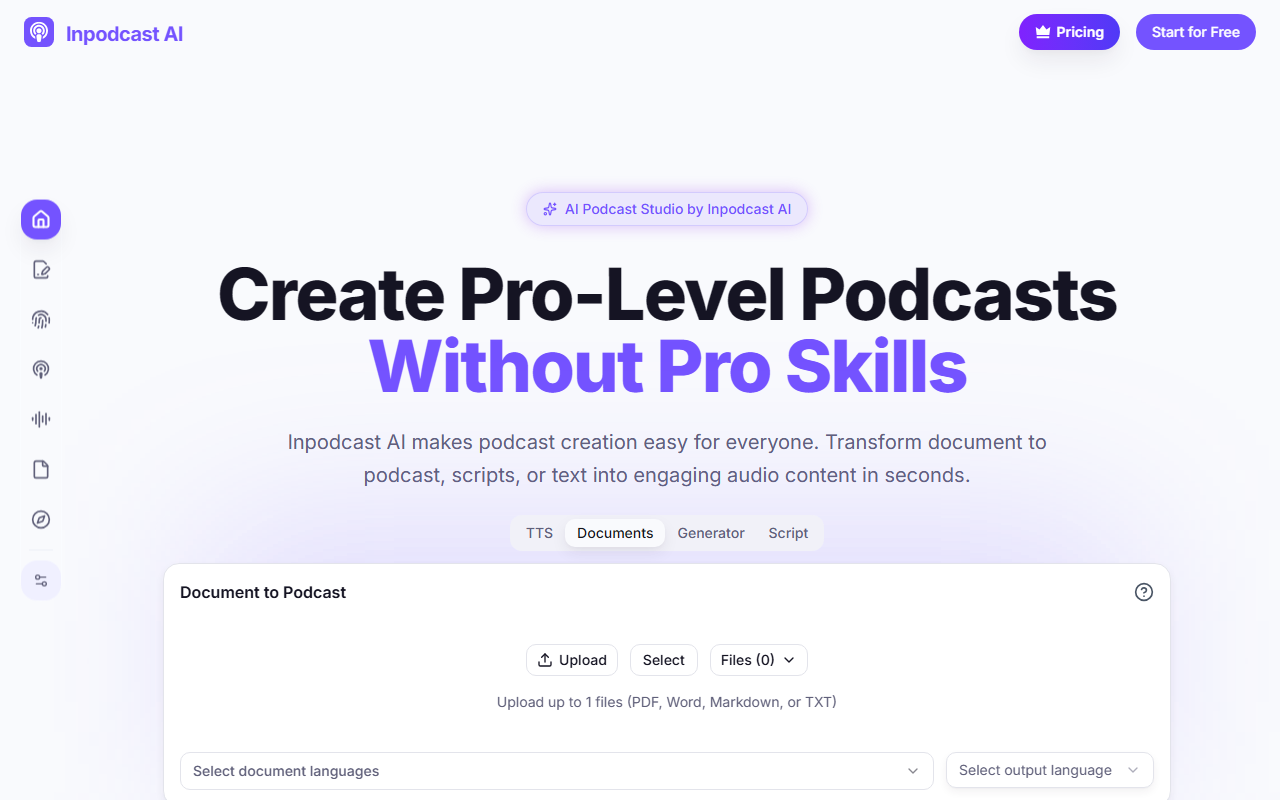
Upon visiting Inpodcast AI, I was greeted by a clean, modern dashboard with a clear four-part menu: TTS, Documents, Generator, and Script. The tagline "Create Pro-Level Podcasts Without Pro Skills" immediately sets expectations. The tool is essentially an AI podcast generator that can transform uploaded documents, scripts, or plain text into spoken audio. It also includes a voice cloning feature and a text-to-speech engine covering over 70 languages. During my test, I uploaded a short PDF article, selected output language, and within seconds the tool generated a natural-sounding narration. The interface is intuitive, with a drag-and-drop upload area and straightforward settings for voice style and duration.
Key Features and Workflow
The workflow is broken into three steps: upload your document (PDF, DOCX, MD, or TXT), adjust settings like language and voice, and generate. The core feature is Document to Podcast, which uses an advanced AI engine to analyze the structure of your file and convert it into a coherent audio episode. I also explored the Script to Podcast mode, which gives you granular control over tone and pauses — perfect for creators who already have a draft. The Voice Cloning feature requires only a 10–90 second audio sample to create a digital twin that speaks in 13 languages, including English, Chinese, and Japanese. The Text to Speech feature offers hundreds of voices, though I noticed the free tier limits duration to 5–20 minutes per generation. Notably, background music is not yet available directly in the tool, but the FAQ confirms it’s planned for future updates.
Who It Serves and Alternatives
Inpodcast AI is designed for educators converting lecture notes to audio, corporate teams turning internal reports into private podcasts, and content creators repurposing blog posts. It competes with tools like Descript and Wondercraft, but excels in document-to-podcast conversion without requiring a microphone or editing skills. Unlike Descript, which focuses on recording and editing, Inpodcast AI is purely generative — you provide text, it produces audio. This makes it ideal for scaling content production quickly. However, it lacks the multi-track editing and fine-tuning that advanced podcasters might want. The voice cloning is impressive but currently limited to 13 languages, whereas the TTS engine covers 70+ languages.
Pricing, Limitations, and Final Take
Pricing is not fully public on the site; new users receive 4,500 credits upon registration, which is likely enough for several short podcasts. The FAQ states that each generation runs 5–20 minutes, so the credit cost per minute isn’t disclosed. A clear limitation is the inability to add background music within the platform — you’d need external editing software. Additionally, copyright of generated audio belongs to the user, but you must ensure your source content doesn’t infringe. For beginners or busy professionals who want zero-friction audio creation, Inpodcast AI is a solid choice. It’s not for podcasters who need full post-production control. If you frequently convert research papers, reports, or scripts into spoken word, give it a try. Visit Inpodcast AI at https://inpodcast.ai/ to explore it yourself.













Comments